



ODOO'S FUNCTION
In Odoo, there is currently no specific field designated for Automatic Expense, which includes Import Statement, Statement List, and Statement Line List. As a result, users are unable to generate expenses directly from the statement line or the statement line list.
CLUEDOO'S FUNCTION
CLuedoo provides users with the capability to create, view, and edit expenses directly from statement lines or a statement line list, as well as the option to upload statements seamlessly.
1. Go to Accounting > Configuration > Journals Remember to select Bank for Type, check Automatic Expense, choose Responsible and default Expense Product |  |
Note that in v19, the option checkbox "Automatic Expense" is changed to use the Journal Type Credit Card | 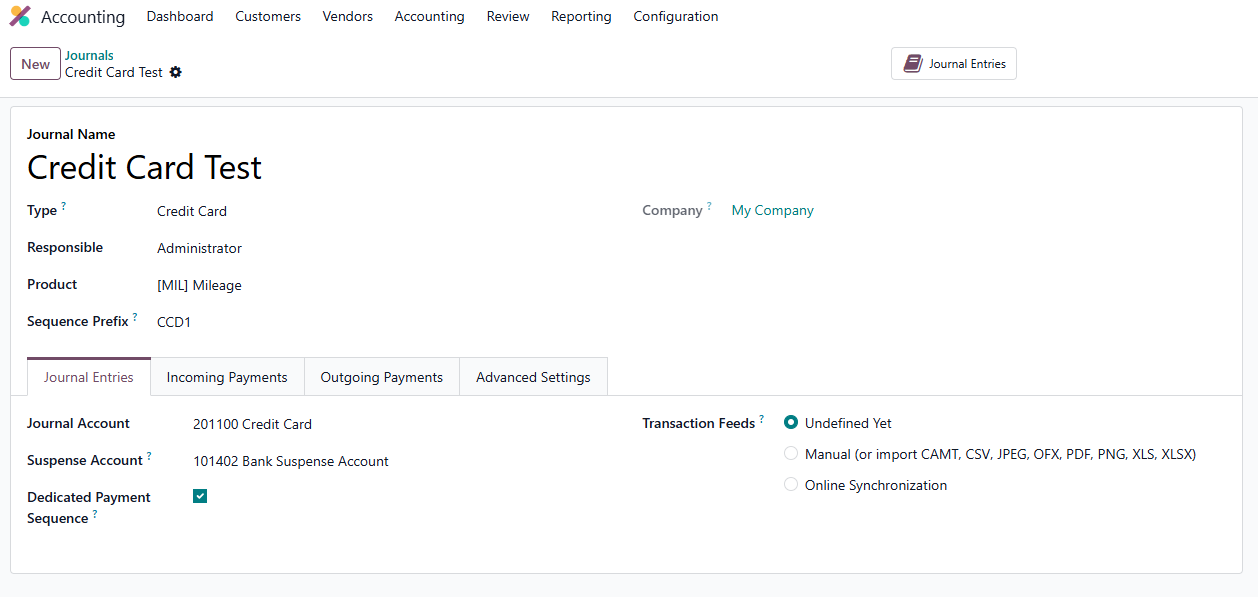 |
2. Go to Expenses > My Expenses > Statement Line List > Create a new expense bank statement and select the journal you already created, input transactions with an amount in minus > Add the Statement Line Go to Statement Line > This Statement Line List will also show up in the statement line and we can either create the expense from statement line or statement line list We can either click the "Create Expenses" or click the + icon to create expenses and directly open the expense by clicking  |  |
Note that in v19, actions Upload Expenses, Create Expense and Open Expense are added to the statement line. Open Expense action only appears when the expense is created | 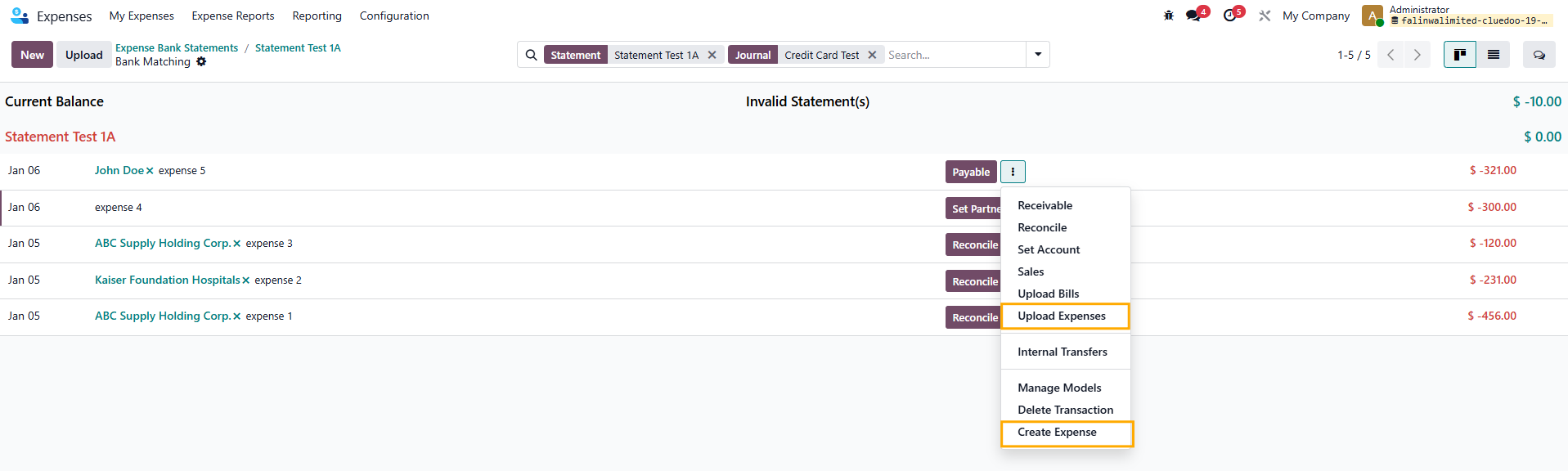 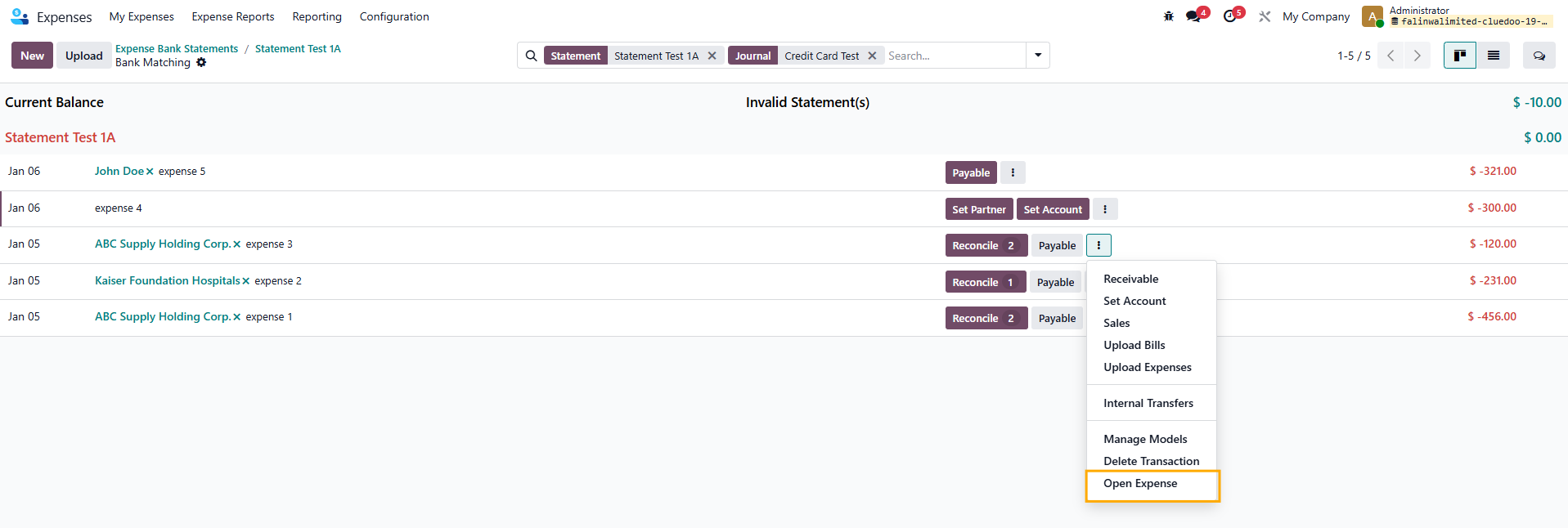 |
3. We can also import a statement by going to My Expenses > Import Statement > Choose Journal and attaching a file. Note that the function to Import Statement is removed in v19 |  |