


STORY BEHIND THE FEATURES
ODOO'S FUNCTIONS
Odoo provides a Documents app to store and manage various documents centrally.
CLUEDOO'S FUNCTIONS
Cluedoo takes this a step further by extending this functionality to the Stock move line, synchronizing all relevant documents with the Documents app.
This extension allows for a more streamlined and manageable experience, as users can now categorize and tag their documents, making it easier to locate and manage them.
With Cluedoo’s module, all documents related to stock moves can be fully managed in one place, improving overall document handling and operational efficiency.
RECOMMENDATION
Enhance your Odoo experience with Cluedoo to centralize, tag, and synchronize all stock move documents in the Documents app for improved organization and efficiency.
HOW TO USE THIS MODULE
1.
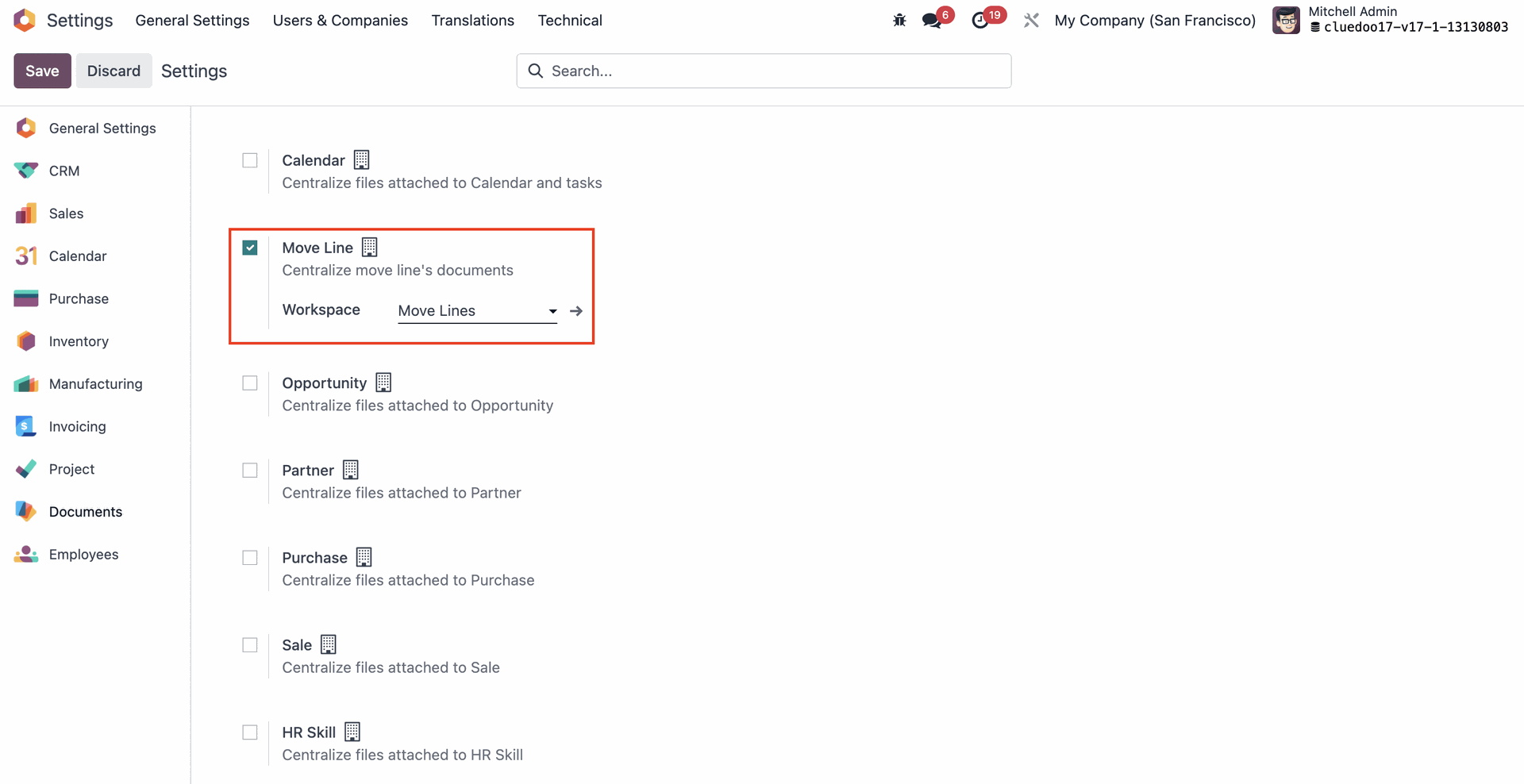
On Settings -> File Centralization, configure the location that you want the uploaded file to be saved. Tags can also be created for better management.
2.
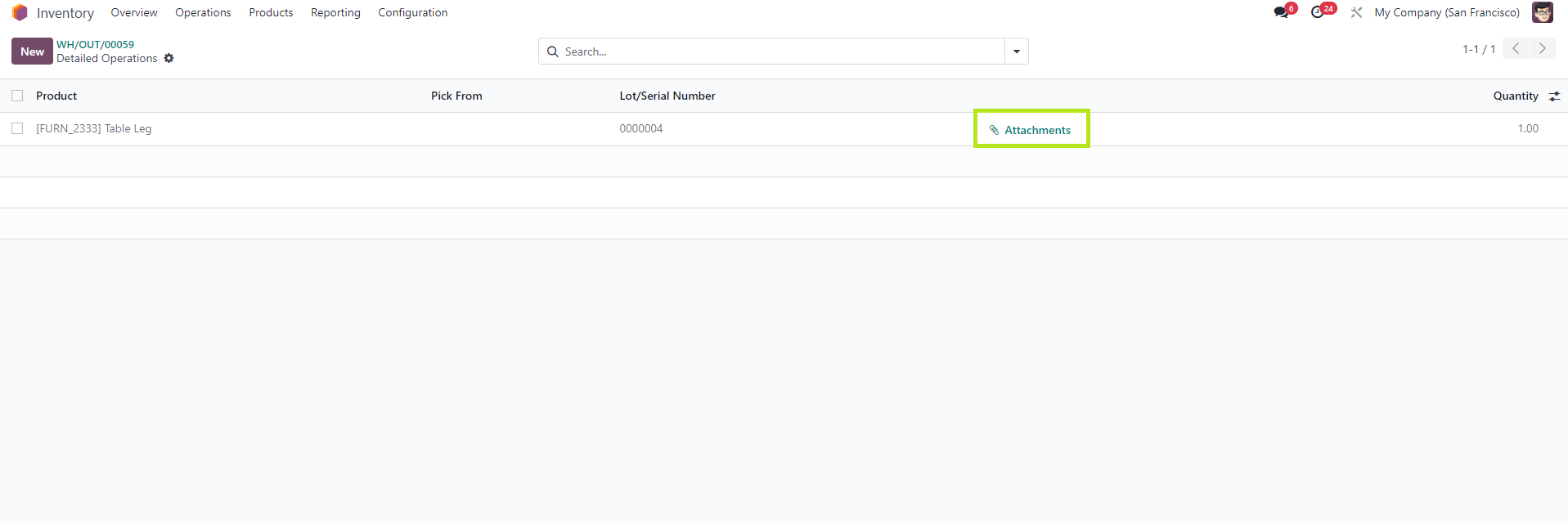
On Stock move, choose a stock move line.
Go to Detailed Operations, select attachment to upload a new document.
3.
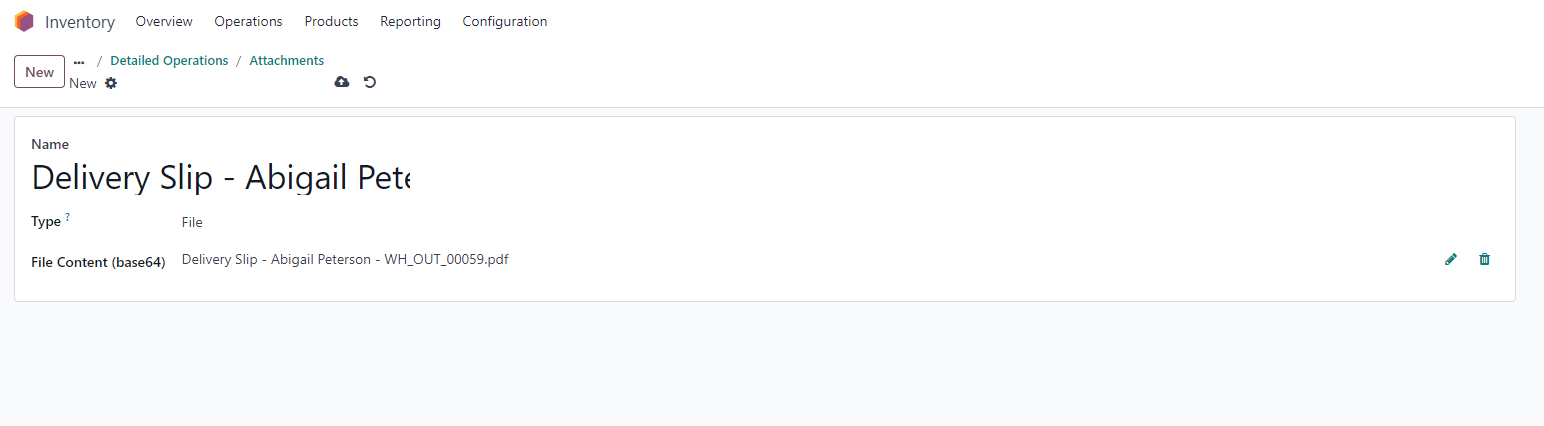
Create a new attachment.
4.
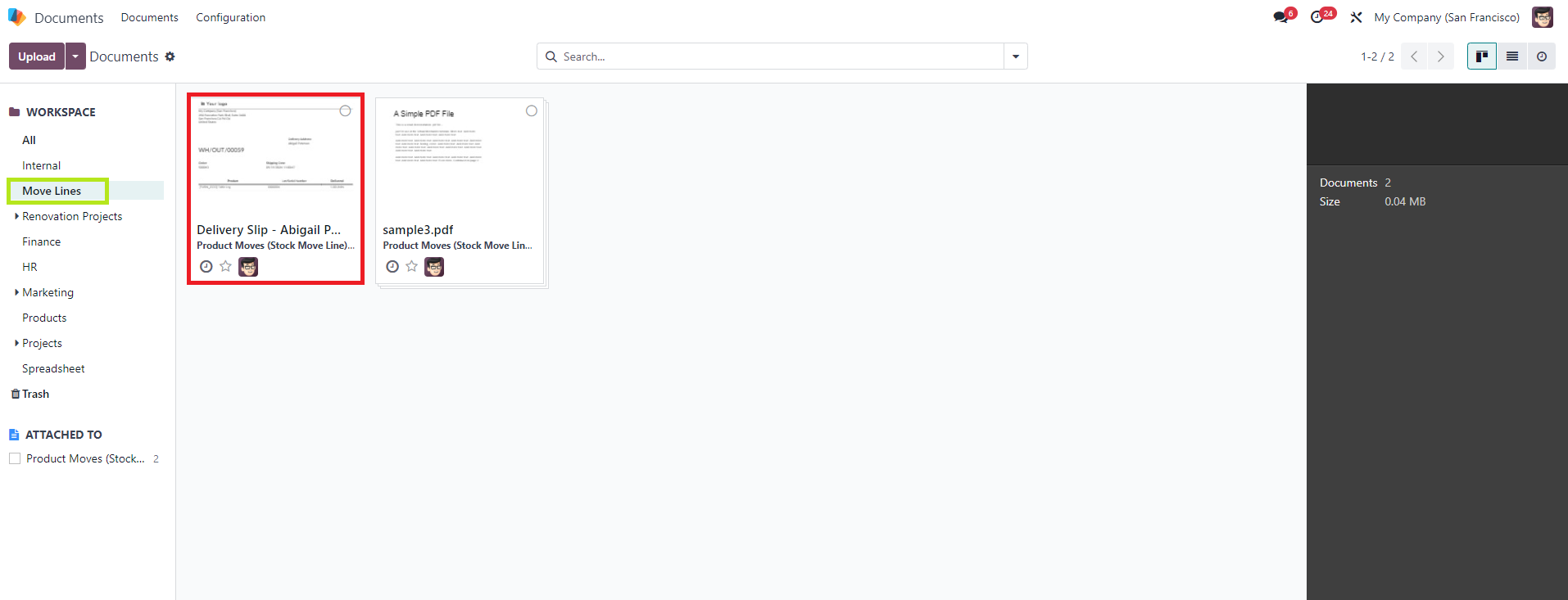
Once saved, new attachments will automatically be centralized to the Documents app.
In the Documents app, you can find the uploaded file from Stock moves in the location specified in Settings.
(i.e: Move lines)