



STORY BEHIND THE FEATURE
ODOO BEHAVIOR
In Odoo, access to an app's configuration panel generally requires admin or settings rights, which are assigned through the user settings. Users without these rights cannot access the configuration settings of specific apps, limiting their ability to manage or customize app settings independently.
CLUEDOO BEHAVIOR
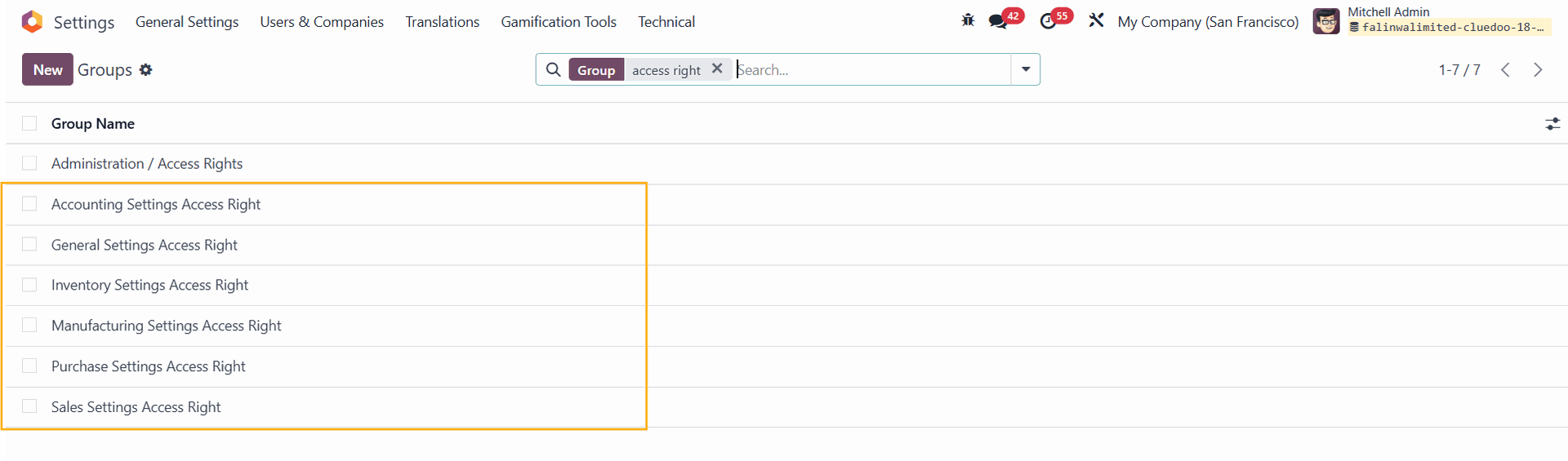
CLuedoo introduces six new access rights groups in Odoo: General, Accounting, Inventory, Manufacturing, Sales, and Purchase. By adding users to these groups, they gain access to the configuration panel of the corresponding app without needing admin or settings rights. These groups are designed to grant access exclusively to the app's settings menu and the settings page within the app, maintaining controlled and focused configuration access.
CLUEDOO RECOMMENDATION
Install on 100% of your database.
OUR FEATURES AS SOLUTIONS
grant access to an app's configuration panel without admin/setting rights
HOW TO USE THIS MODULE
1. Go to Settings > Users & Companies > Groups You will see 6 new access rights groups for:
|  |
2. Choose one of the groups (e.g., Inventory Settings Access Right) and add a user (e.g., Marc Demo) | 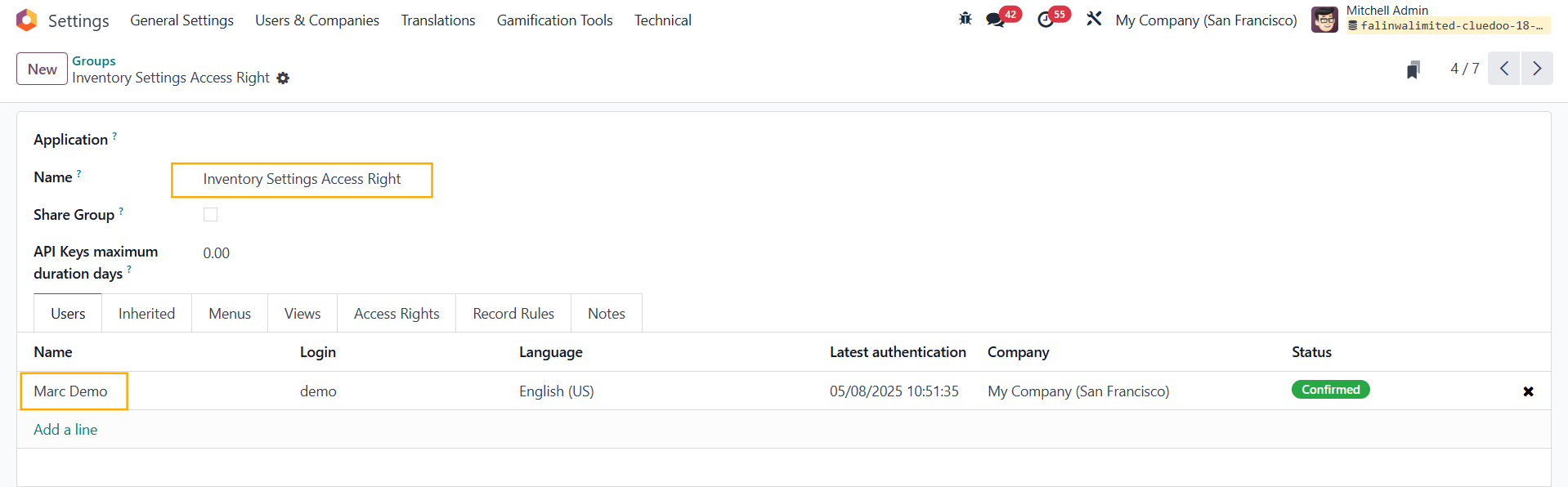 |
3. As Marc Demo has been given access rights to Inventory Settings, he will be able to access the configuration panel of the Inventory app | 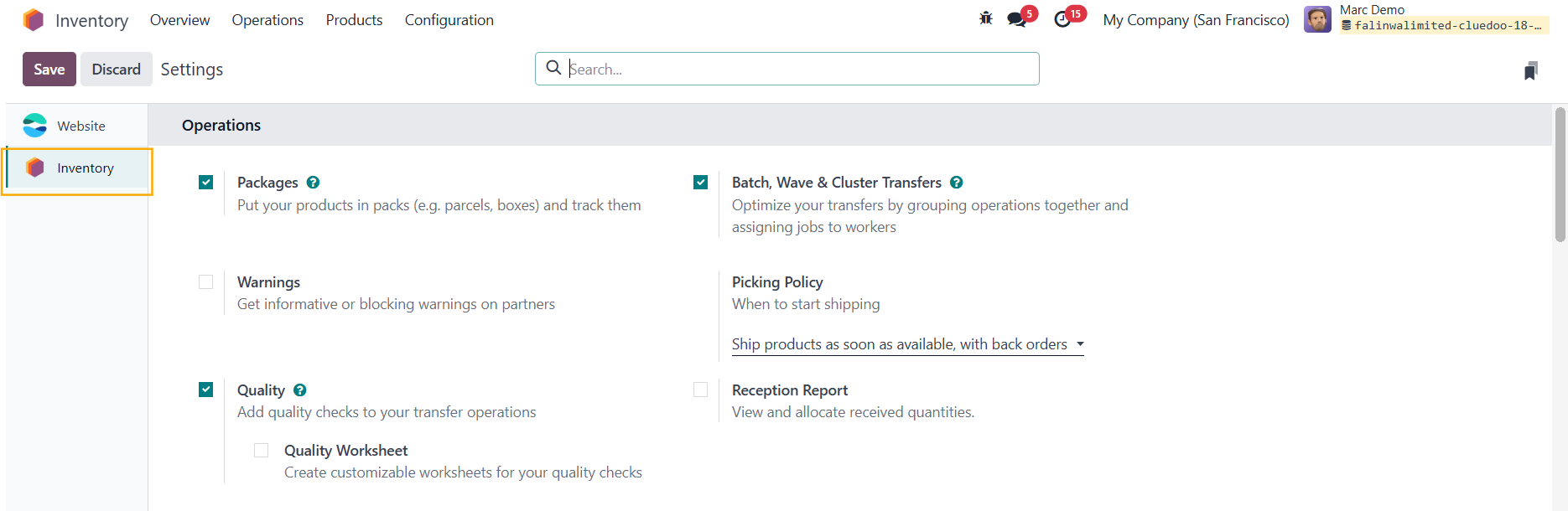 |
Even when he does not have Inventory access rights as an Administrator Note: The user can see and make some changes, but not the ones that require installing new modules > There will be an [Access Denied] warning | 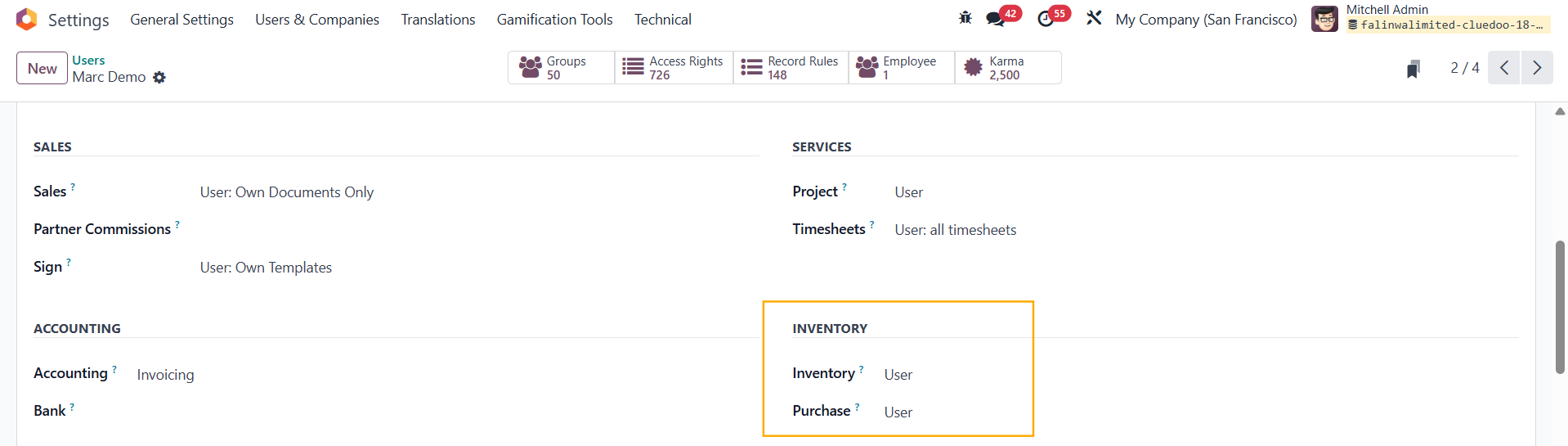 |