



ODOO'S FUNCTION
Odoo provides Mailing Lists as a great tool to manage Email Marketing contacts. However, in order to add existing contacts from other Apps to the Mailing List, the user needs to manually add a new contact or import a list of contacts.
CLUEDOO'S FUNCTION
Cluedoo streamlines mailing list management by introducing:
1️⃣ A bulk-add function to add multiple contacts to a mailing list in a single action.
2️⃣ Direct integration of this feature within your Contacts and Projects workspaces.
This allows users to build targeted mailing lists in just a few clicks, saving significant time and eliminating the need to navigate between different modules.
From Contacts 1. Go to Contacts and choose List View. | 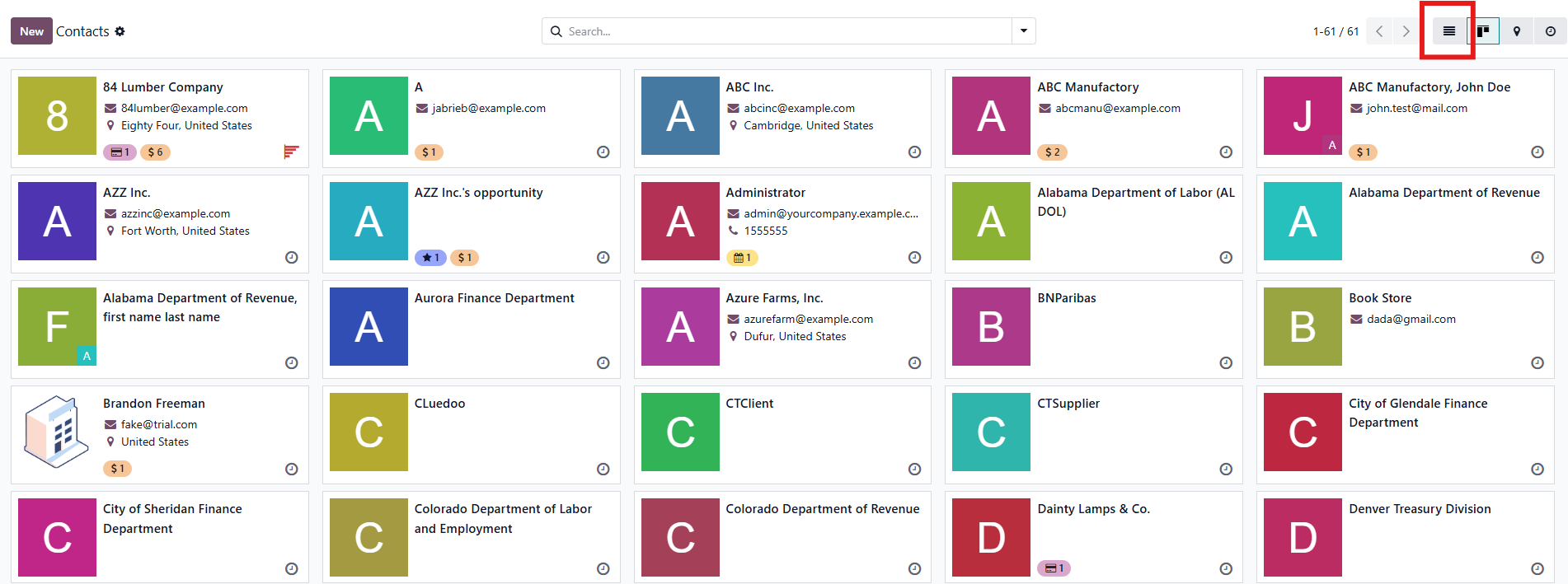 |
2. Select multiple contacts, then click the Action button, and click Create Mailing List. | 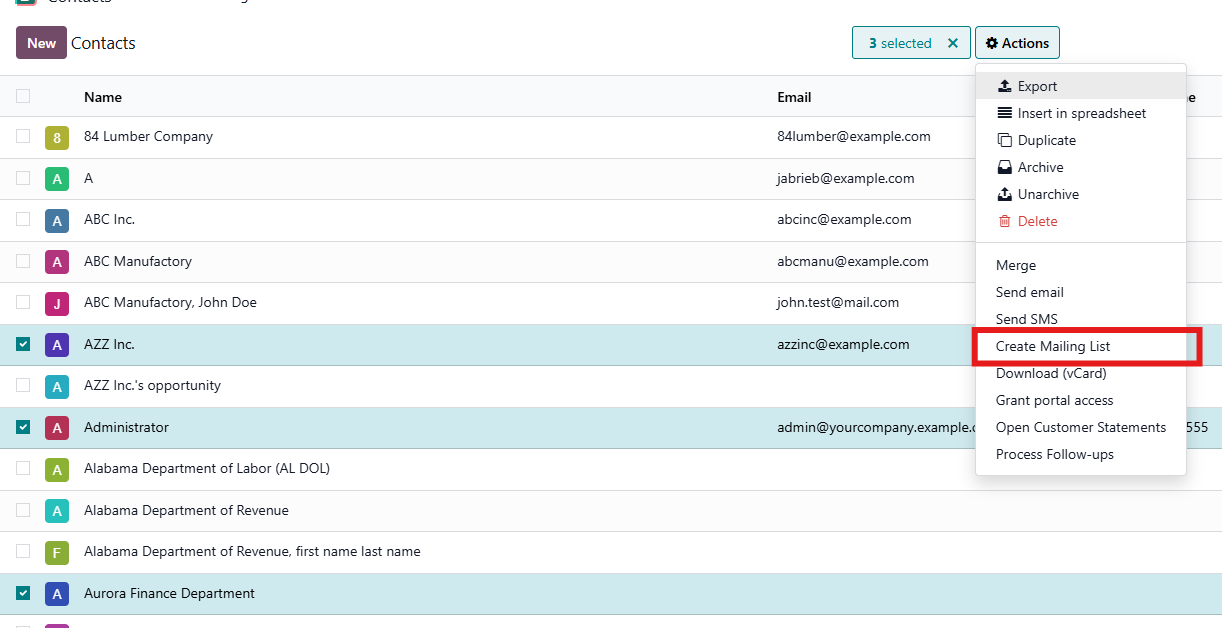 |
3. On the pop-up wizard, choose your Mailing List and confirm by clicking Add Partner to Mailing List Note: You can also create a new Mailing List from here. | 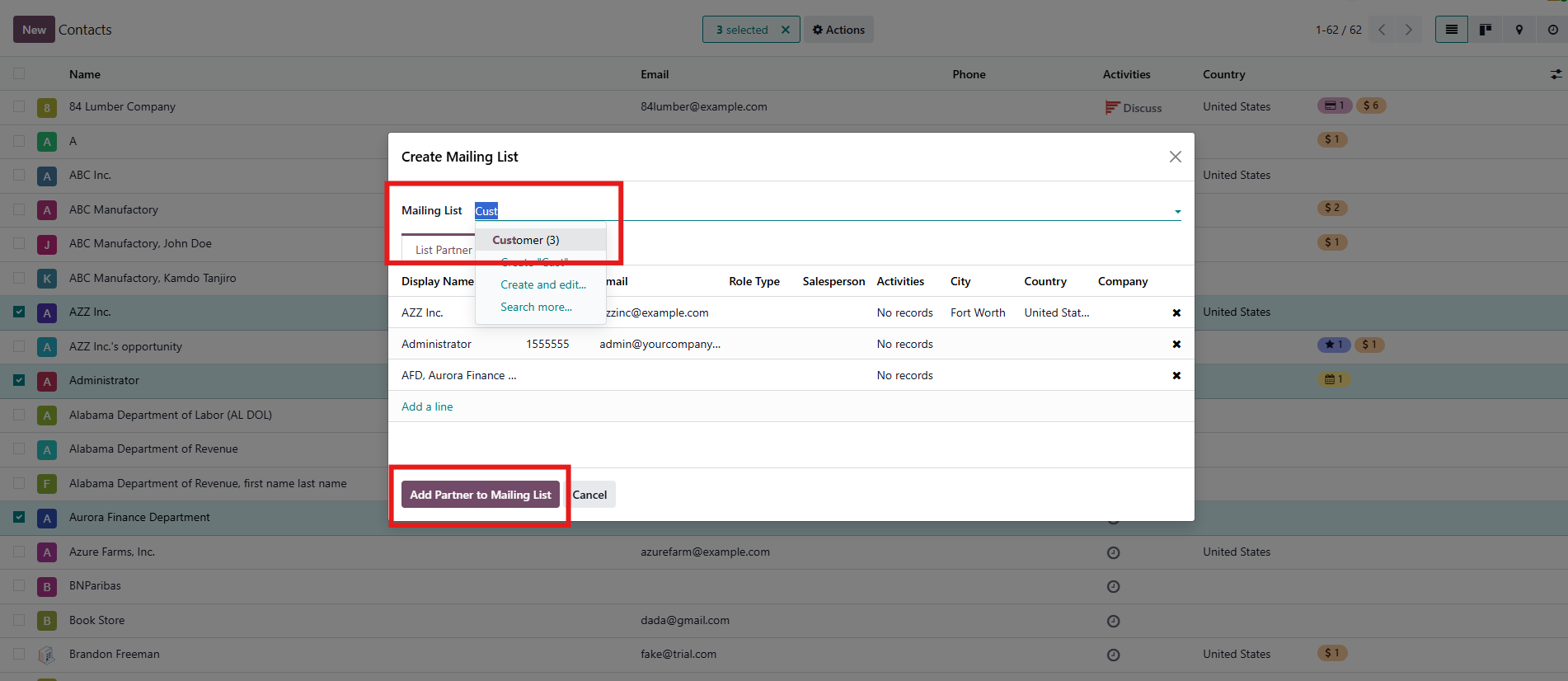 |
4. All selected contacts have now been added to destination Mailing List. |  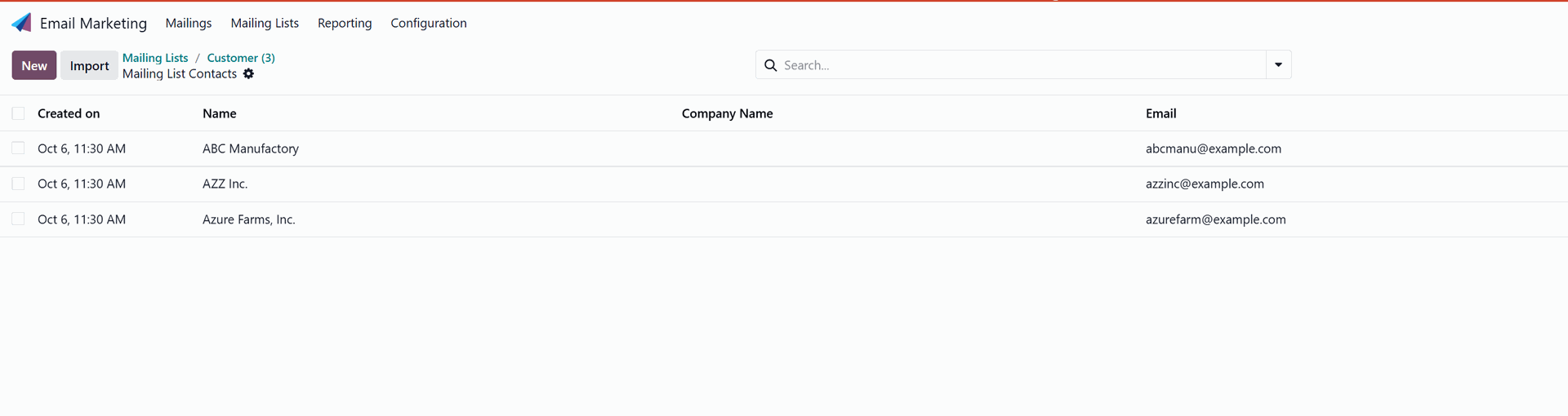 |
From Projects 1. Each project has a list of Contact Roles. It is possible to add these contacts from multiple projects to Mailing List. Note: this is dependent on the module Project Role Matrix (fal_project_role_matrix). | 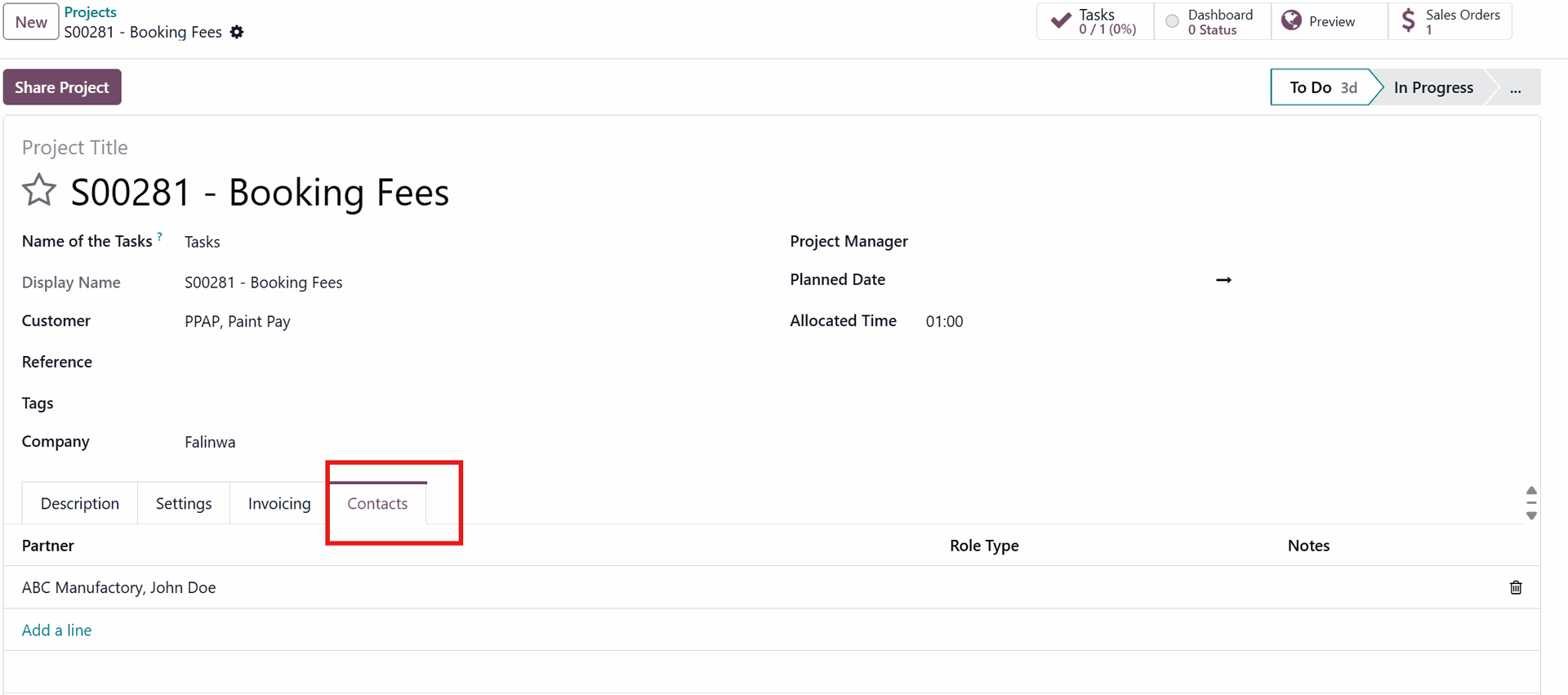 |
2. Go to Project and choose List View. | 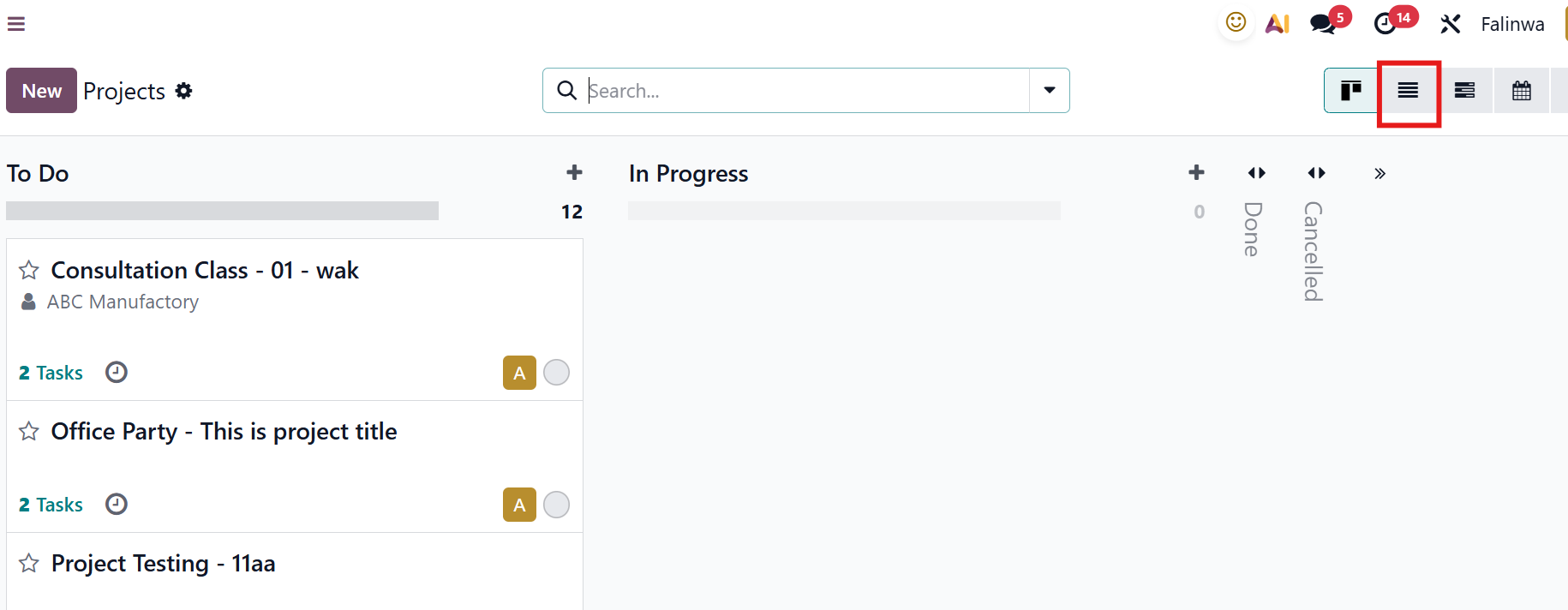 |
3. Select multiple projects, then click the Action button, and select Create Mailing List. | 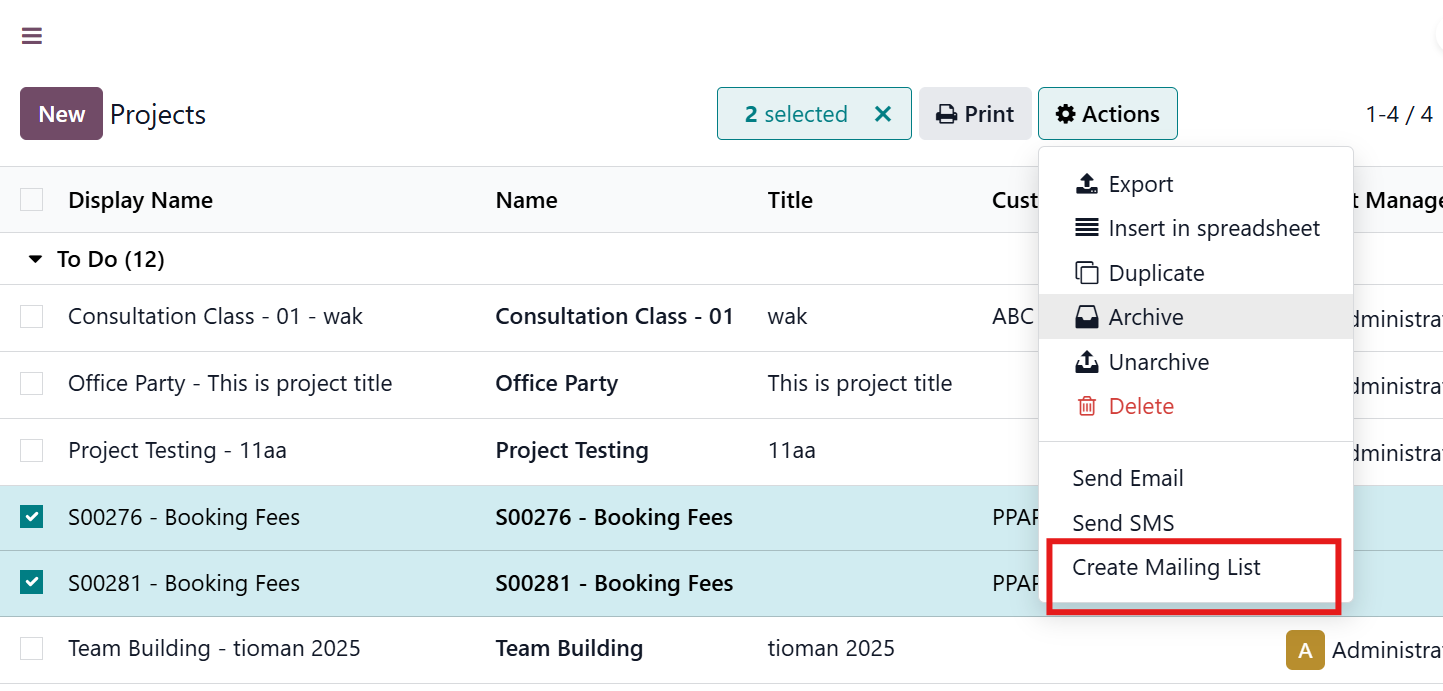 |
4. On the pop-up wizard, choose your Mailing List and confirm by clicking Add Partner to Mailing List. Note: You can also create a new Mailing List from here. | 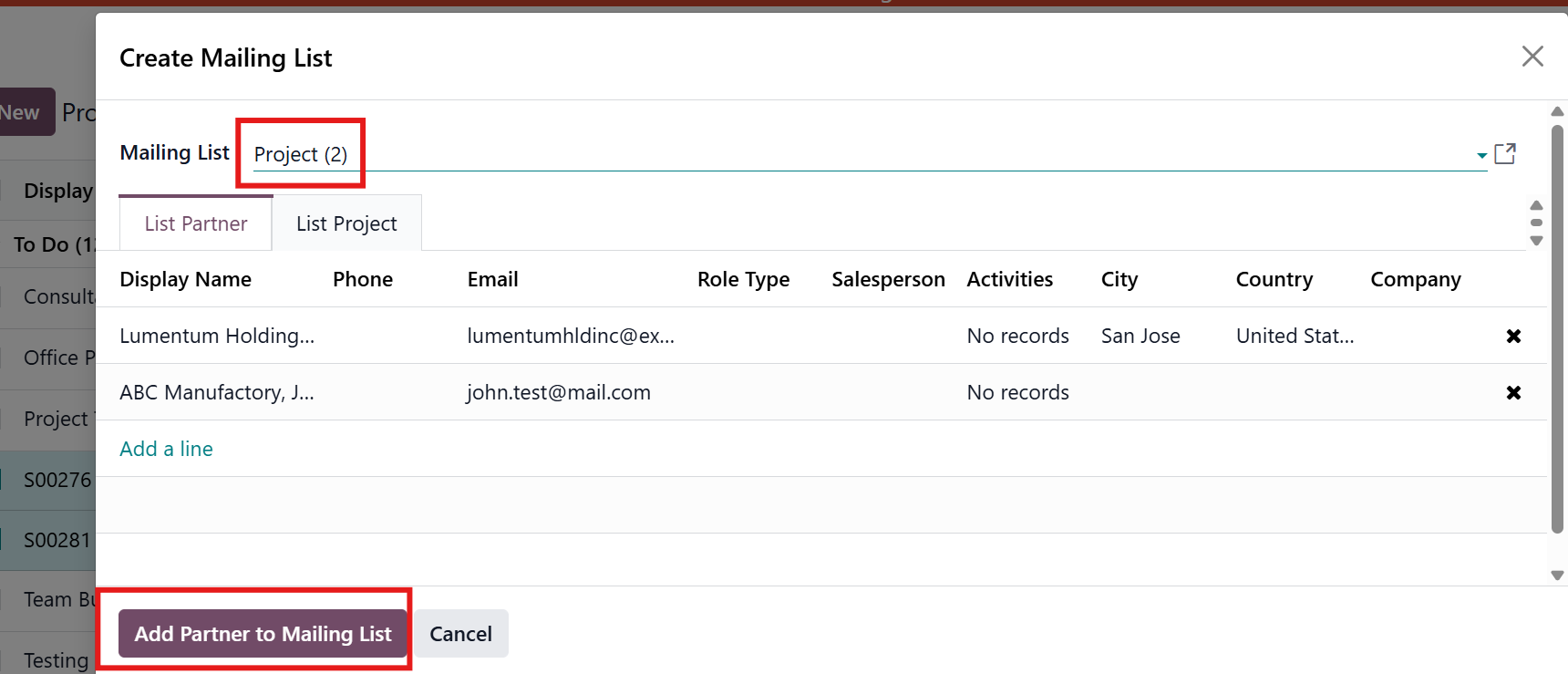 |
5. All selected contacts have been added to their respective Mailing List. You can also see the project name in the mailing list |  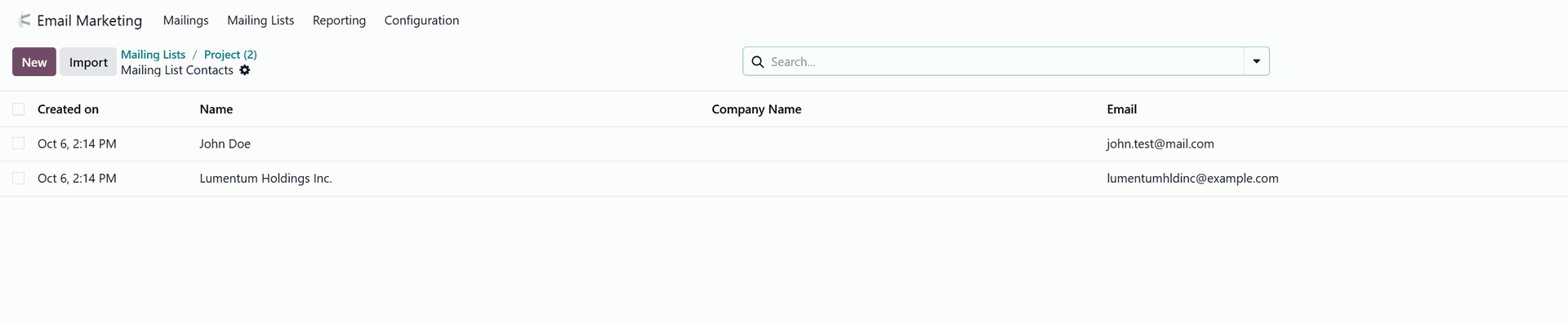 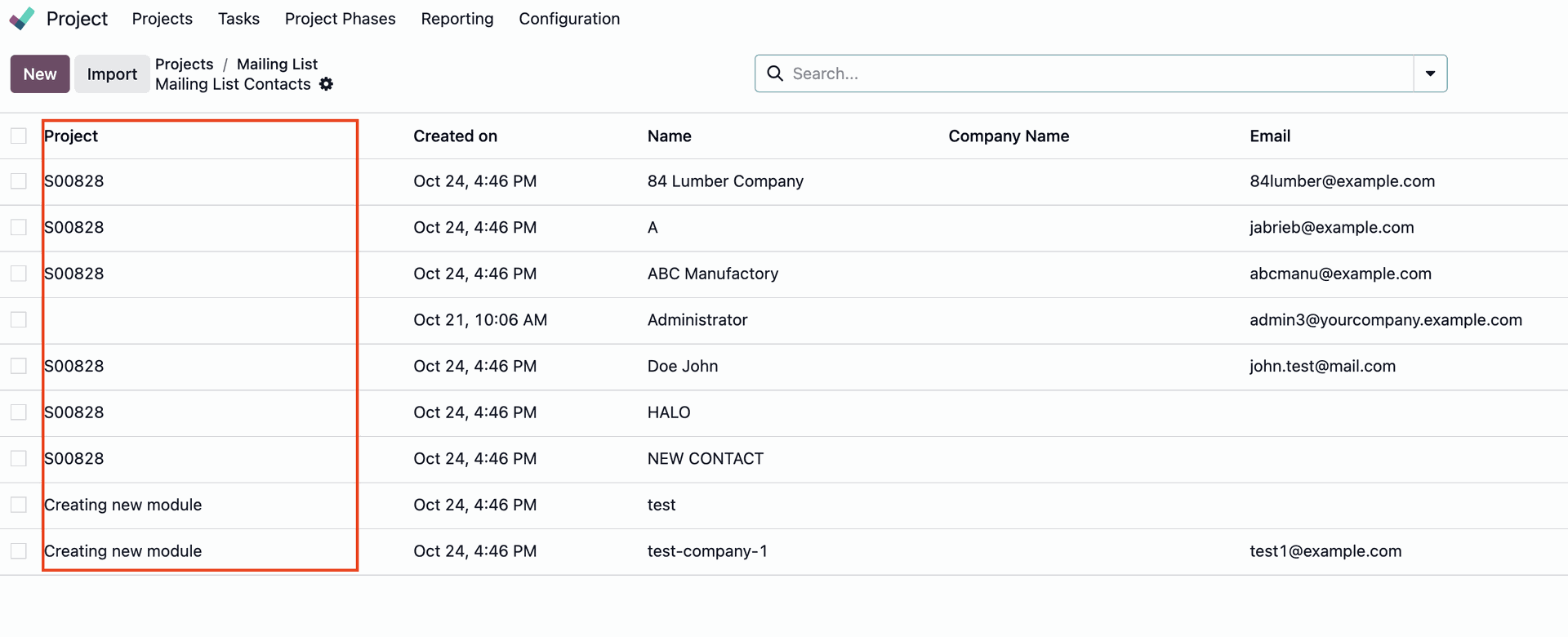 |