


STORY BEHIND THE FEATURES
ODOO BEHAVIOR
Odoo does not allow setting the Work Entry Source to be displayed by default when creating a new contract, causing inconvenience in manual selection and potentially leading to inconsistencies in data entry
CLUEDOO BEHAVIOR
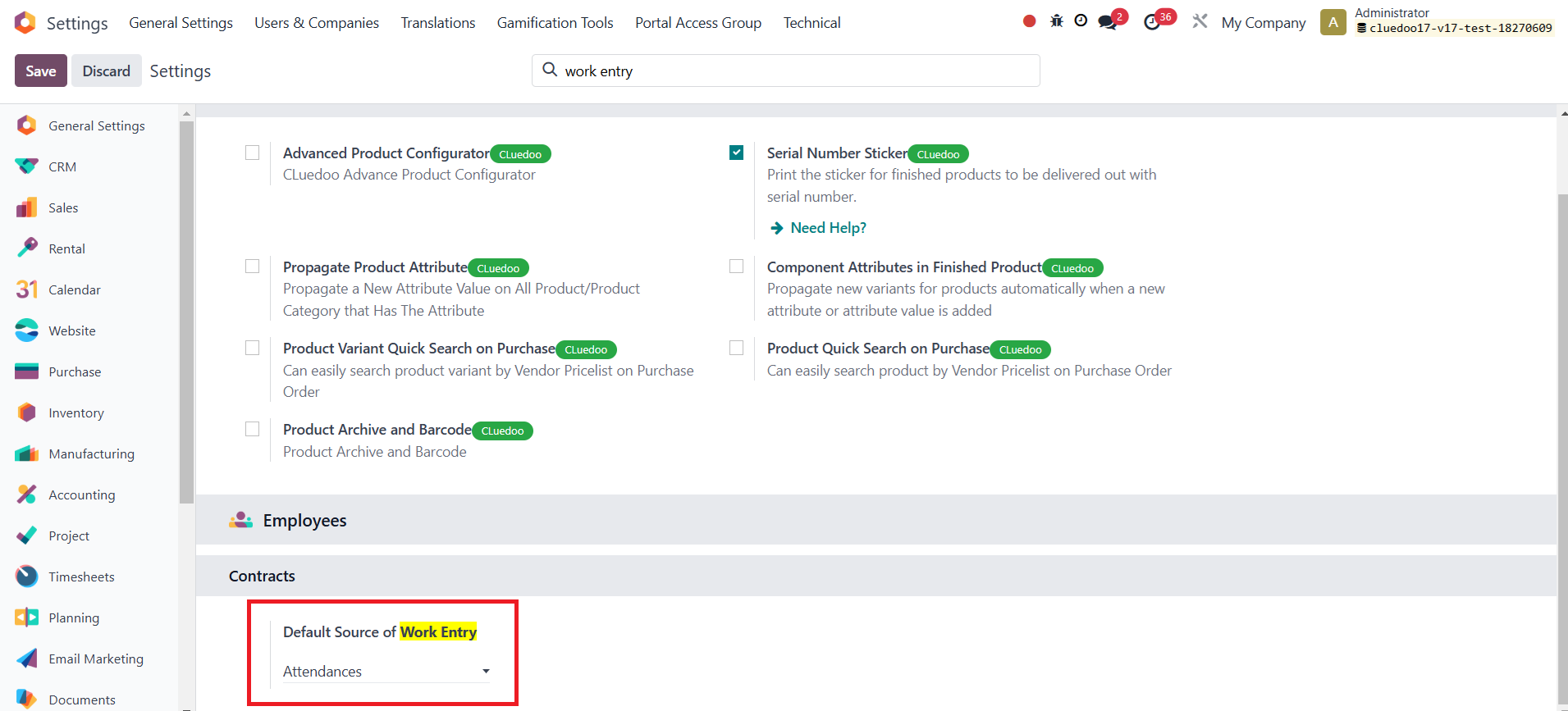
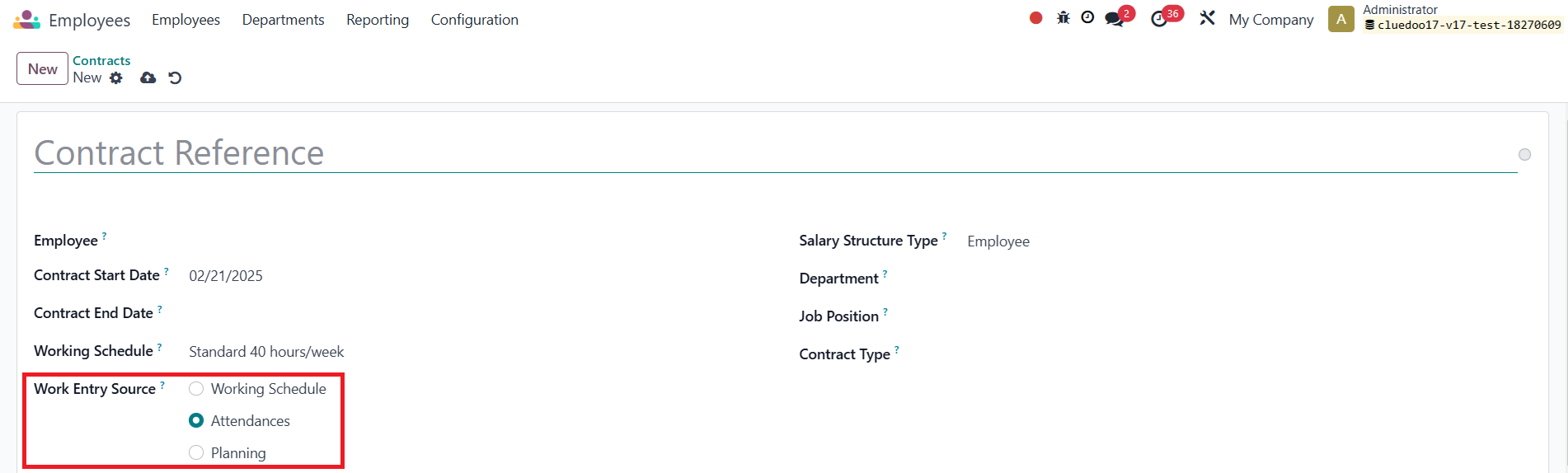
Cluedoo allows setting the Work Entry Source to be displayed by default when creating a new contract, helping to streamline the process and ensure data consistency. This enhancement improves efficiency and minimizes errors in contract management
CLUEDOO RECOMMENDATIONS
Install on 100% of the database.
HOW TO USE THIS MODULE ?
1Go to Settings > Search for Default Source of Work Entry > Select one option that you want to set as default on Contract |
|
2Go to Employees > Contracts > Click on New > Can see that the selected option is set as default in the Work Entry Source field Note: The default display depends on which company you set up. That means if you set up the default Work Entry Source field in My Company, the default value applies when creating a contract in My Company
|
|