

ODOO'S FUNCTION
Automatically generates deferred entries for invoice/bill/expense lines that have Start and End Dates, based on the selected deferred account and deferral model.
CLUEDOO'S FUNCTION
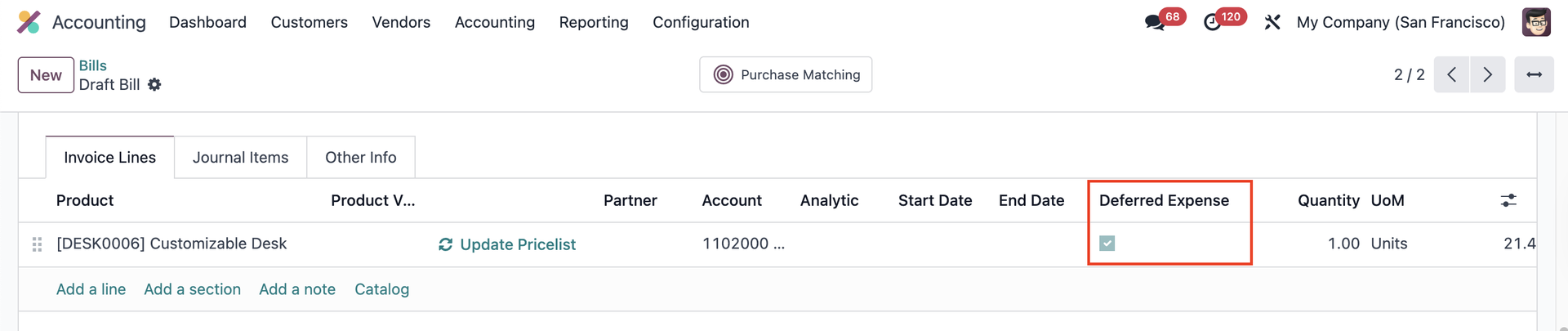
Adds a Deferred Expense/Revenue checkbox on invoices/bills lines.
- Unchecked: blocks deferred entries on lines with dates
- Checked: generates deferred entries based on selected invoice/bill lines
Create a new Purchase Order > Confirm Order and Validate the Receipt > Create Bill. | 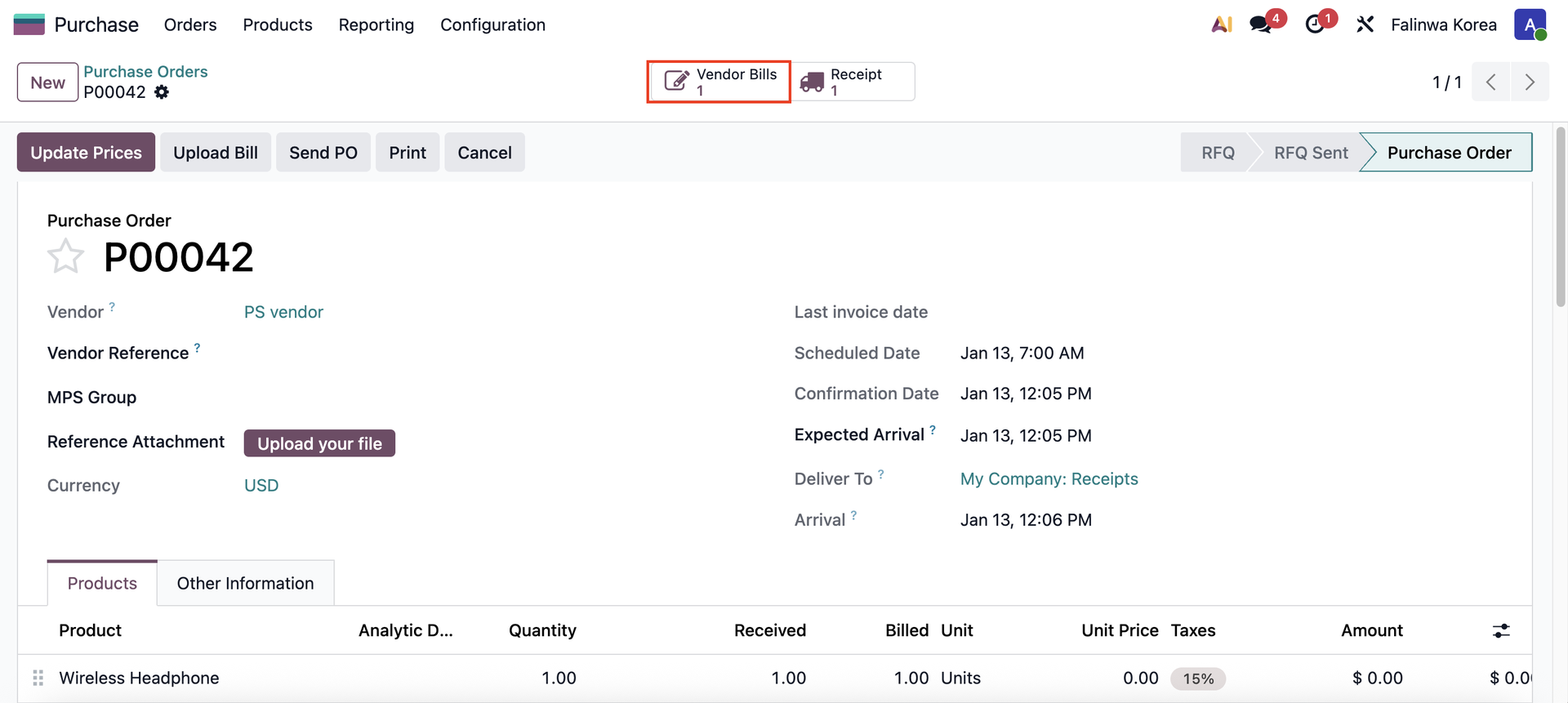 |
Access the vendor bill > Fill in the Start Date and End Date / Deferred Date and make sure that the checkbox Deferred Expense is checked if you want to generate deferred entries > Confirm the bill > Deferred Entries will be created. | 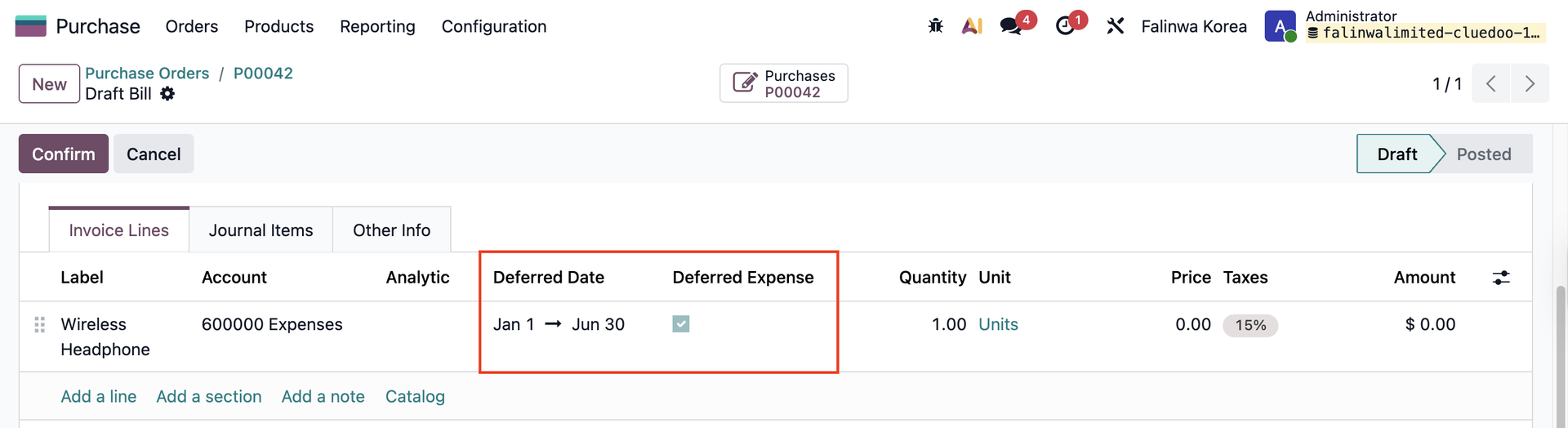 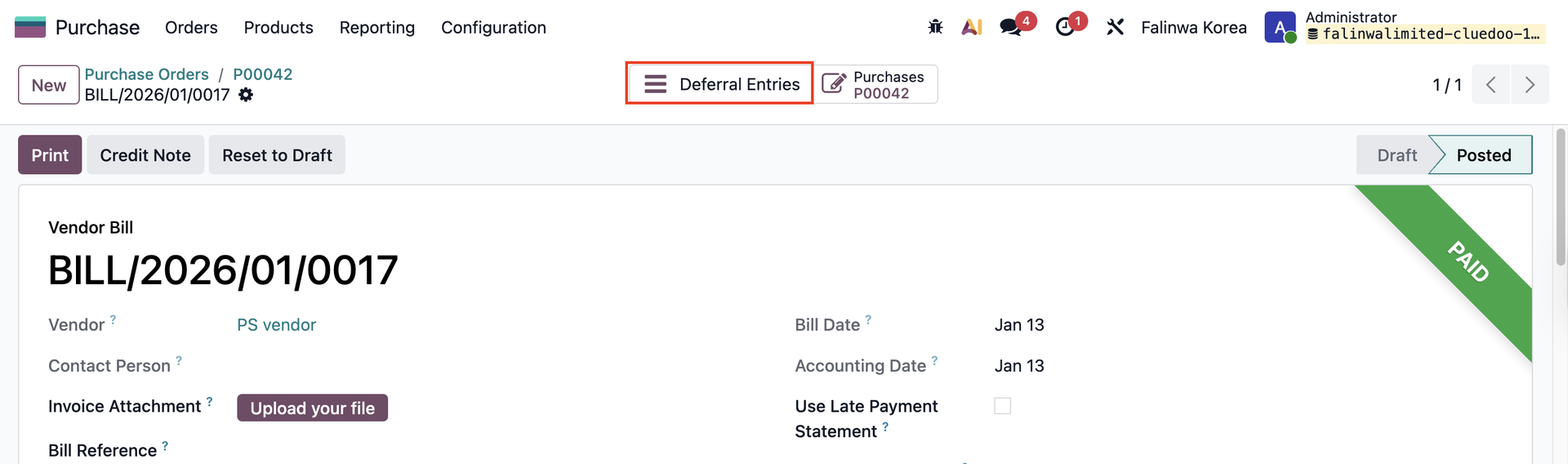 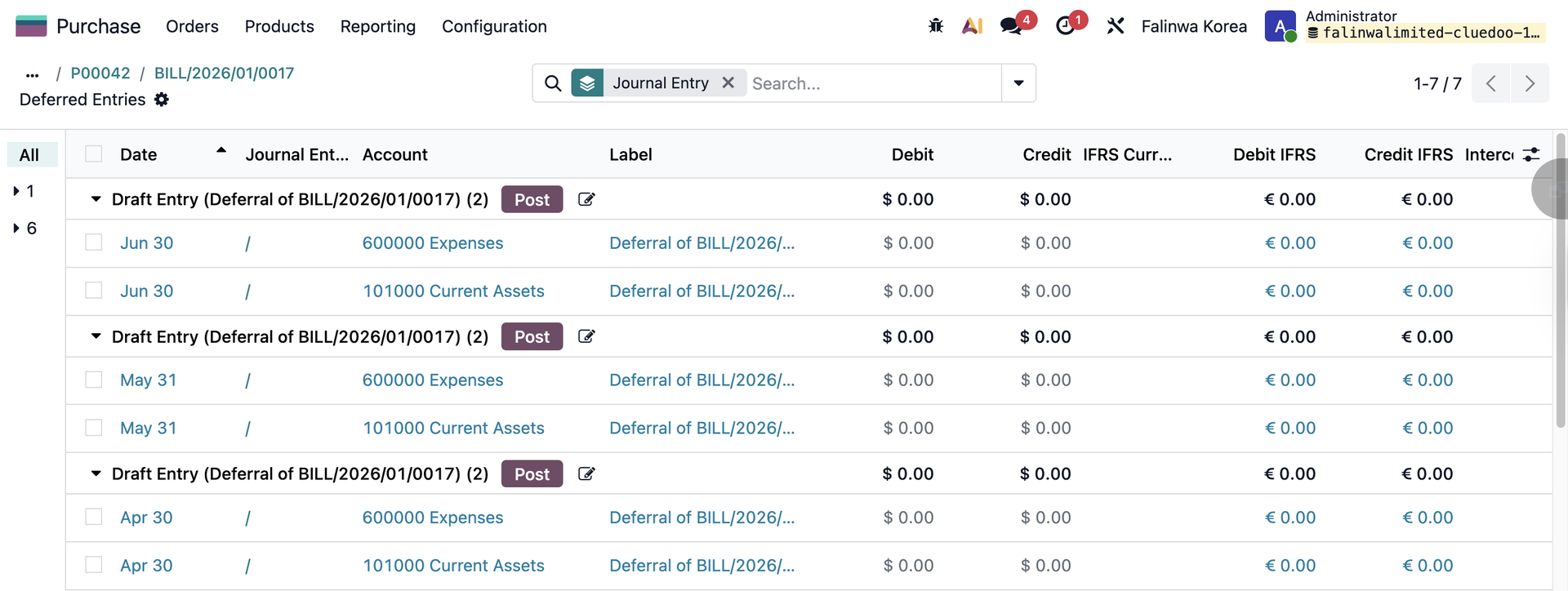 |
You also can find them in the Deferred Expense Entries / Deferred Expense menu. The process is the same with Invoice and Deferred Revenue. | 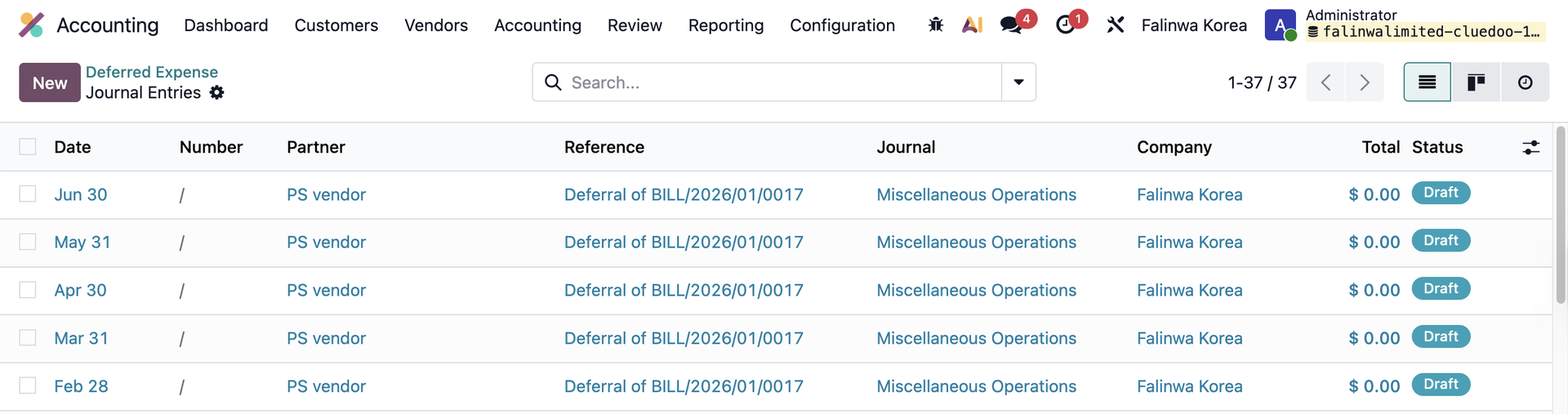 |
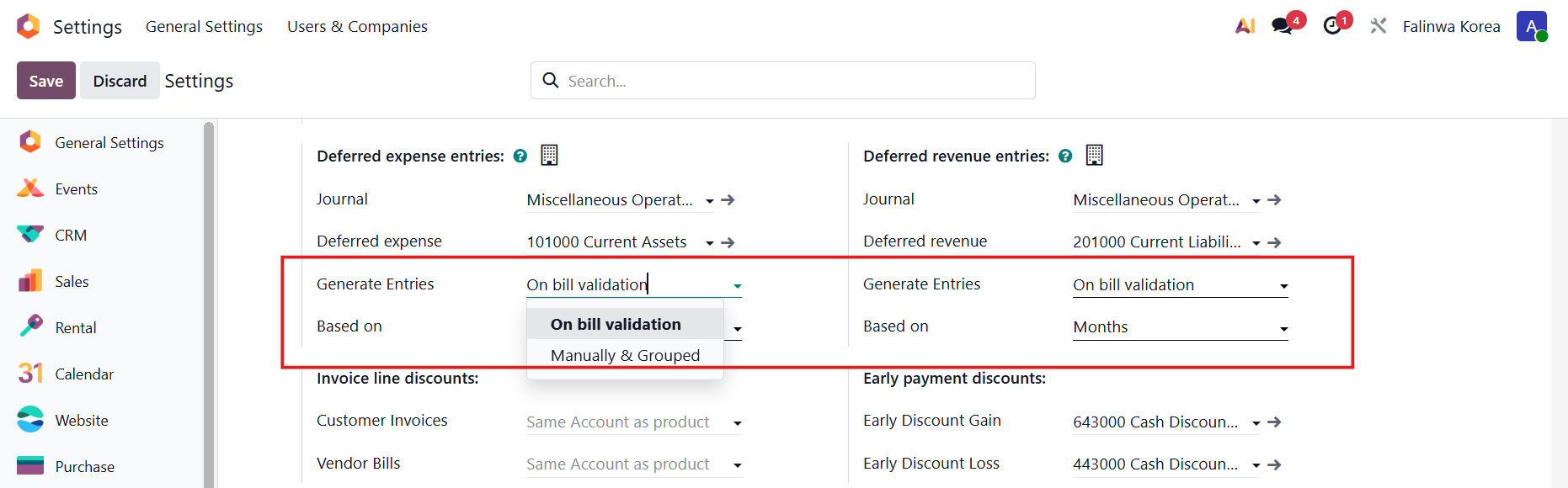
Notes: Go to Settings > Deferred expense/revenue entries
|
|