



ODOO'S FUNCTION
You can assign an Analytic Distribution on Projects or Tasks. However, there's no central dashboard to show the relationship between Projects, Tasks, and the assigned resource.
Analytic Distribution are not linked with resource management.
CLUEDOO'S FUNCTION
Cluedoo introduces the following features:
- Add the ability to assign Analytic Resource to both Projects and Tasks via Analytic Distribution.
- The Project and Task are automatically linked to the Analytic Resource, if its analytic account is used.
- All linked records are visible under the Analytic Resource form.
1. Go to Analytic Resource > Create New Analytic Resource (AR) | 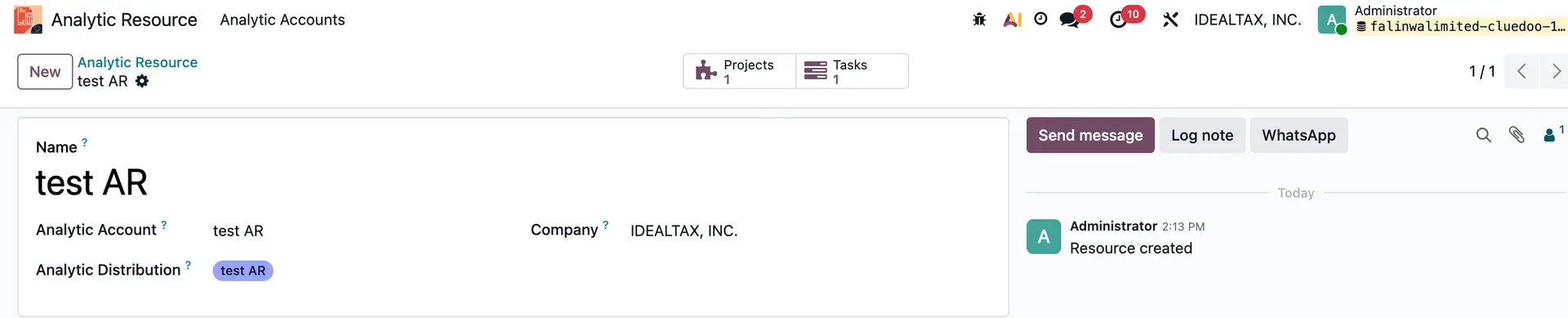 |
2. Go to Projects > Access new or existing project > Go to project settings. | 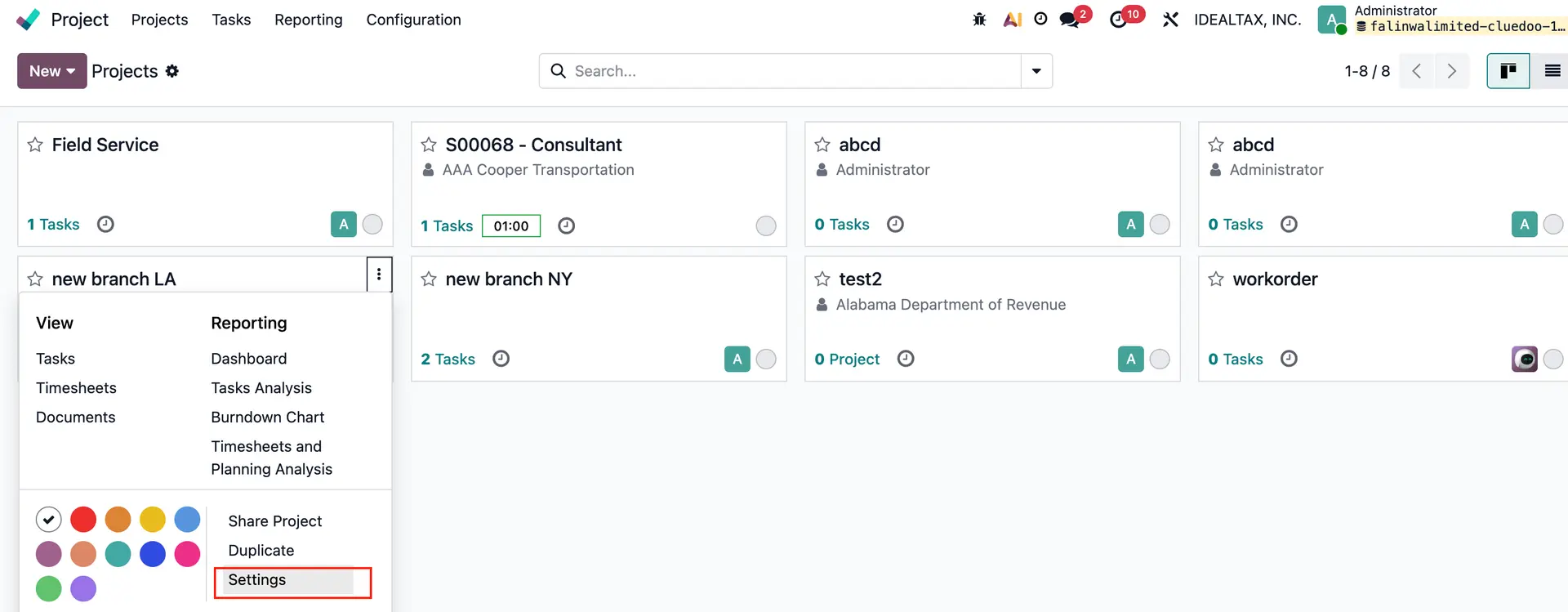 |
Go to Settings tab > Fill Analytic Distribution with Analytic Resource | 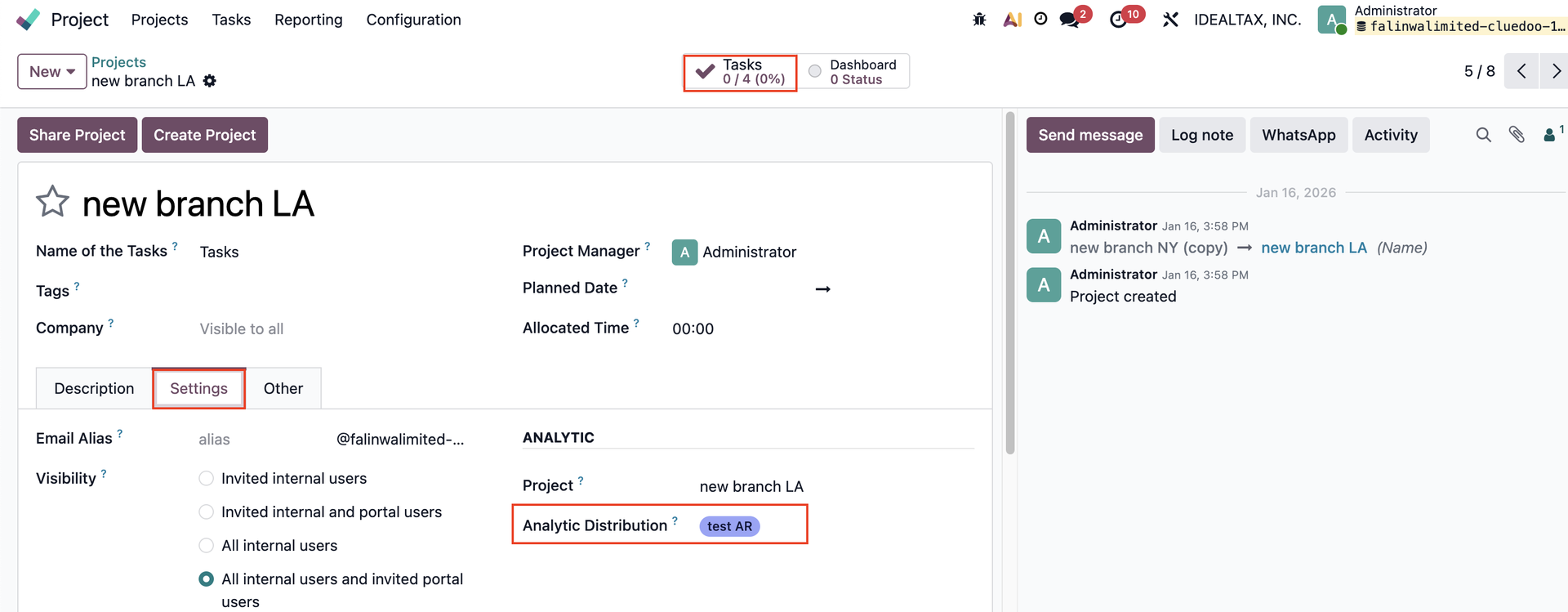 |
3. Go to project's tasks > Go to Extra Info tab and fill Analytic Distribution with Analytic Resource | 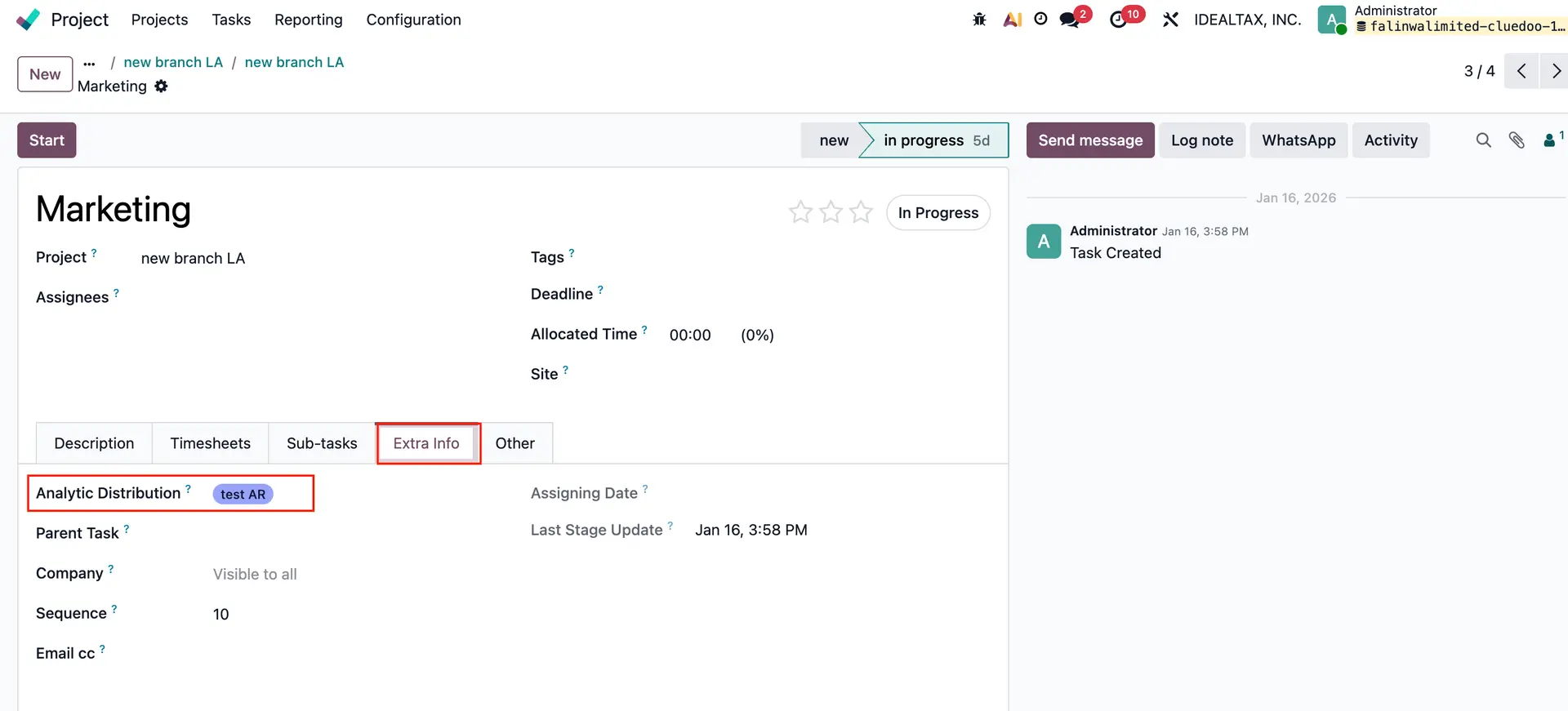 |
4. Go back to Analytic Resource > We can see all the projects and tasks linked with Analytic Resource in smart button. | 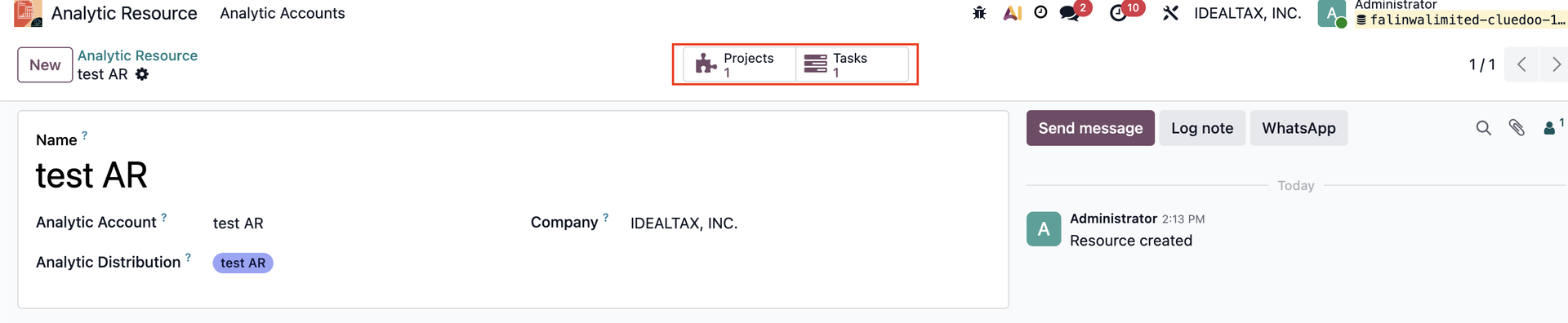 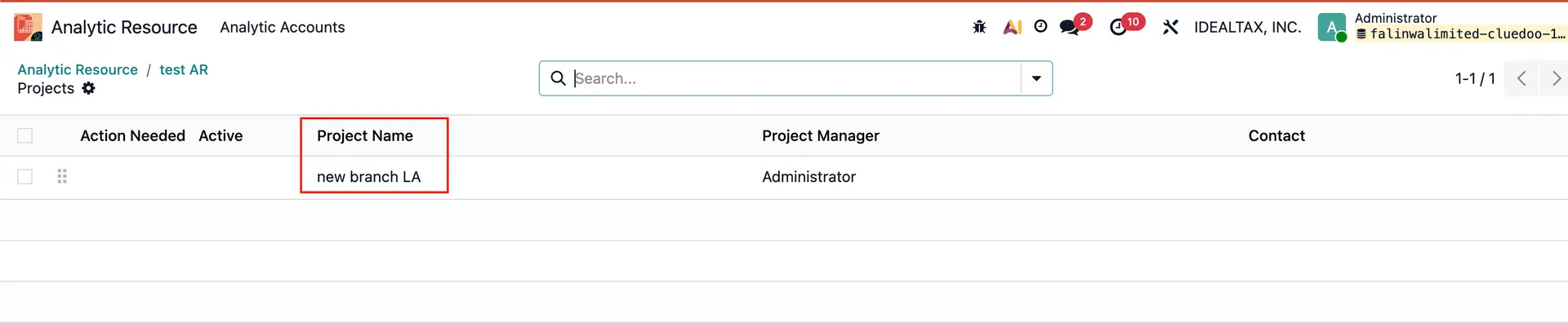 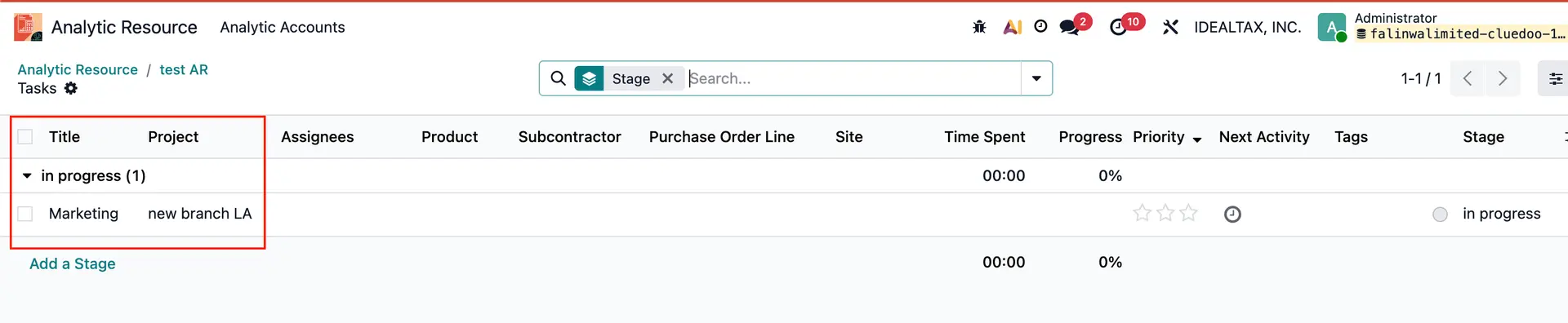 |