


STORY BEHIND THE FEATURE
ODOO BEHAVIOR
By default, Odoo does not inherit analytic distribution across various documents. When users enter analytic information on Sales Orders, Purchase Orders, or Manufacturing Orders, this data does not flow automatically to related records like Child MOs, Subcontracting MOs, Transfers, Quality Checks, or Journal Entries. Moreover, the Analytic Plan feature in Odoo lacks flexibility—it does not support Applicability Selection per model (such as Quality Checks, Stock Scrap, etc.), limiting the ability to enforce or disable analytic usage based on the business flow. As a result, users must enter analytic data manually in each step, increasing the risk of errors and inconsistencies.
CLUEDOO BEHAVIOR
Cluedoo enhances analytic propagation and control across documents and operations:
- ✅ Analytic distribution from Sales Orders is inherited by all downstream documents
- ✅ Analytic flows from subcontracting Purchase Orders to all related documents
- ✅ Analytic distribution from Manufacturing Orders propagates fully
- ✅ Applicability Selection in Analytic Plans:
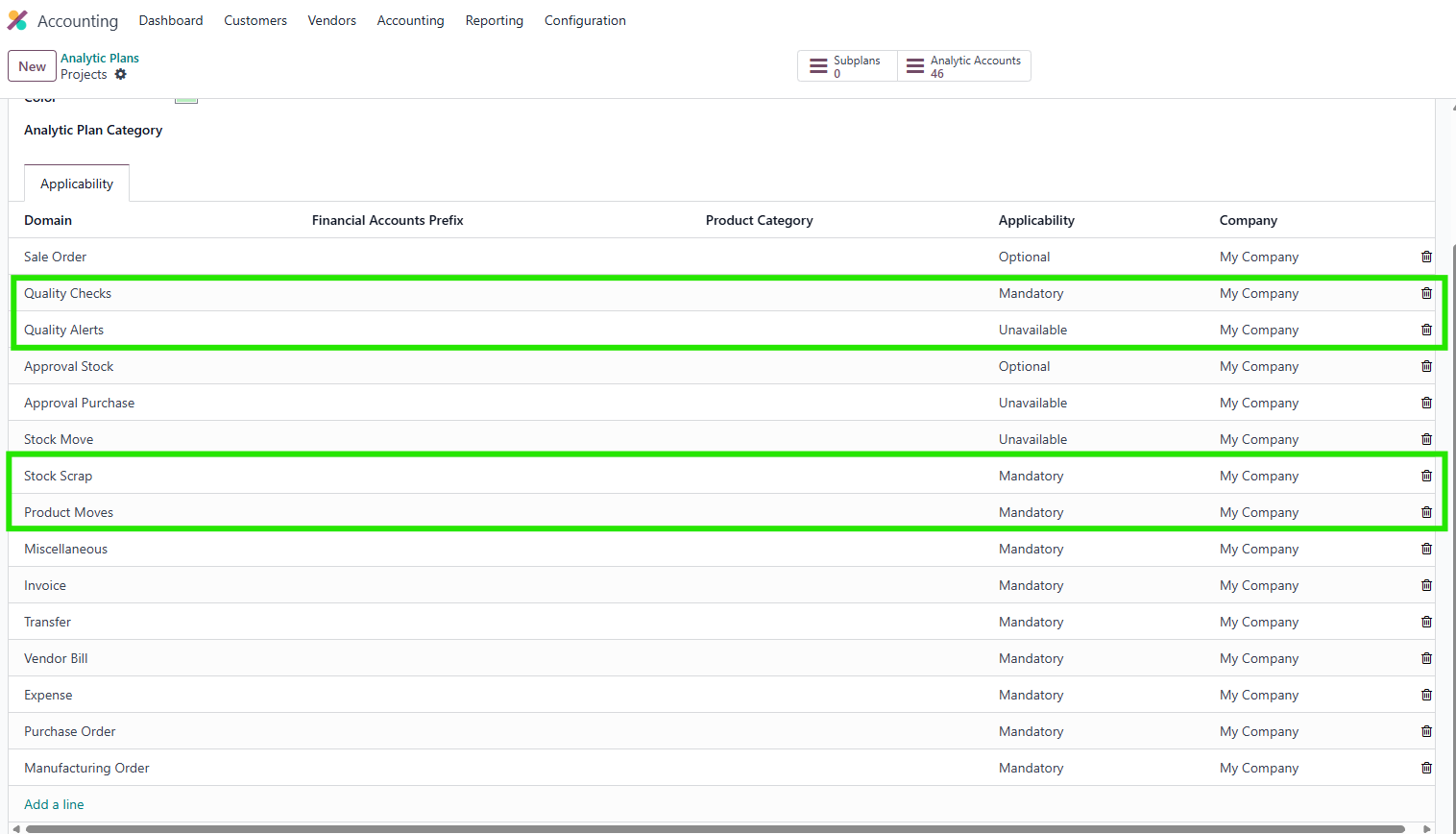
- Configure analytic behavior per model (e.g. mandatory for Quality Checks, optional for Scrap)
- Supported models include: Quality Checks, Quality Alerts, Stock Scrap, Product Moves
- ✅ Reduces manual entry and improves consistency in cost tracking and reporting
REQUIRED MODULES
To experience the complete package of the features, we recommend installing all the modules below. Here are the required modules and their corresponding purposes
| MODULE | PURPOSE |
fal_mrp_project | This module propagates analytic distribution from sale order to manufacture order.
|
fal_project_in_sale_stock | This module propagates analytic distribution from sale order to transfer. |
fal_project_in_purchase_stock | This module propagates analytic distribution from purchase order to stock move. |
fal_so_analytic_account_transfer_to_po | This module helps transfer analytic_distribution from sale order line to purchase order line. |
fal_mrp_production_order | This module propagate analytic distribution from manufacturing order to purchase order |
fal_approval_purchase | This module propagate analytic distribution from approval request to purchase order |
fal_approval_stock | This module propagate analytic distribution from approval request to transfer |
fal_analytic_distribution_stock | This module define analytic distribution for stock move and provide Applicability Selection in analytic plan for Stock Move. |
HOW TO USE THIS MODULE
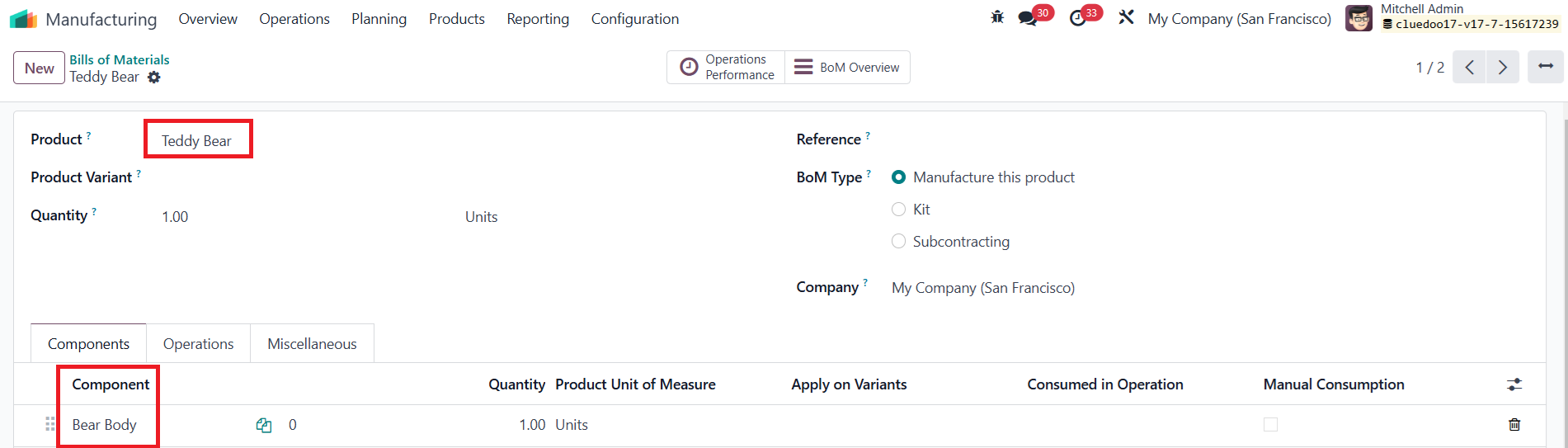
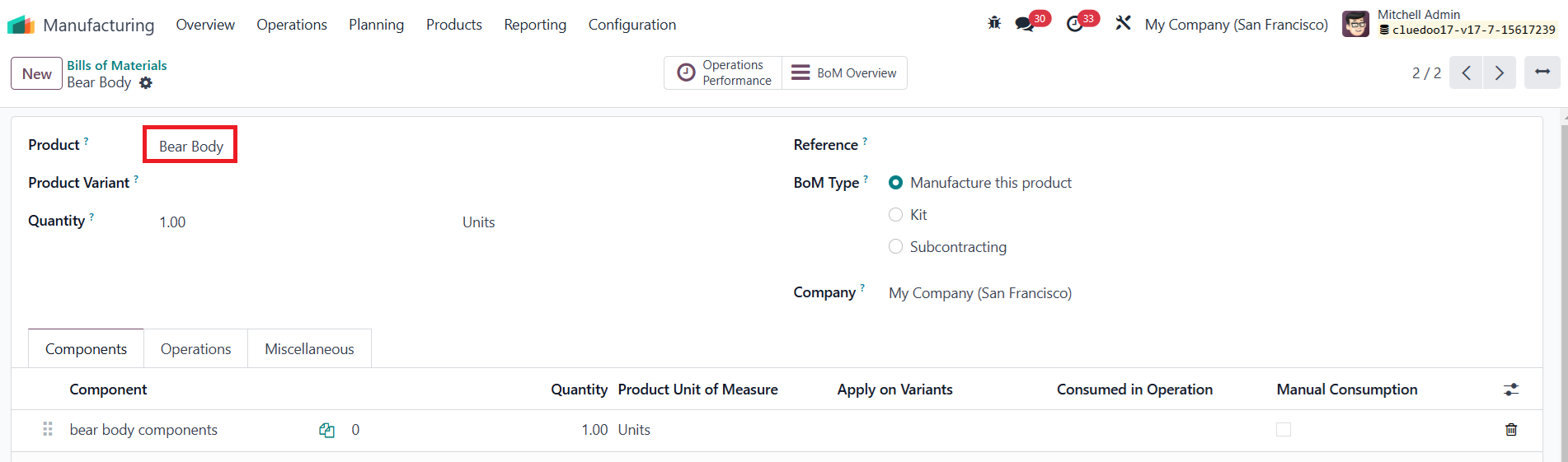
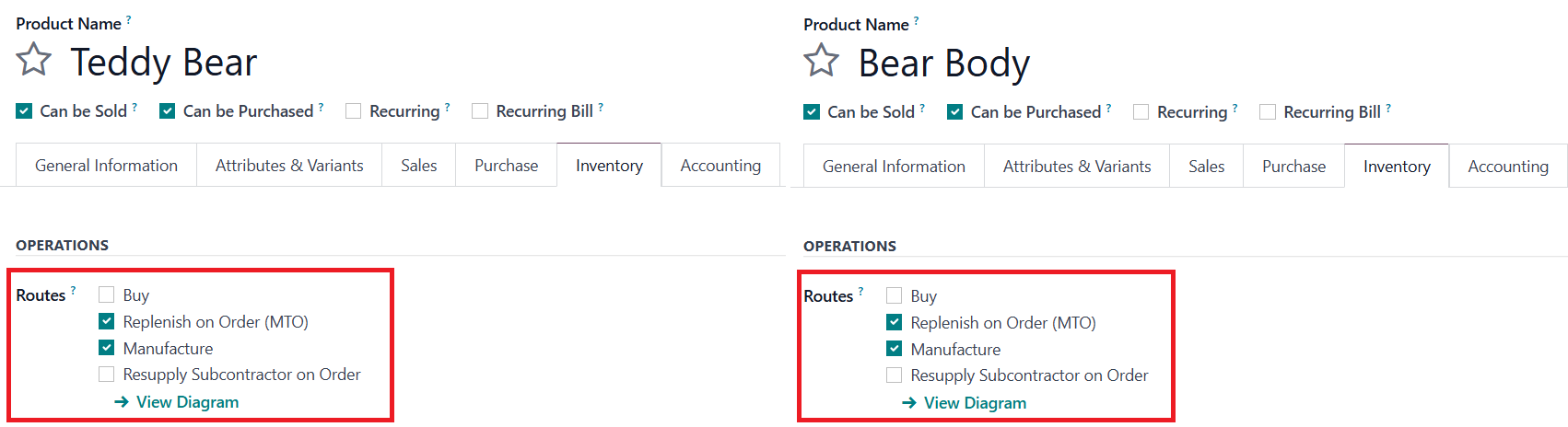
I. Manufacture Order > Child MO, Quality Checks, Quality Alert, and Scrap1Go to Manufacturing > Bills of Materials > Create bills of materials for both a product and its components Note: The product and its components have to be configured with MTO and Manufacture Routes |
|
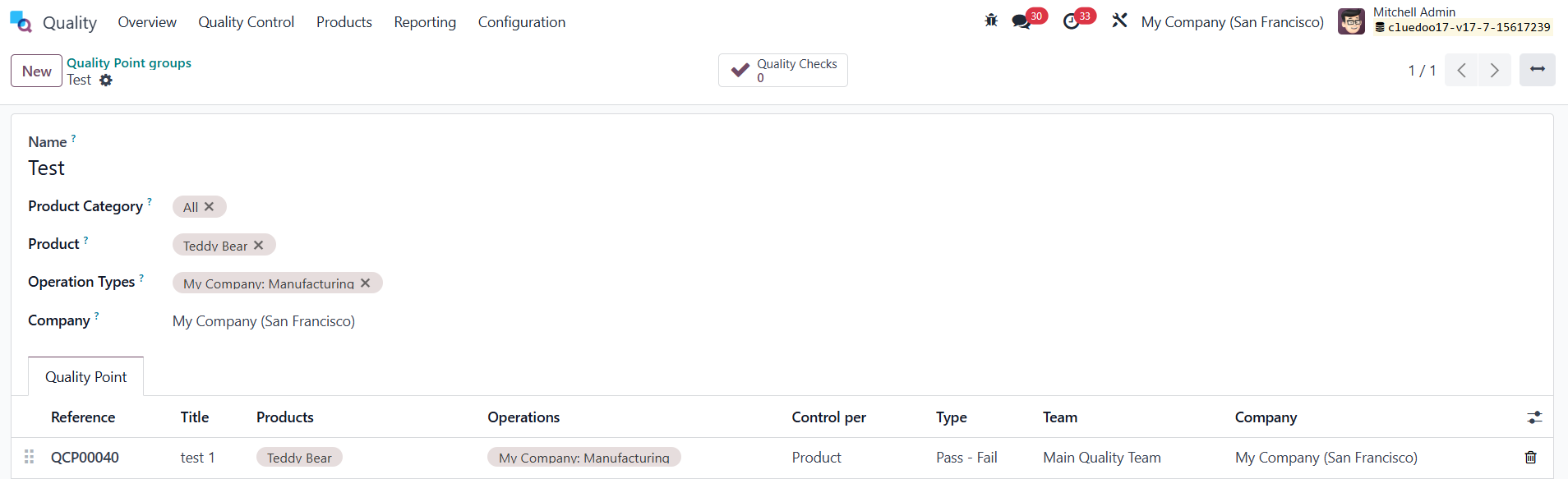
2Go to Quality > Quality Control Groups > Create a Quality Point Group for the above product |
|
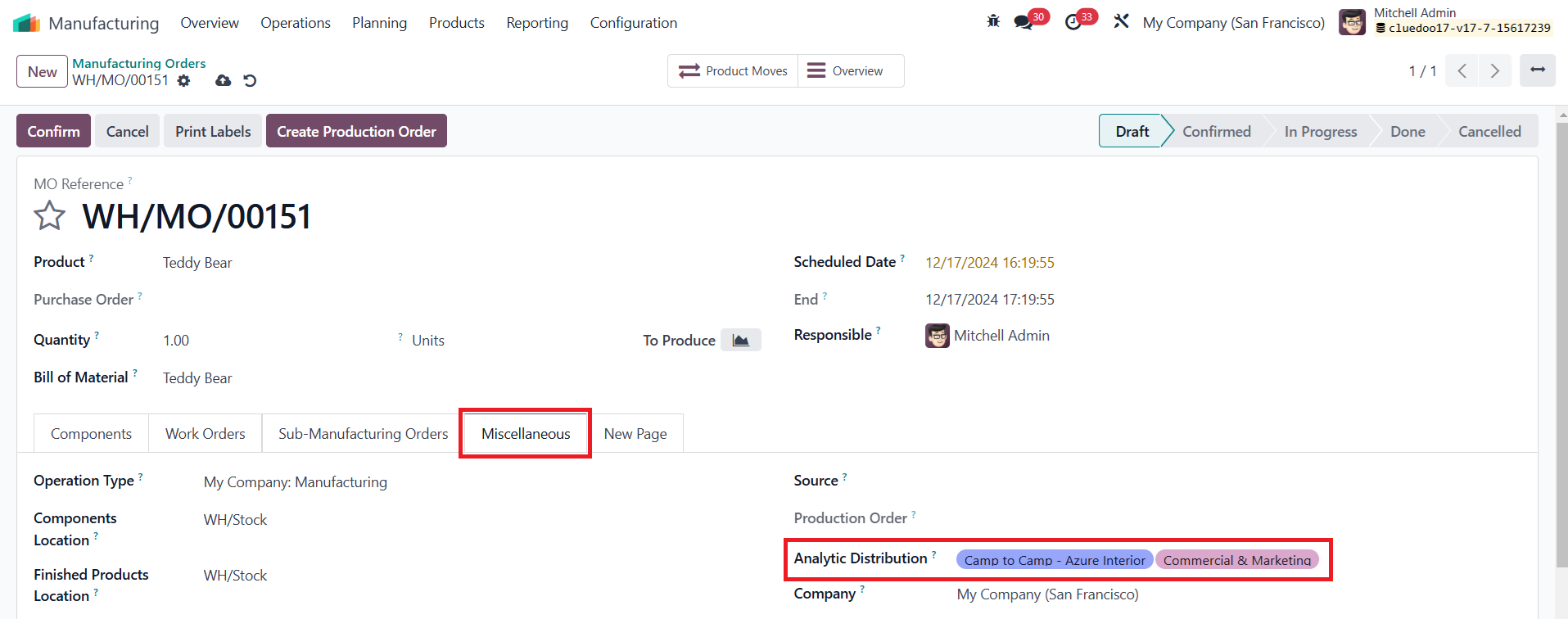
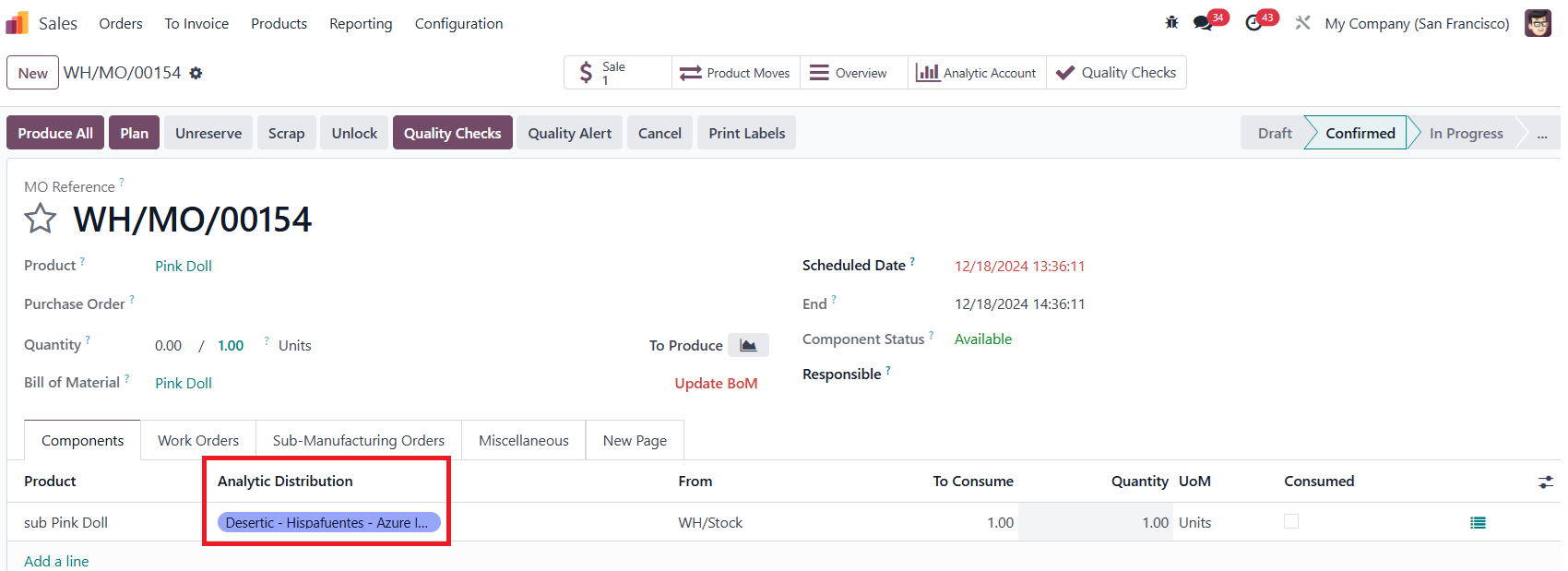
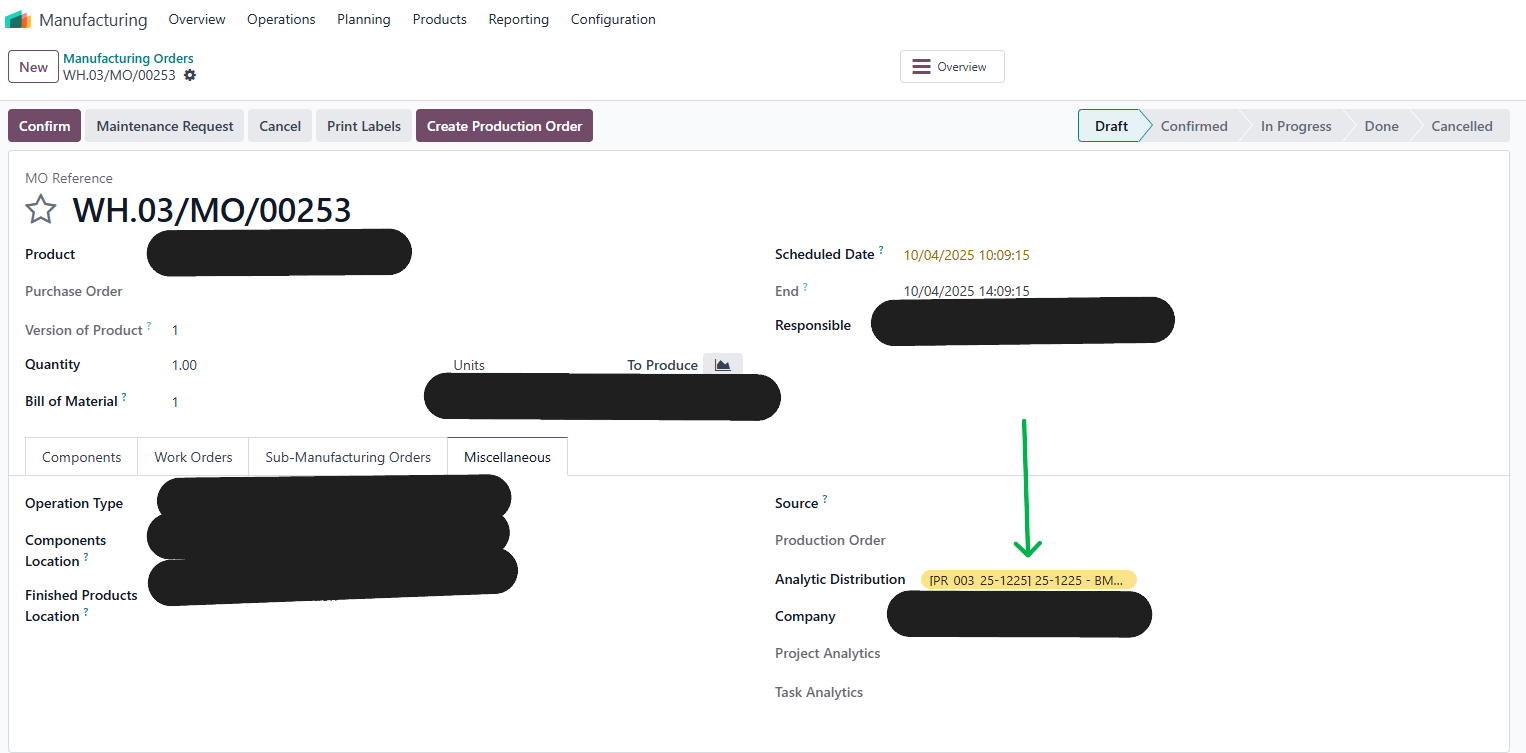
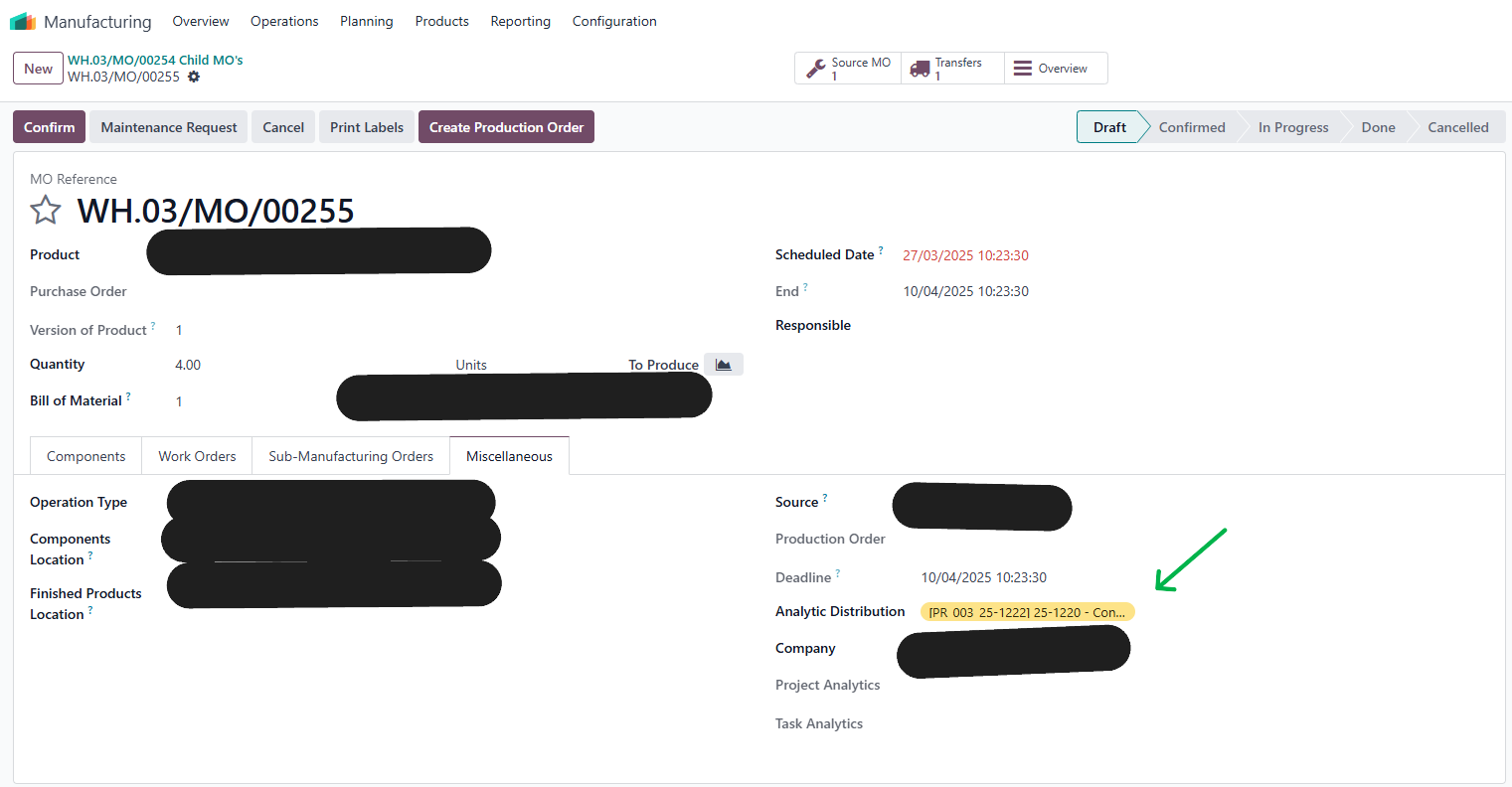
3Go back to Manufacturing > Manufacturing Orders > Create a manufacturing order for the above-configured products > Move to Miscellaneous Tab > Set up Analytic Distribution field |
|
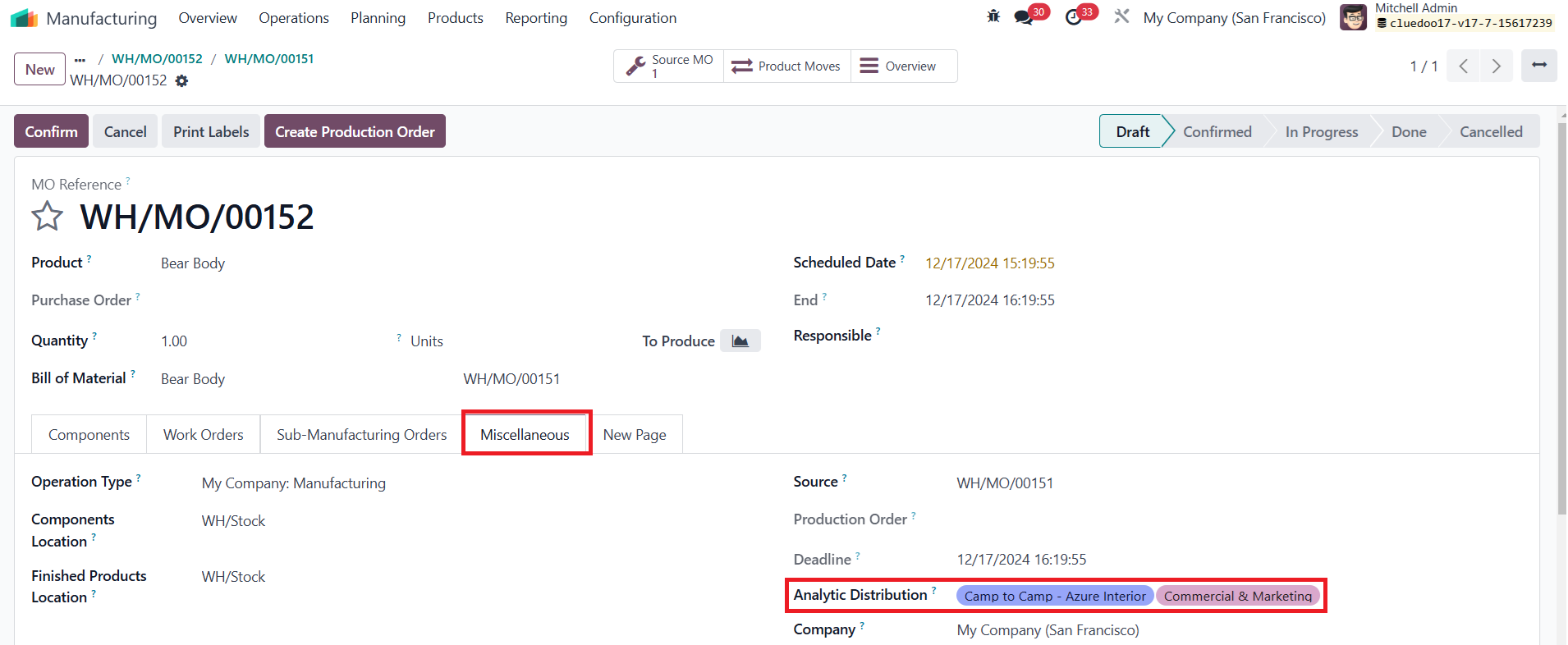
4After the third step is complete >Confirm > We need to ensure that the information of the Analytic Distribution field in Child MO, Quality Checks, Quality Alert, and Scrap is inherited from the Source MO |
|
4.1 Child MOClick on Child MO button > We can see that the information of the Analytic Distribution field is inherited from the Source MO |
|
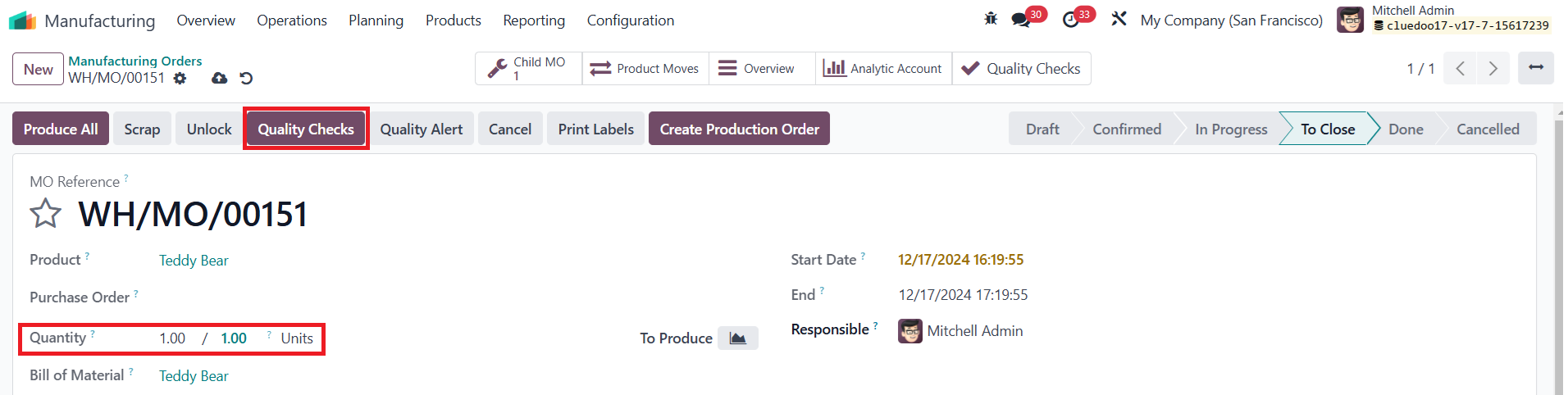
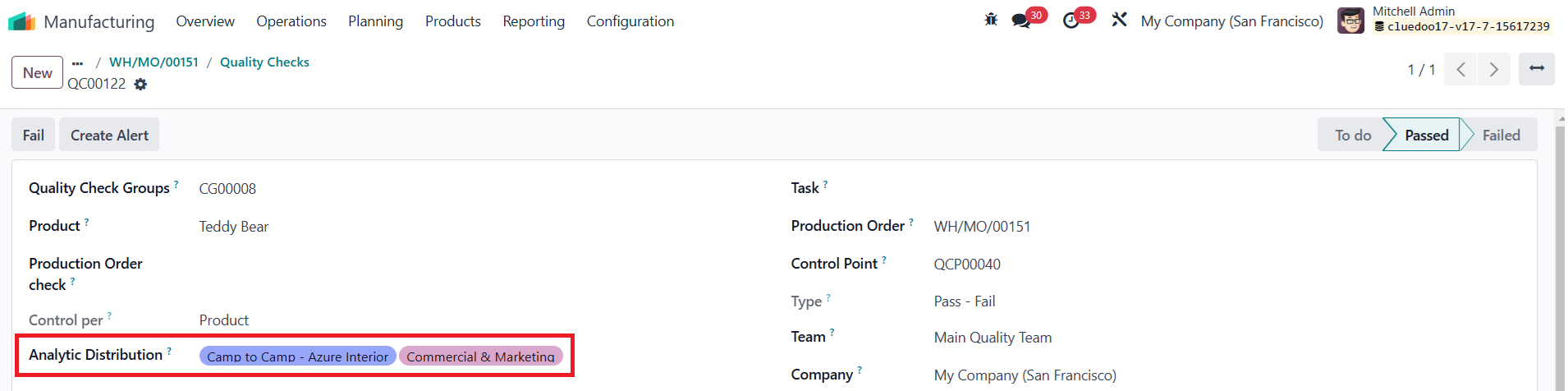
4.2 Quality ChecksModify the number of the Quantity field to 1 > Click on Quality Checks button > Complete Quality Checks > A Quality Checks button will appear on the top of the screen > Click on it > We can see that the information of the Analytic Distribution field is inherited from the Source MO |
|
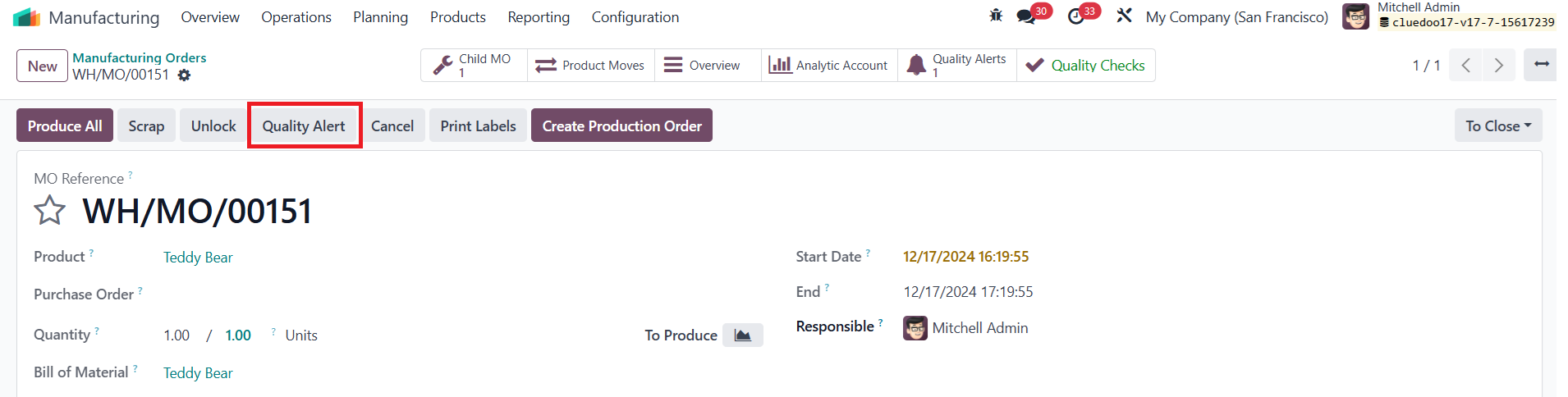
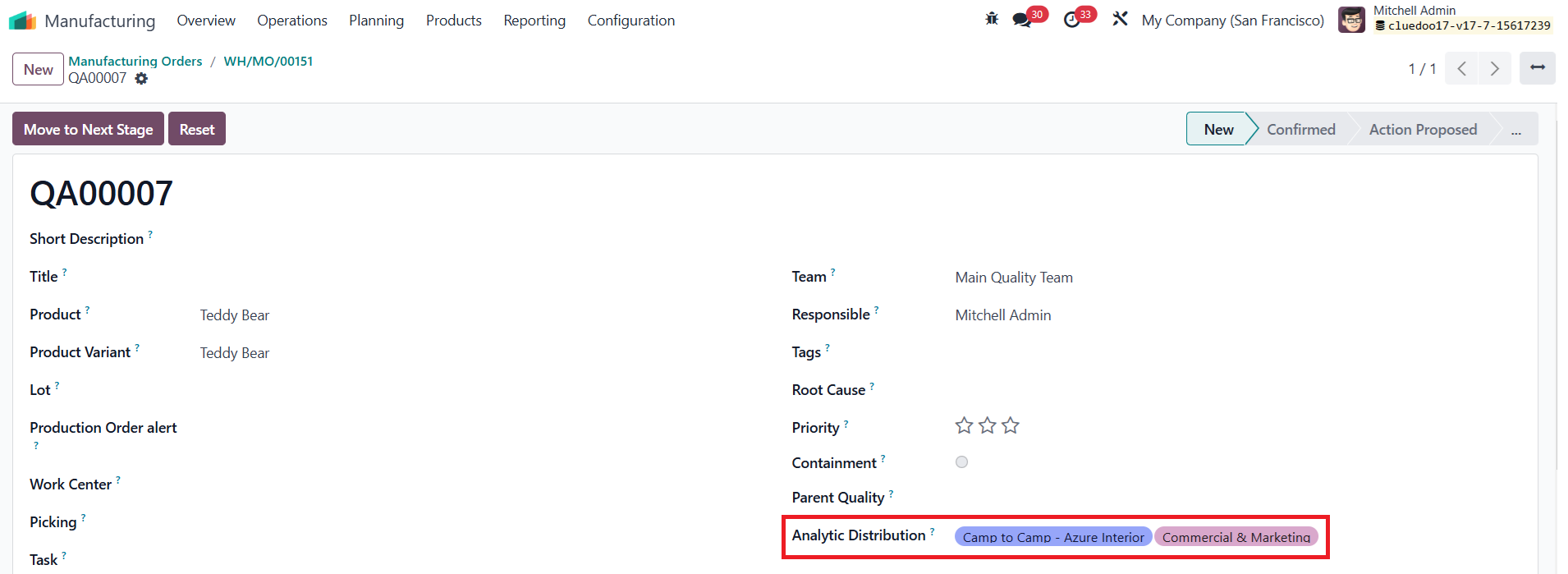
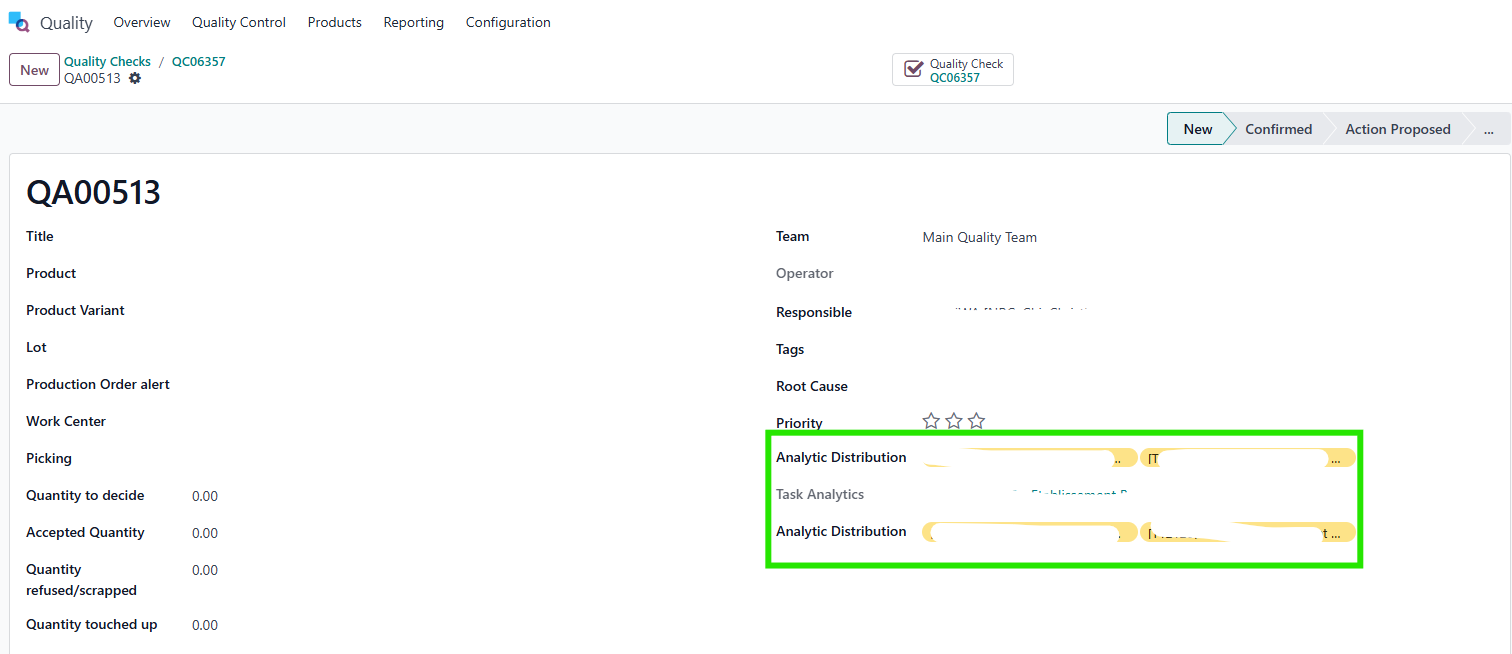
4.3 Quality AlertClick on Quality Alert button > We can see that the information of the Analytic Distribution field is inherited from the Source MO |
|
4.4 ScrapClick on Scrap button > Enter Product field > Click on Scrap Products button > Confirm > Access the Scrap > We can see that the information of the Analytic Distribution field is inherited from the Source MO |  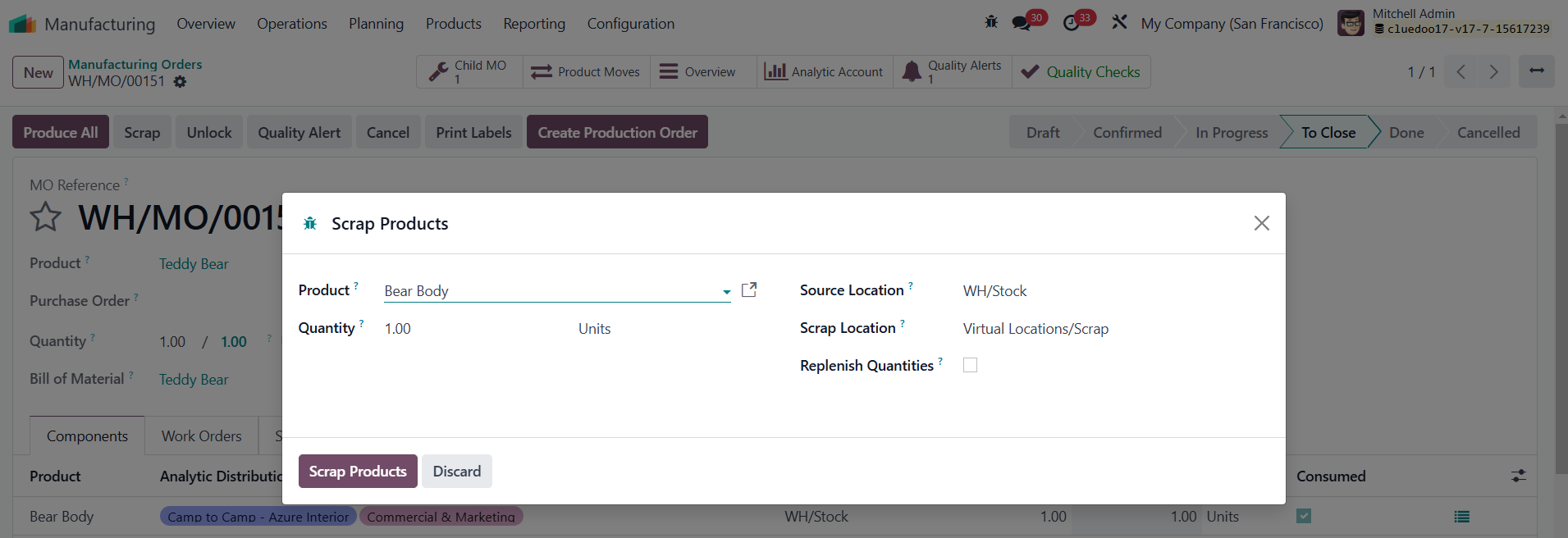 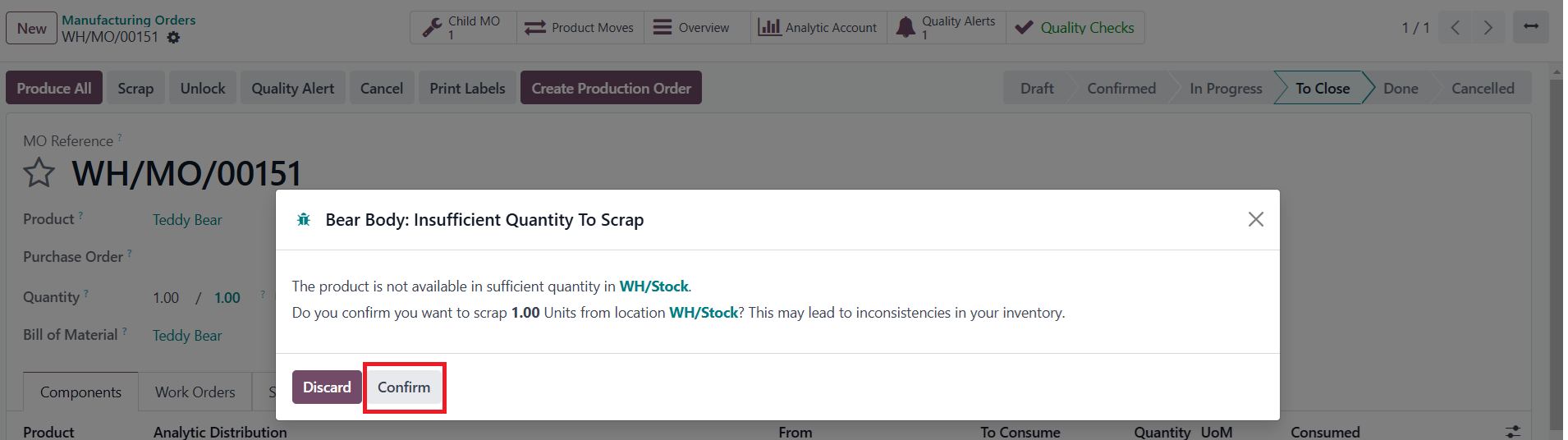 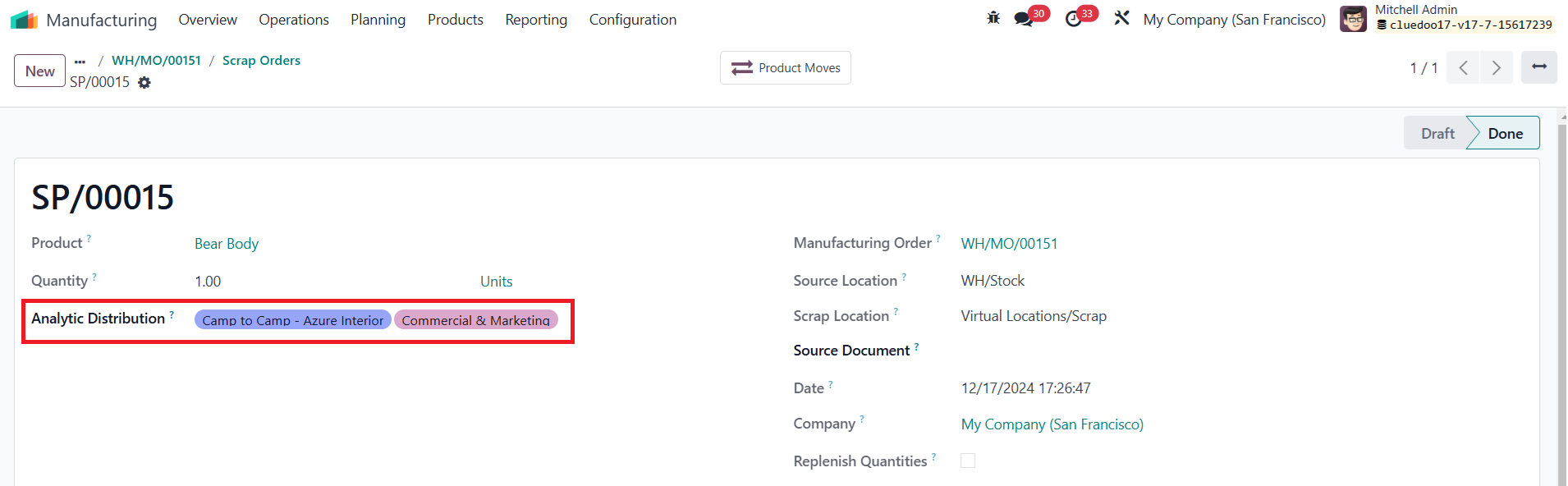 |
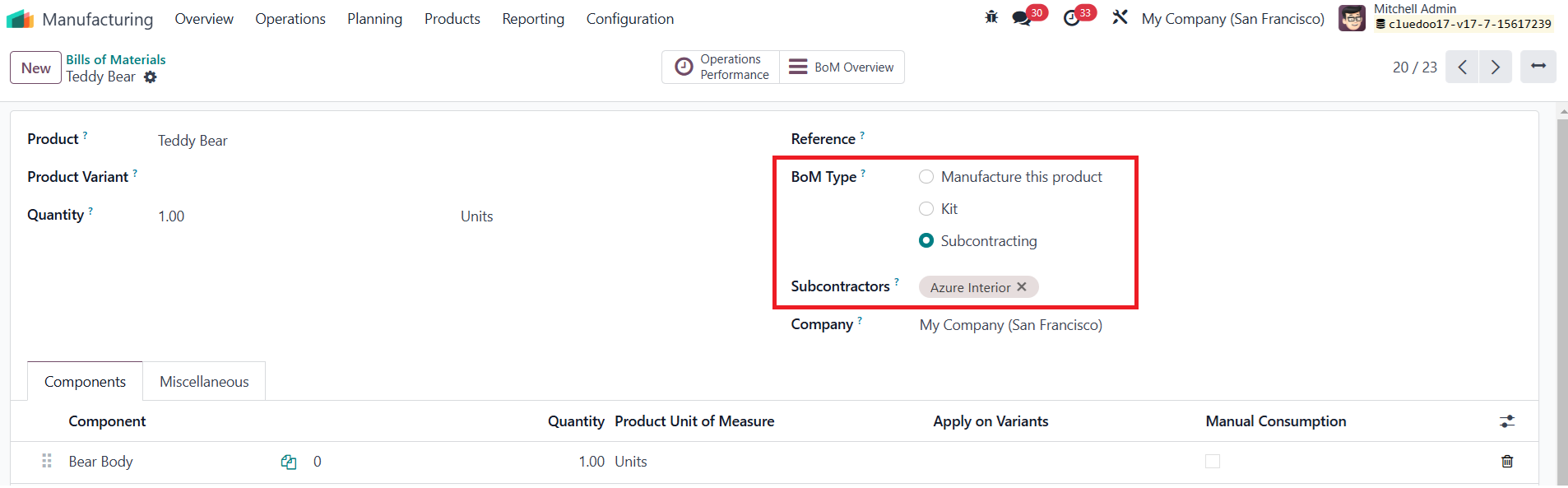
II. Purchase Order > Subcontracting MO, Transfers, Moves HistoryNote: we need install module below: fal_project_in_purchase_stock 1 Subcontracting MOGo to Purchase > Create a new Requests for Quotation > Enter information for Analytic Distribution column > Confirm Order Note: Before creating a Purchase Order, we move to Bills of Materials to configure for a product by setting up BoM Type: Subcontracting and choosing a partner for the Subcontractors field. Subsequently, the Purchase Order needs to be generated with the configured product and vendor | 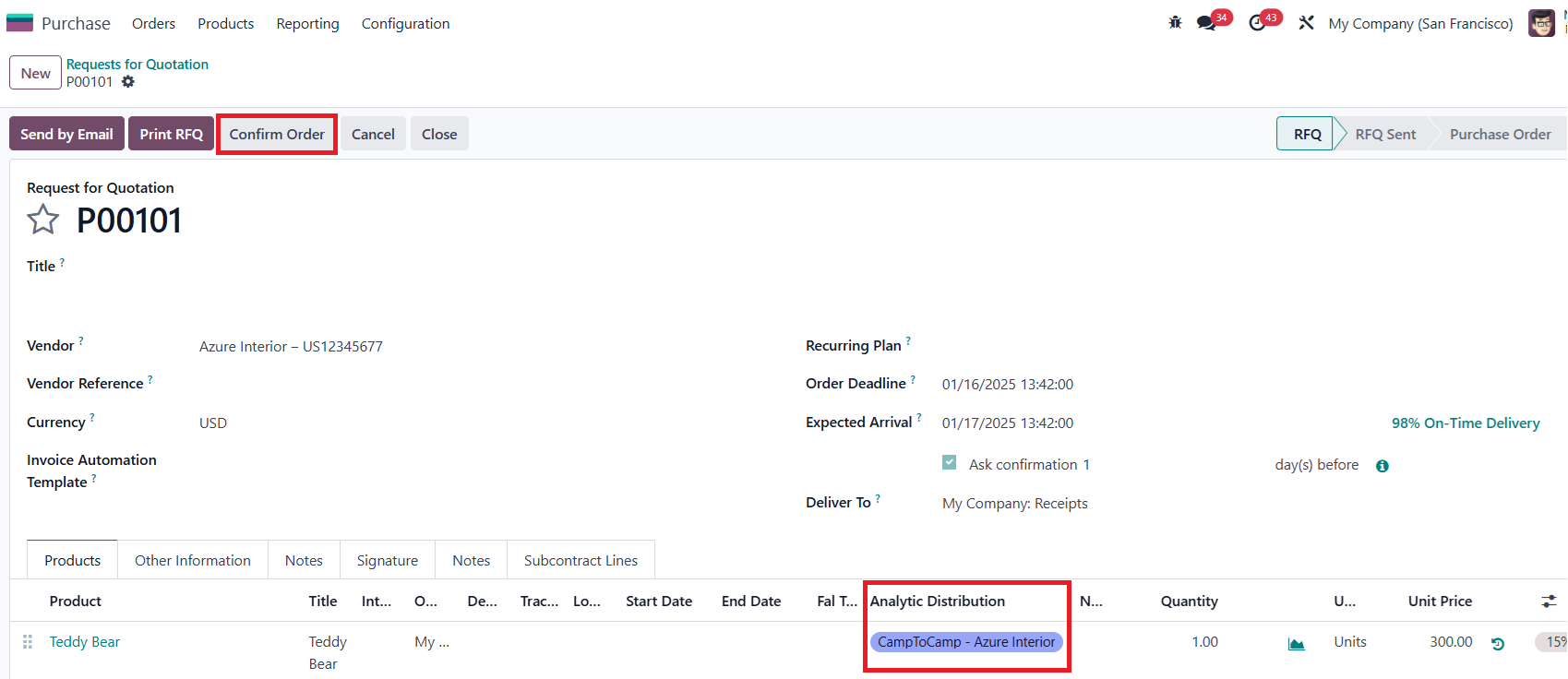
|
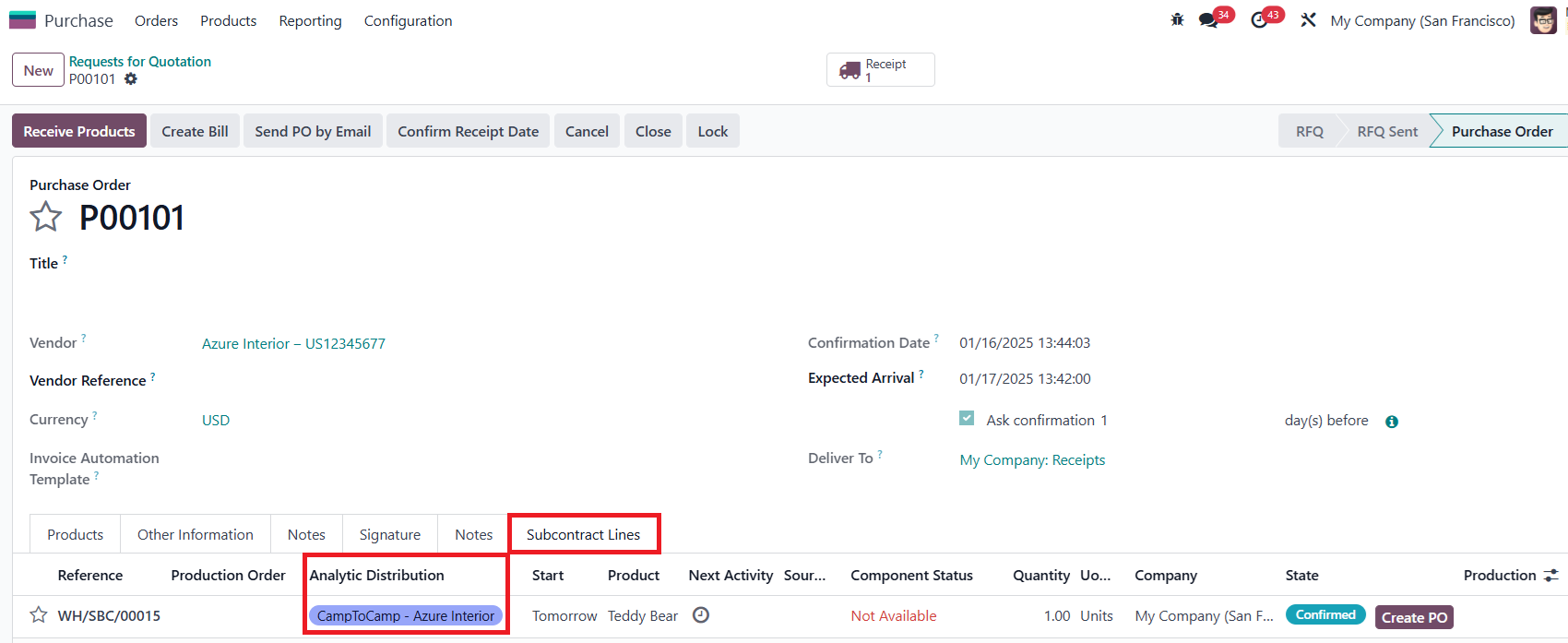
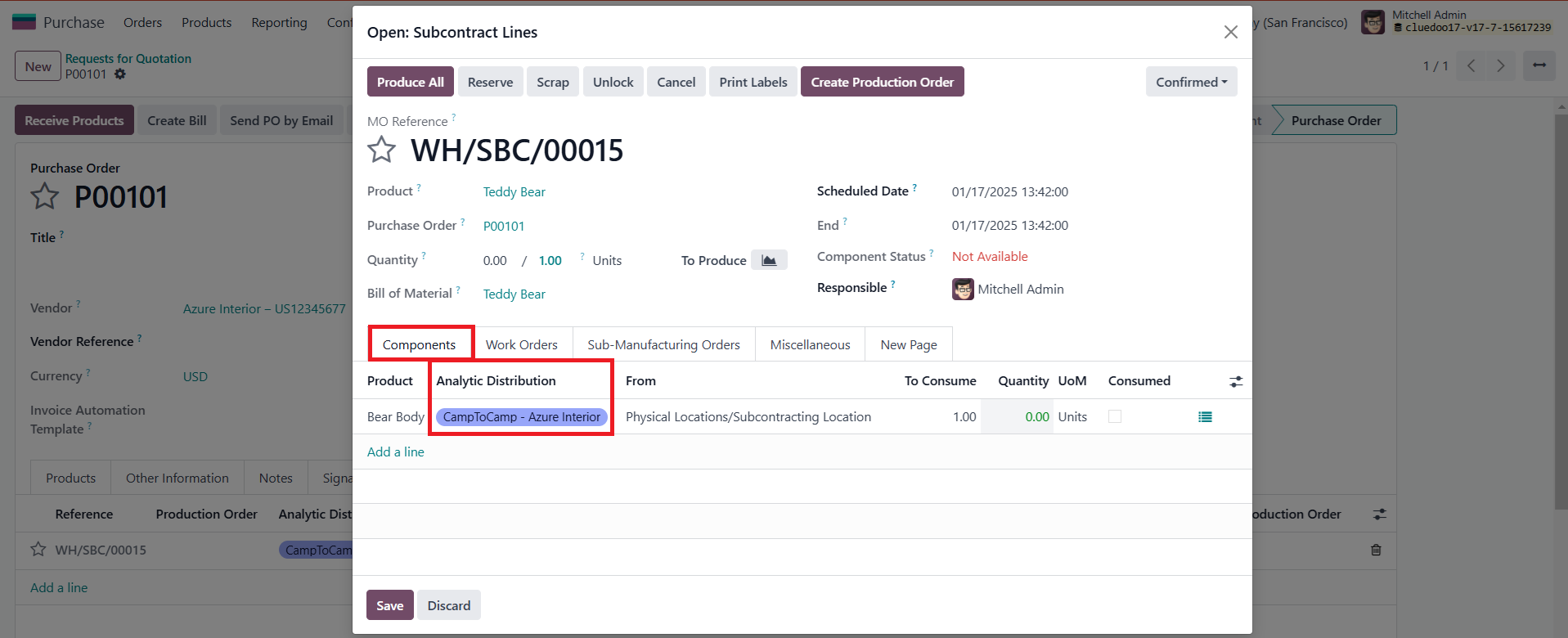
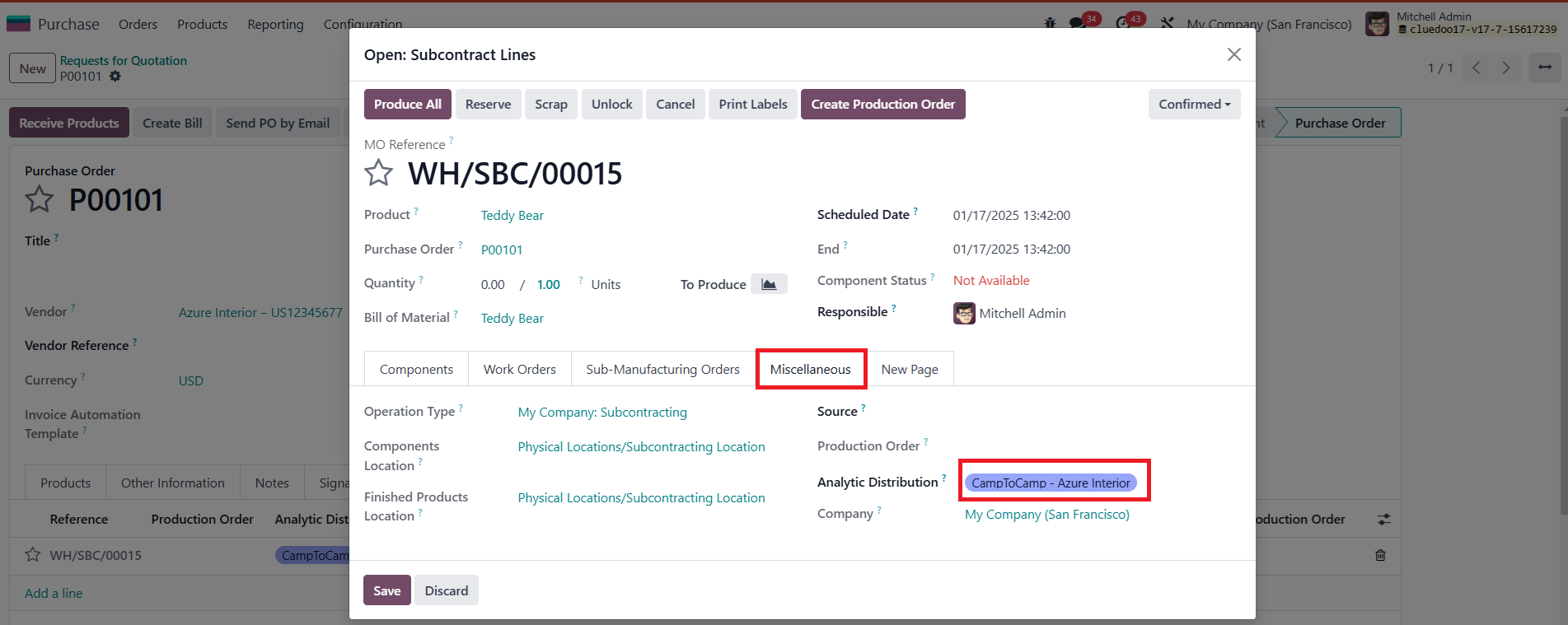
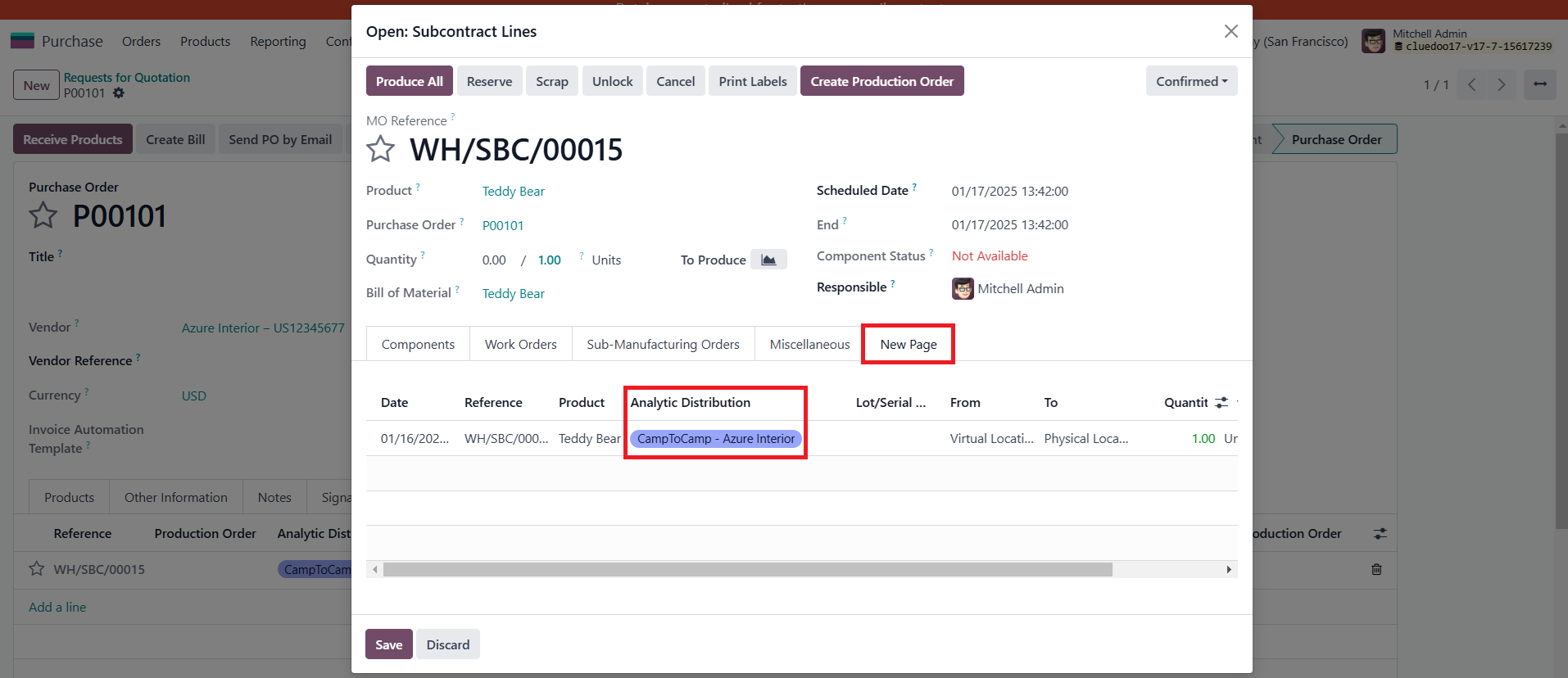
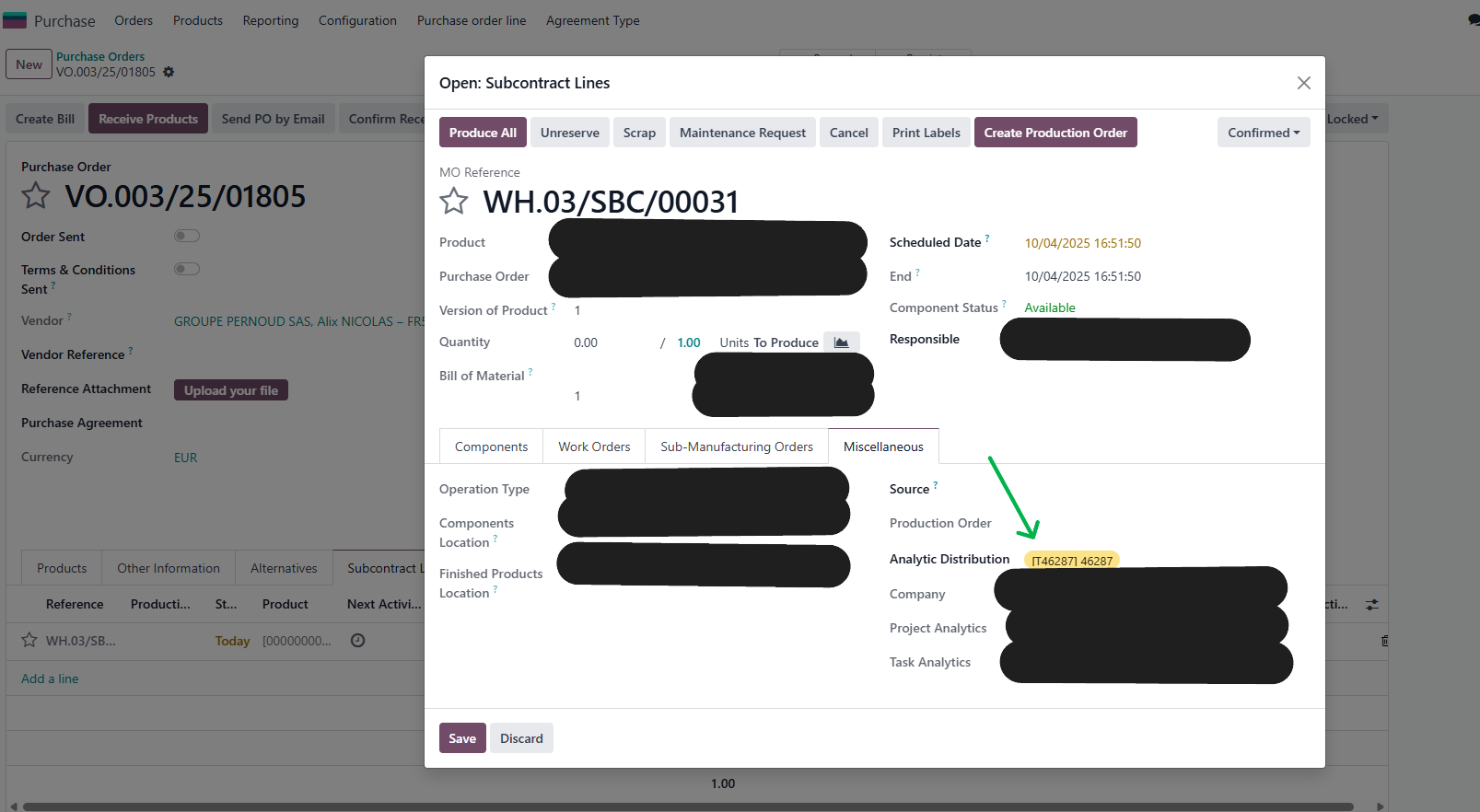
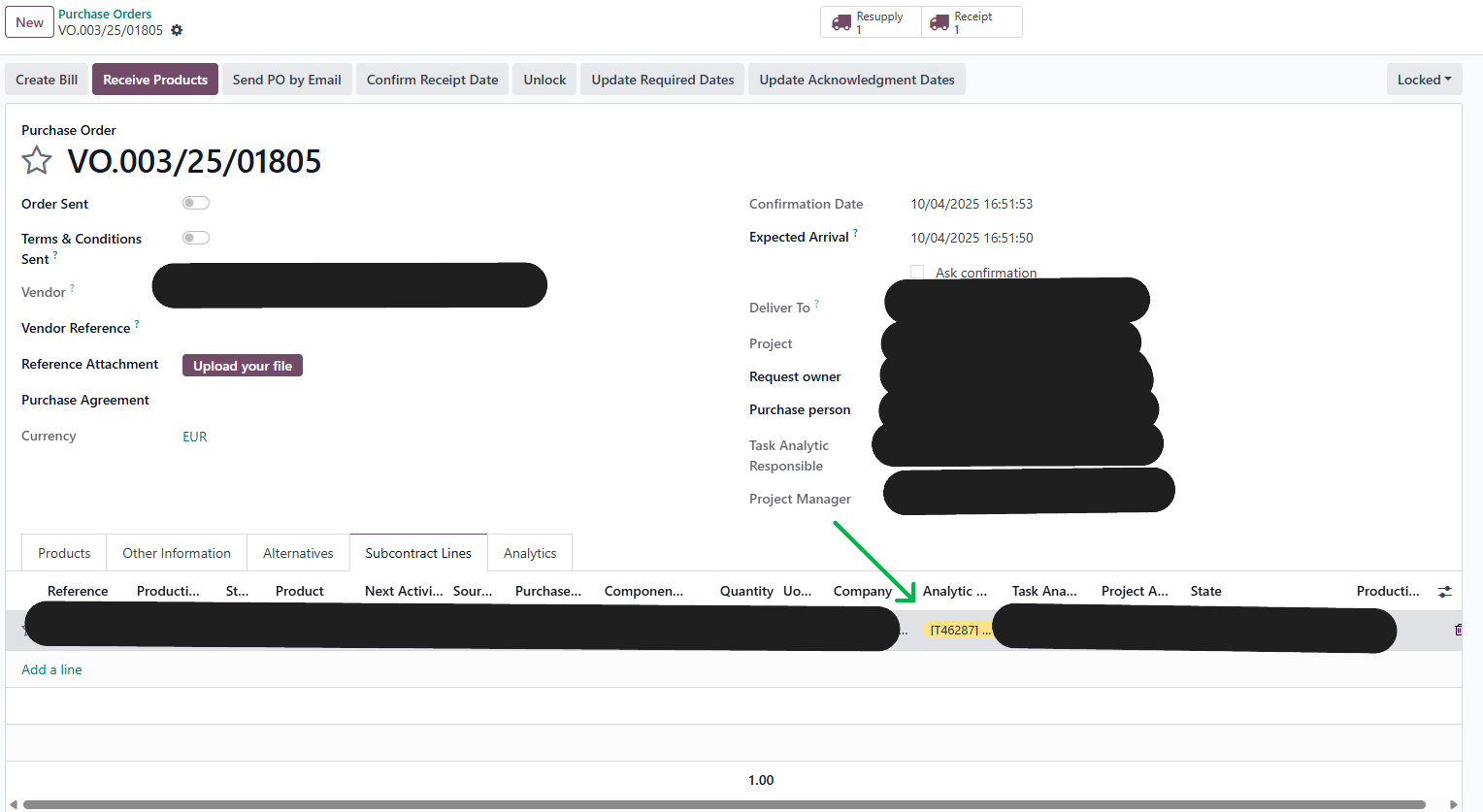
1.1After the previous step is finished, we click on Subcontract Lines Tab > A subcontract is automatically created with the inherited Analytic Distribution field > Click on it > This field also appears in the Subcontract Lines pop-up |
|
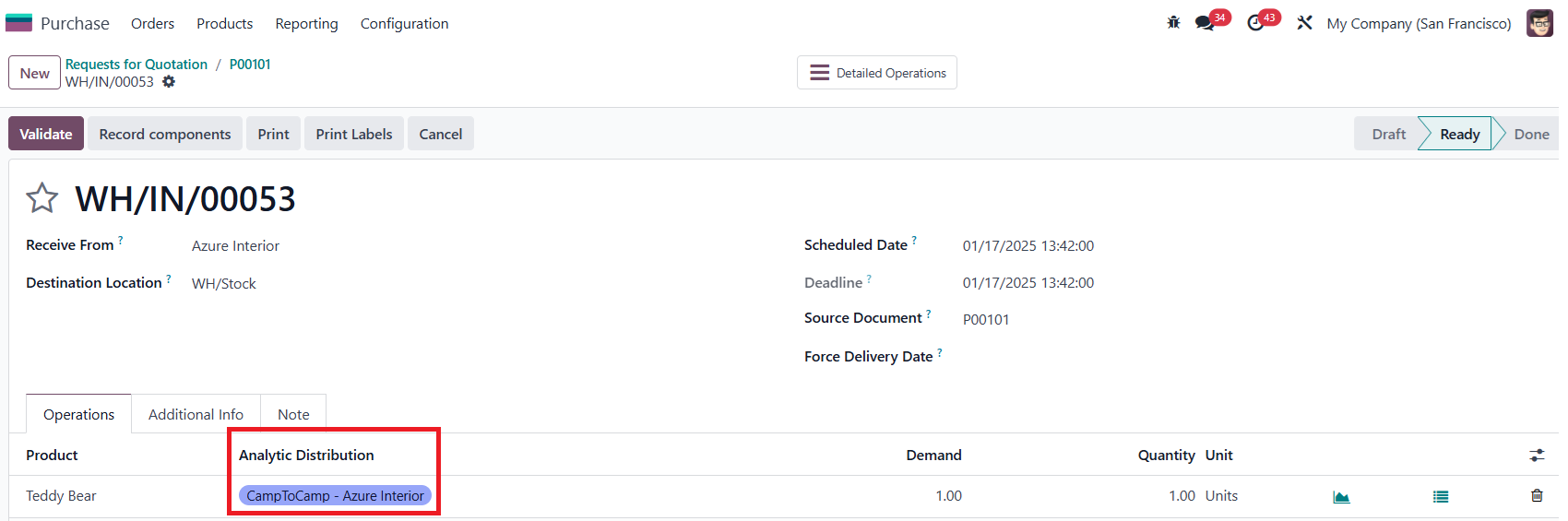
2 TransfersClick on Receipt button > There is the inherited Analytic Distribution field here Note: module also work with back order as well |
|
3 Moves HistoryGo ahead to Inventory > Moves History > We also see the inherited Analytic Distribution field in the list |
|
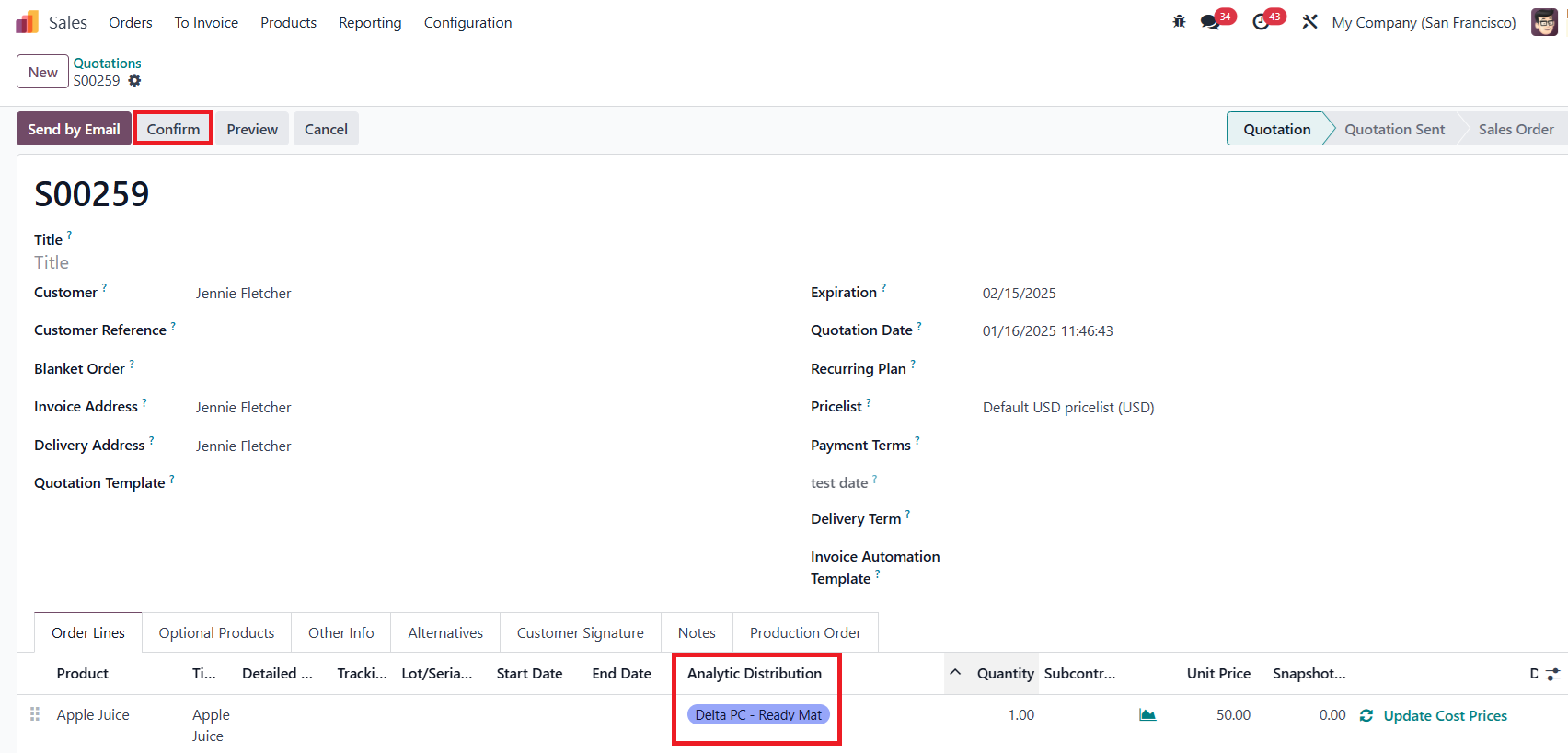
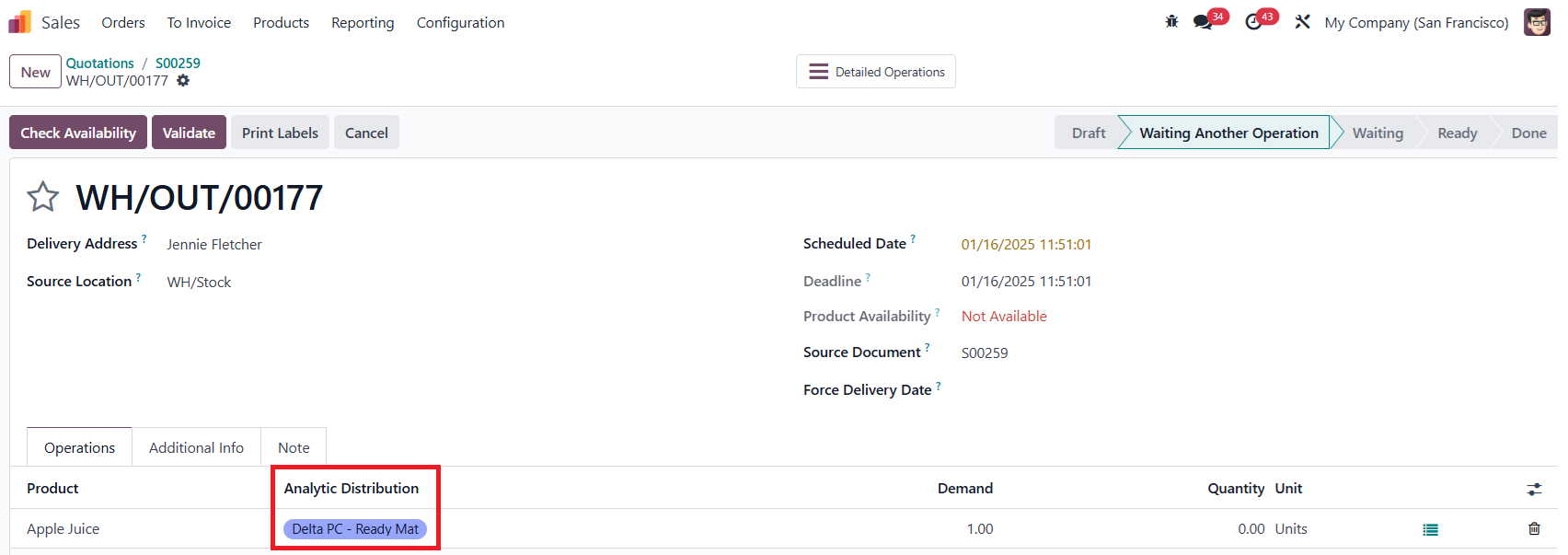
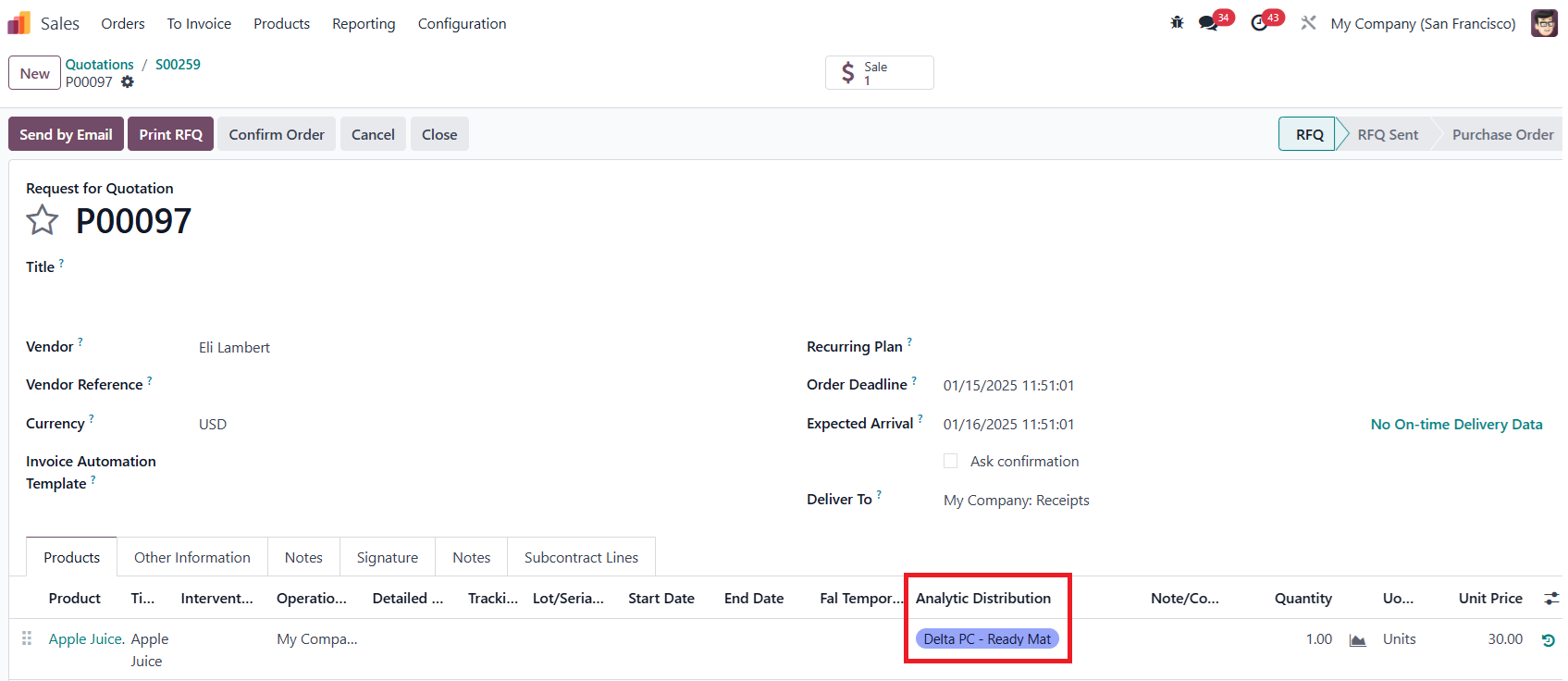
III. Sale Order > Transfers, Purchase Order, Manufacture Order, Moves HistoryNote: we need install module below: fal_mrp_project fal_project_in_sale_stock fal_so_analytic_account_transfer_to_po 1 Transfers, Purchase Order1.1Go ahead to Sales > Create a new Quotation > Choose products with "Buy and MTO" routes > Enter information for the Analytic Distribution column > Confirm |
|
1.2Click on Delivery and Purchase buttons respectively > The Analytic Distribution field is inherited from the Sale Order |
|
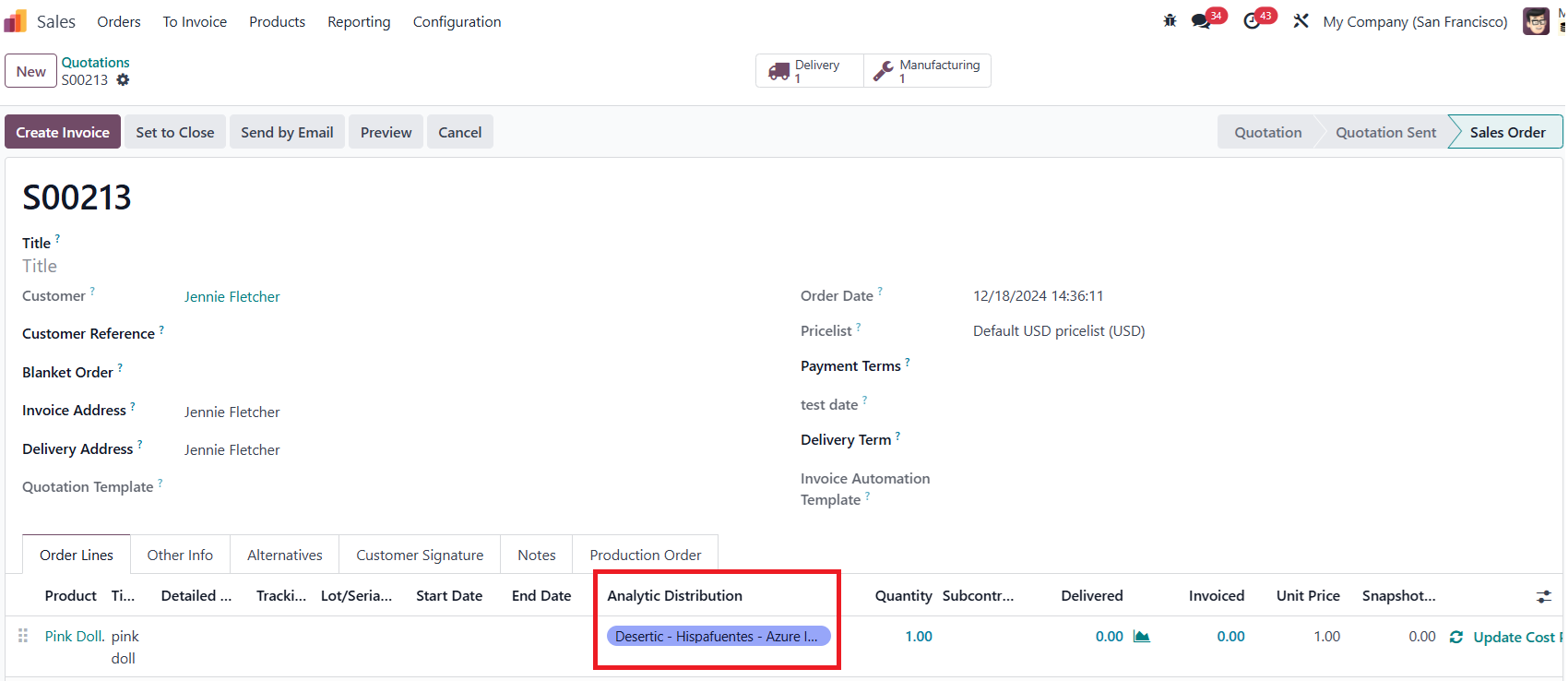
2 Manufacture Order2.1Go ahead to Sales > Create a new Quotation > Choose products with "Manufacture and MTO" routes > Enter information for the Analytic Distribution column > Confirm |
|
2.2Click on Manufacture button > The Analytic Distribution field is inherited from the Sale Order |
|
3 Moves HistoryGo ahead to Inventory > Moves History >We also see the inherited Analytic Distribution field in the list view |
|
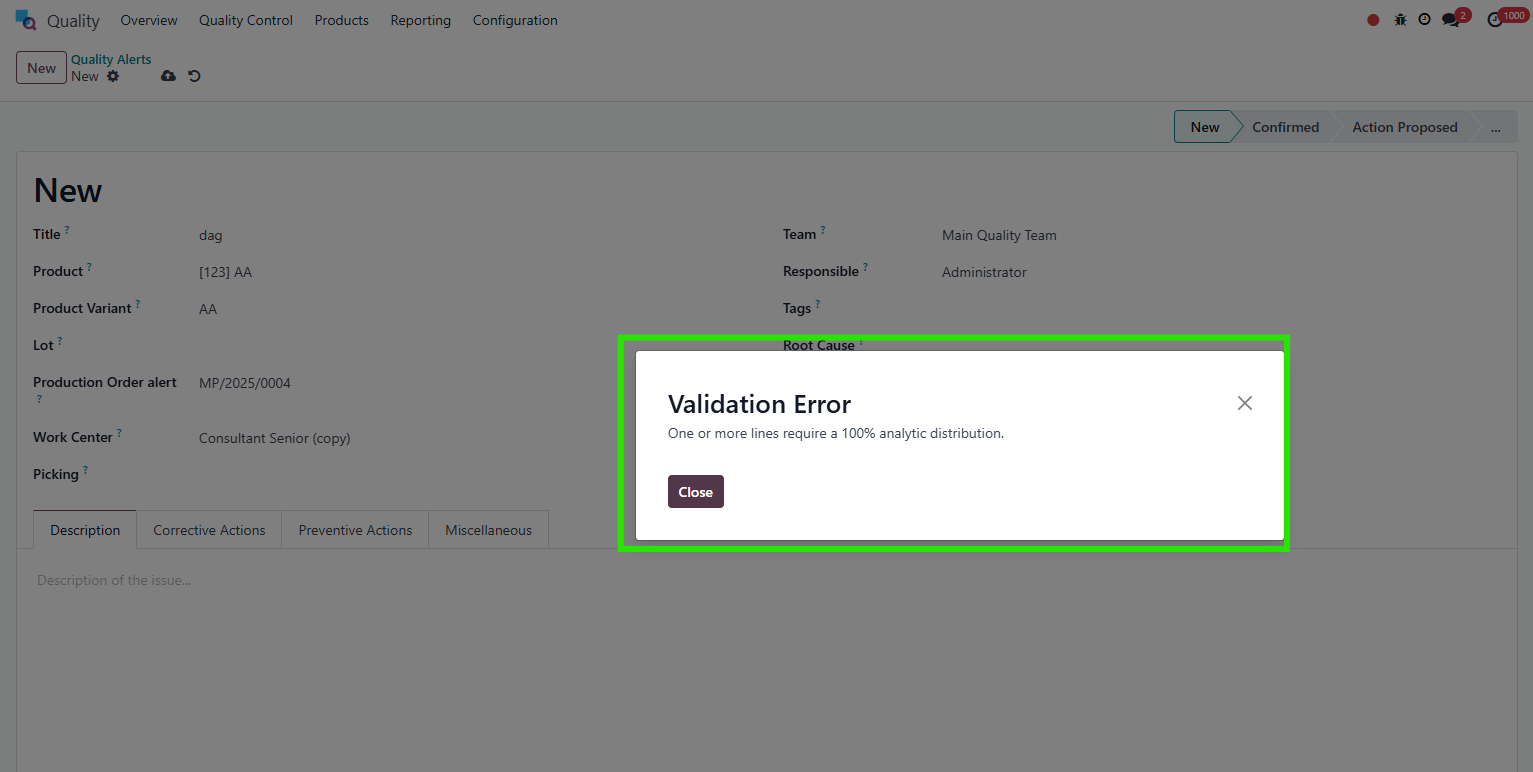
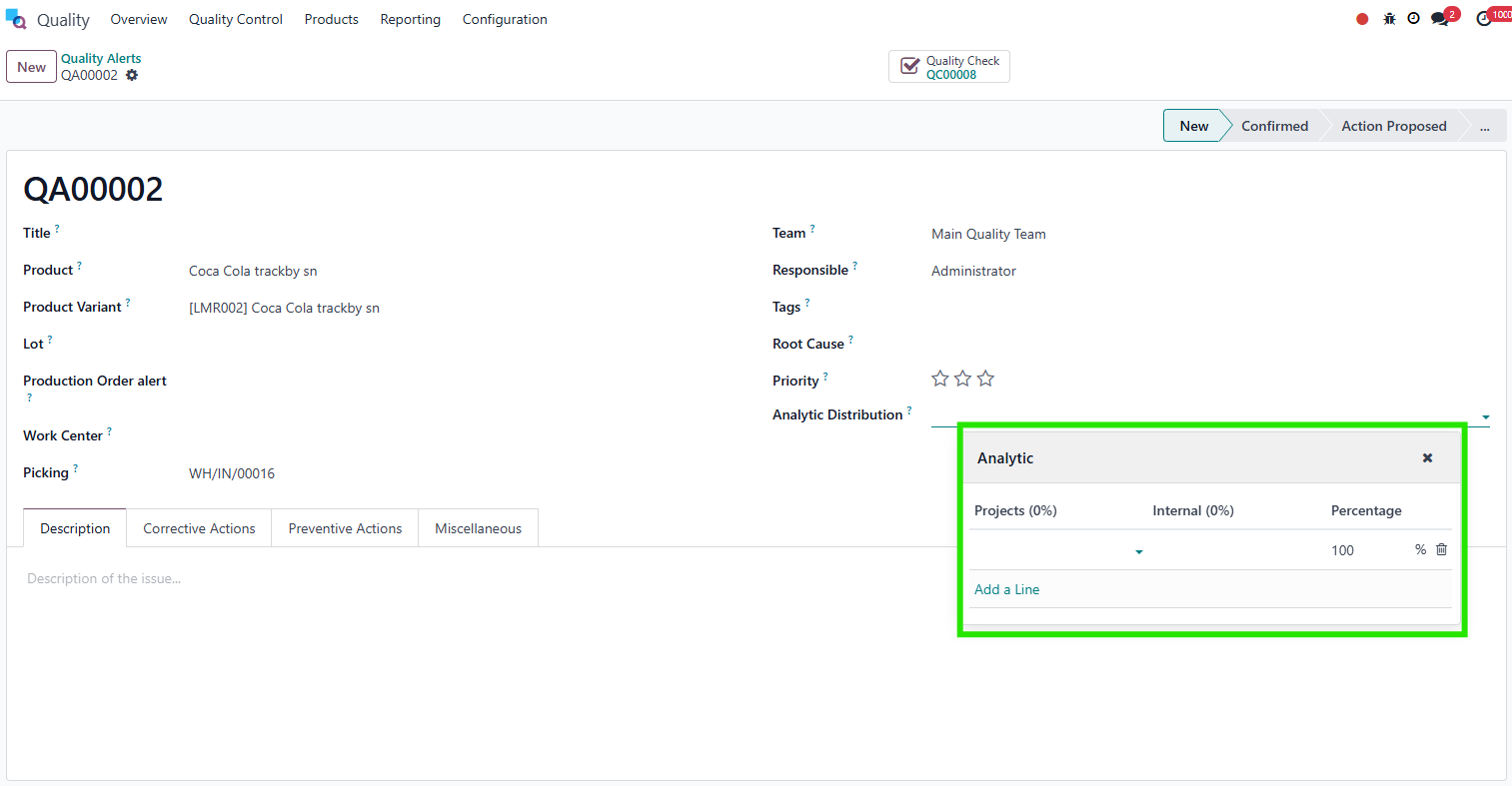
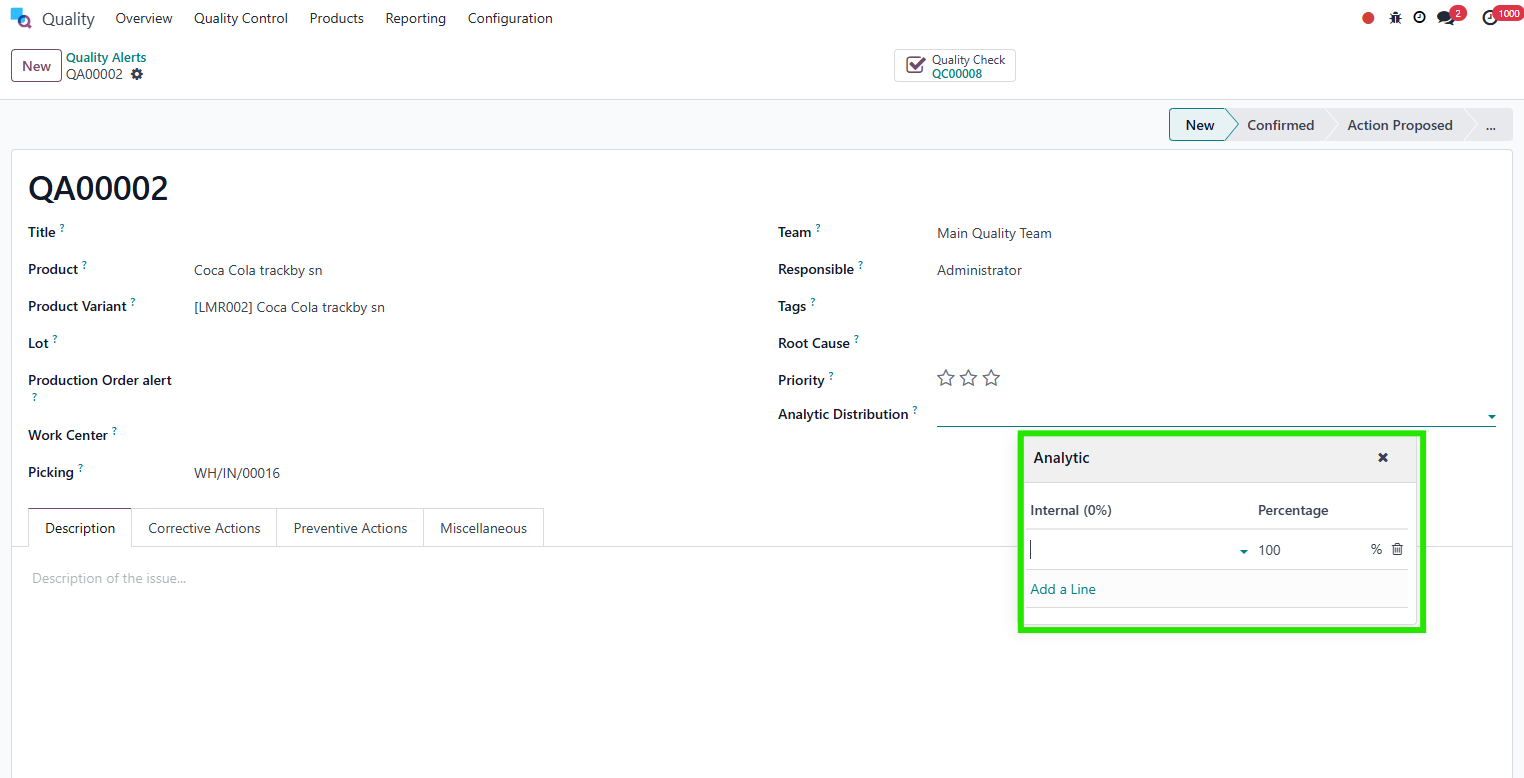
4 Approval ApplicabilityNote: we need install module below: fal_analytic_distribution_stock 11. Go to Analytic Plan > choose project > you have the ability to change the applicability for using analytic plan of domain Quality Check, Quality Alert, Stock Scrap , Product Move. Ex: if you choose applicability is mandatory, you will have to choose Analytic Plan in Analytic Distribution. Note: If you set Default Applicability then it'll automatically apply to all the models unless you set it differently for specific model(s)
|  |
22.12.1 If you choose applicability is mandatory for Approval Stock, you will have to choose Projects in Analytic Distribution before saving. Following that, the workflow will resume normally. The notification will be the same with Quality Check, Stock Scrap and Product Move |
|
2.22.2. If you choose applicability is optional for Approval Stock, you can choose Projects or not in Analytic Distribution before saving. The behavior will be the same with Quality Check, Stock Scrap and Product Move |
|
2.32.3. If you choose applicability is unavailable for Quality Alert, plan Projects will not appear in Analytic Distribution. The behavior will be the same with Quality Check, Stock Scrap and Product Move |
|
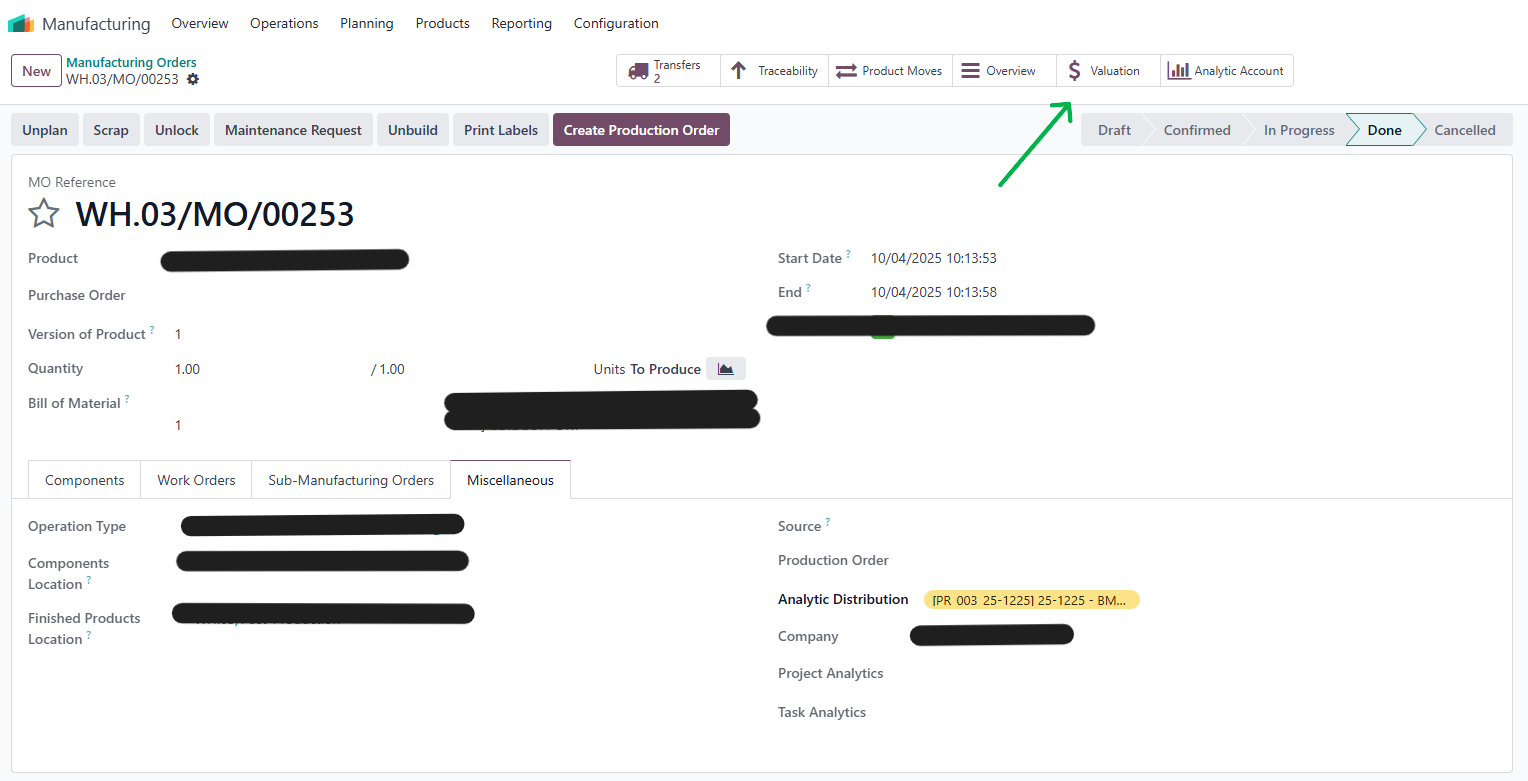
V. Analytic propagation from MO to Journal Items1.Create a manufacturing order > fill information and analytic distribution > Confirm > Produce All > smart button Valuation will appear. |
|
2.Click Valuation > you will see icon of journal entry > access | 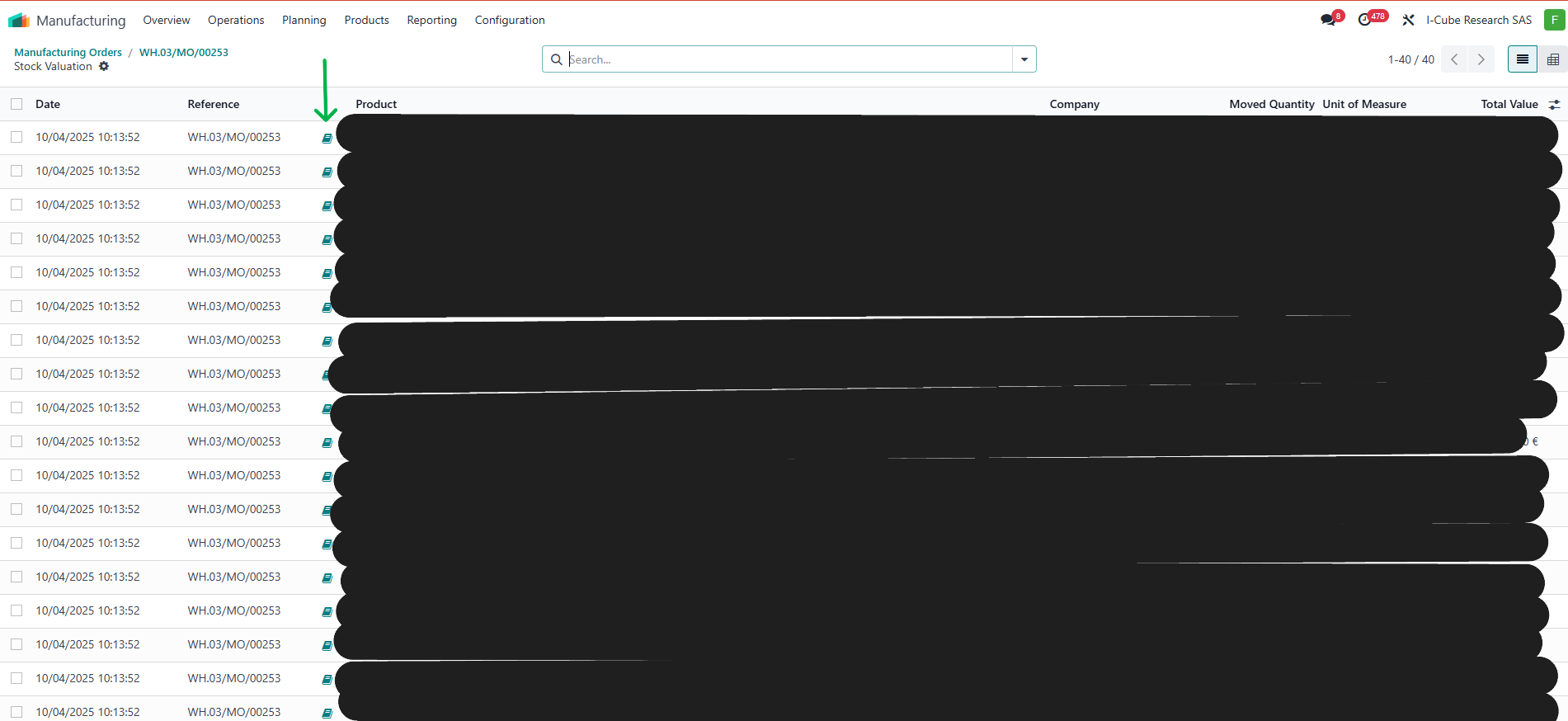 |
3.Analytic distribution of Journal Items (account.move.line) of above Journal Entries is inherited from stock move | 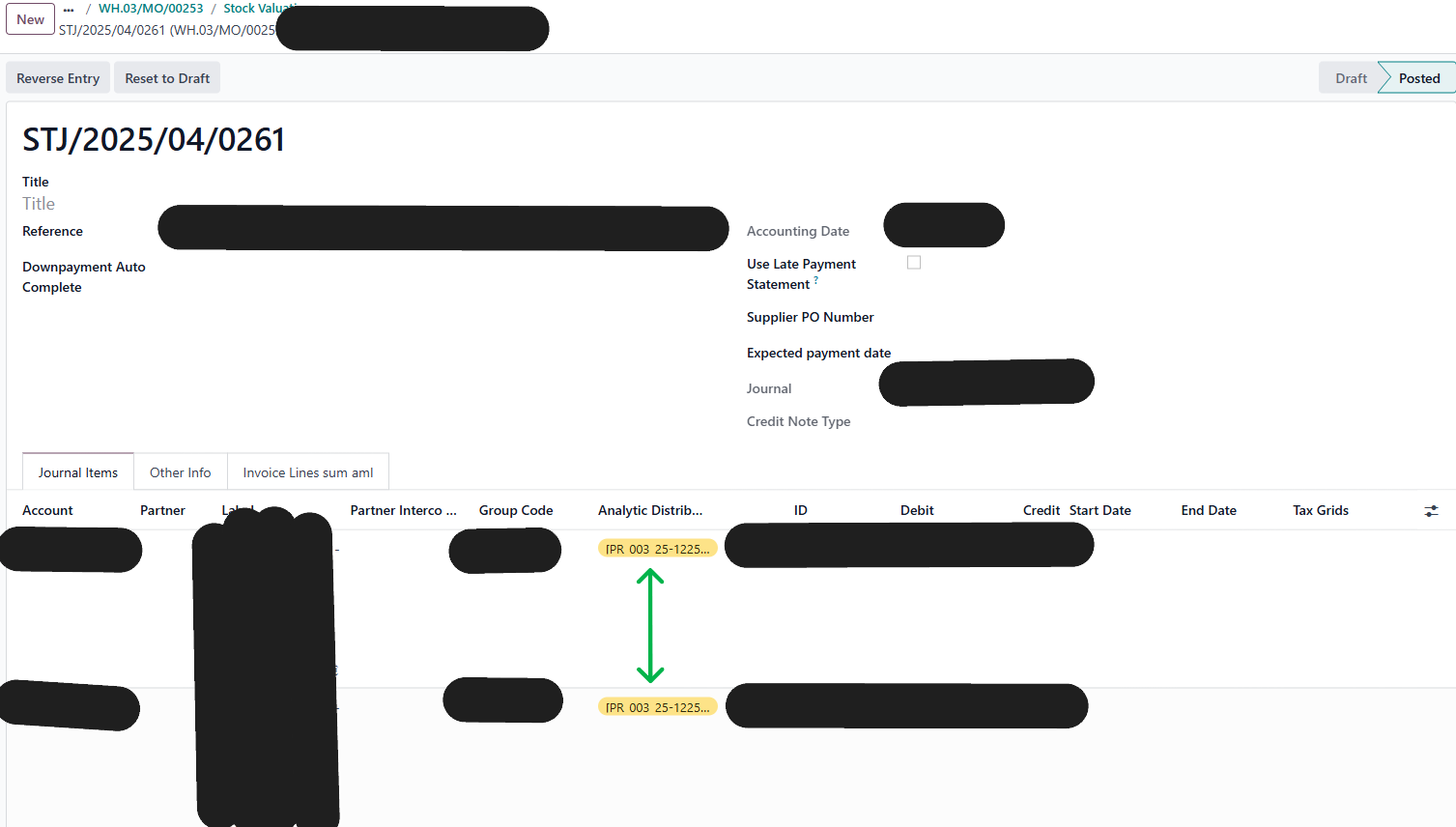 |
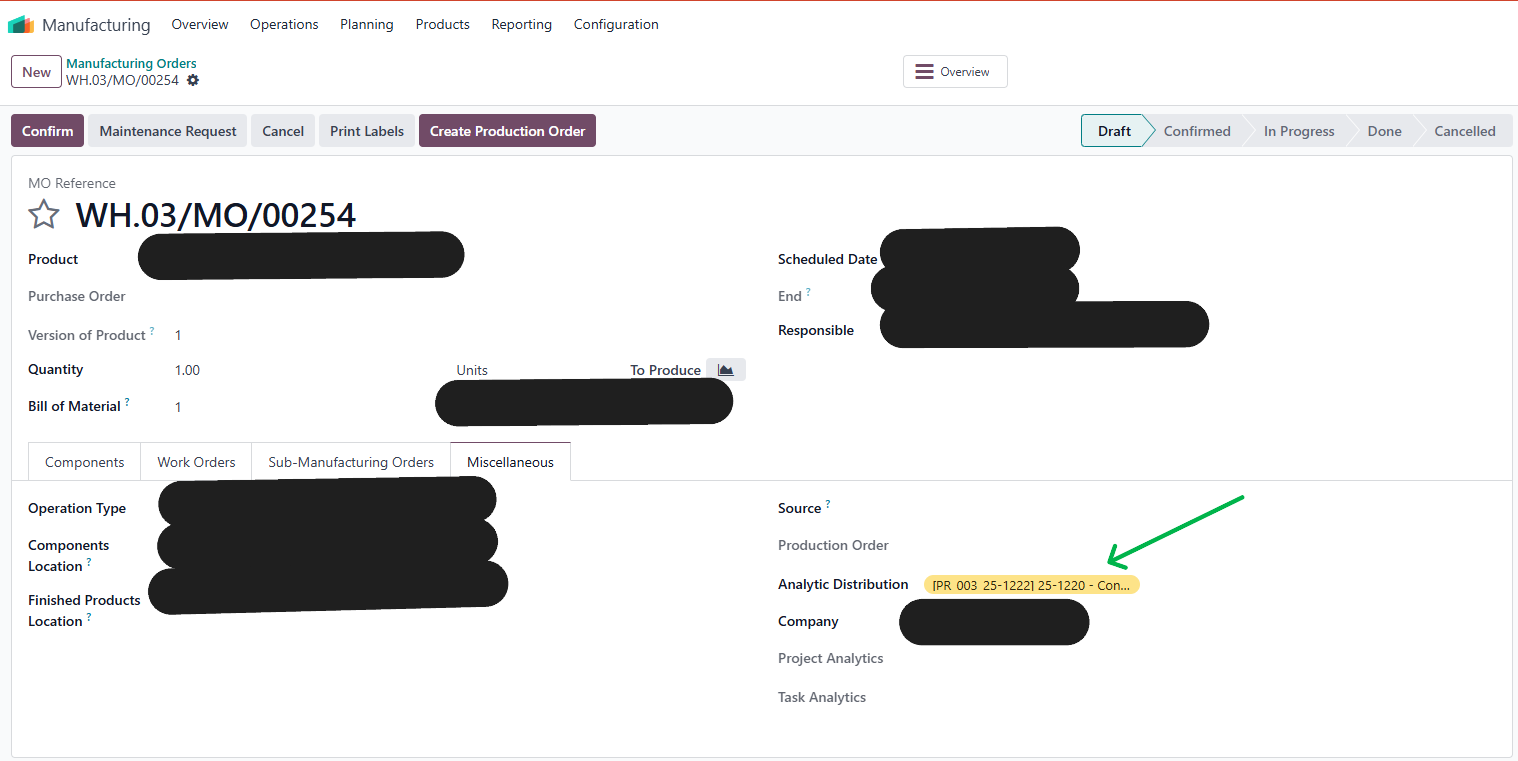
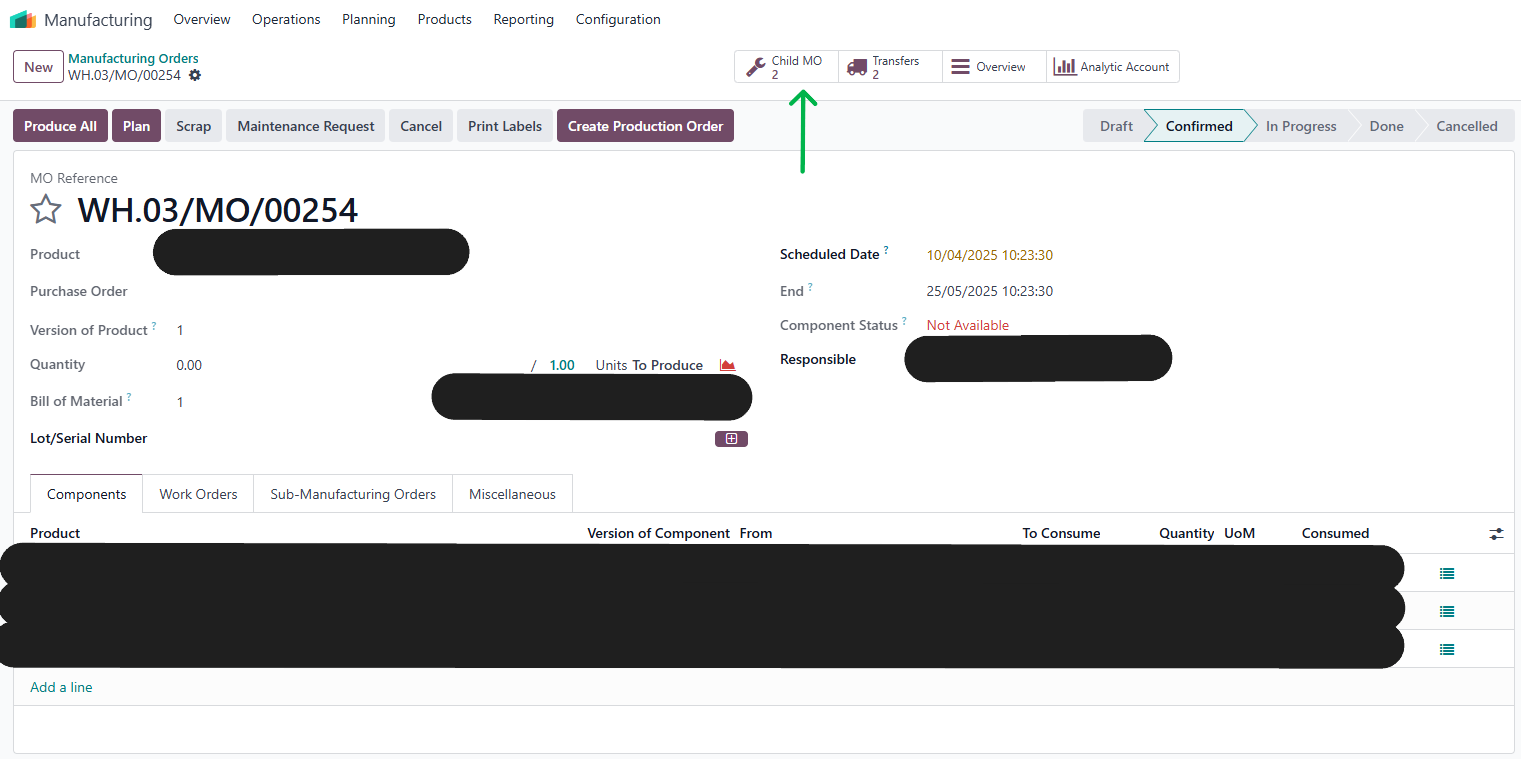
V. MTO: Analytic distribution from parent MO to child MO1.Create a manufacturing order for MTO product > fill information and analytic distribution > Confirm > smart button Child MO will appear. |
|
2.Analytic distribution of Child MO is inherited from MO analytic distribution in both list view and form view. |
|
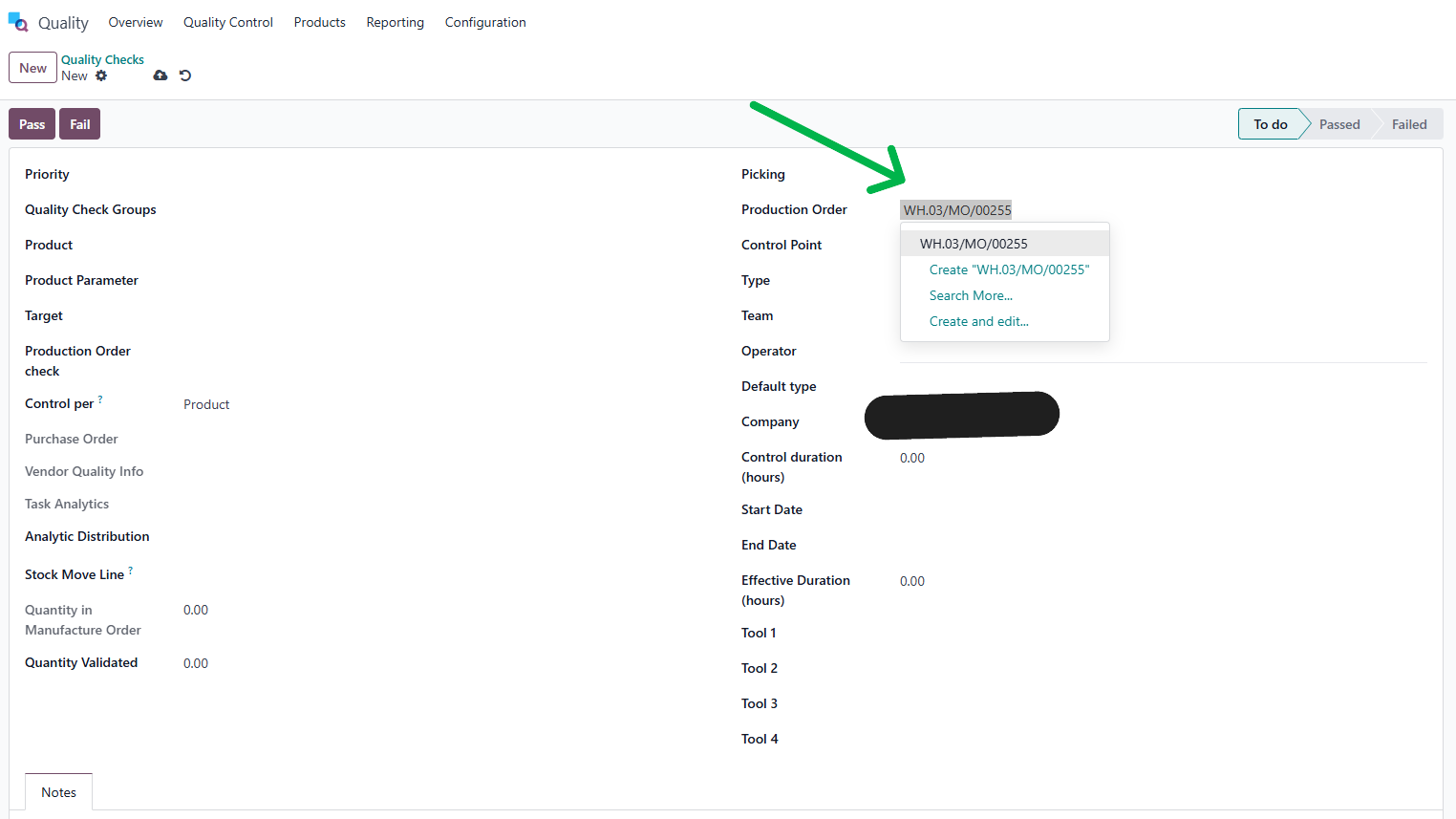
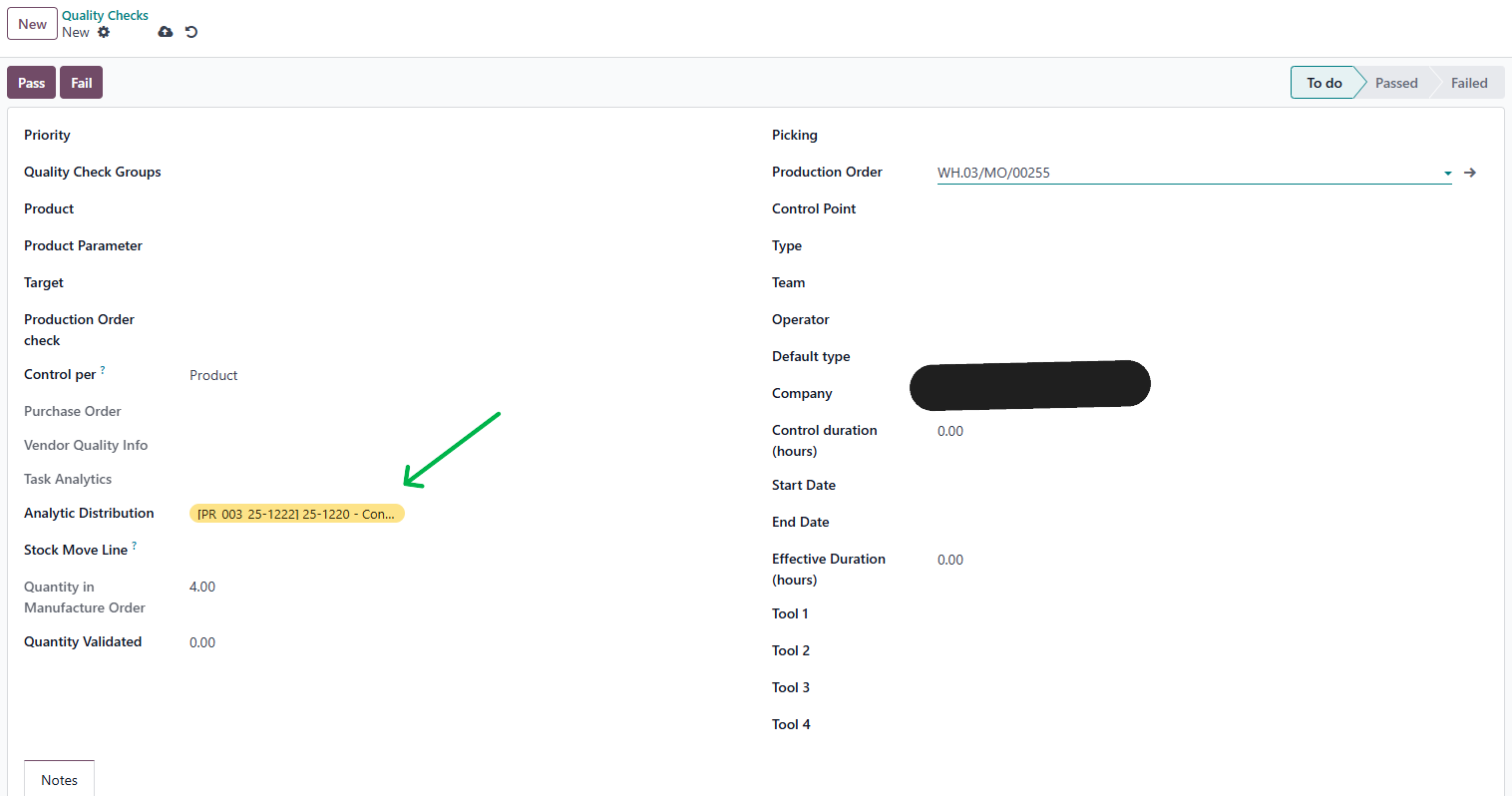
VII. MTO: Analytic distribution from PO to Quality Check, Quality Alert1.Create a new Quality Check > choose a Production Order with Analytic Distribution > Analytic Distribution of QC will be inherited |
|
2.Create quality alert > Analytic Distribution of QA will also be inherited |
|
VIII. Analytic propagation on Subcontracted order1.Create a new PO with subcontract product > fill information and Analytic Distribution > Confirm > smart button Resupply will appear | 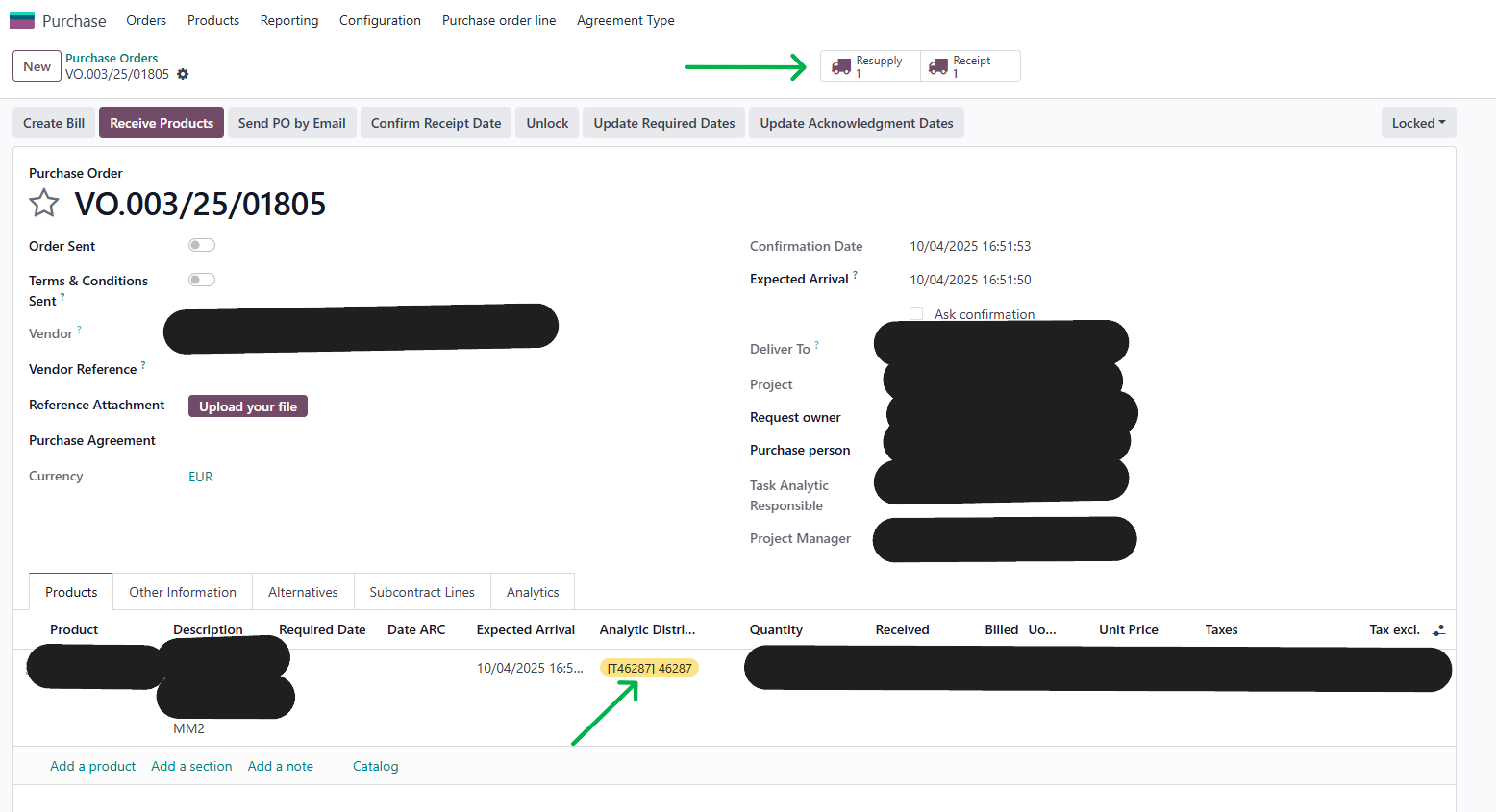 |
2.Click Resupply > Analytic Distribution of PO will be inherited | 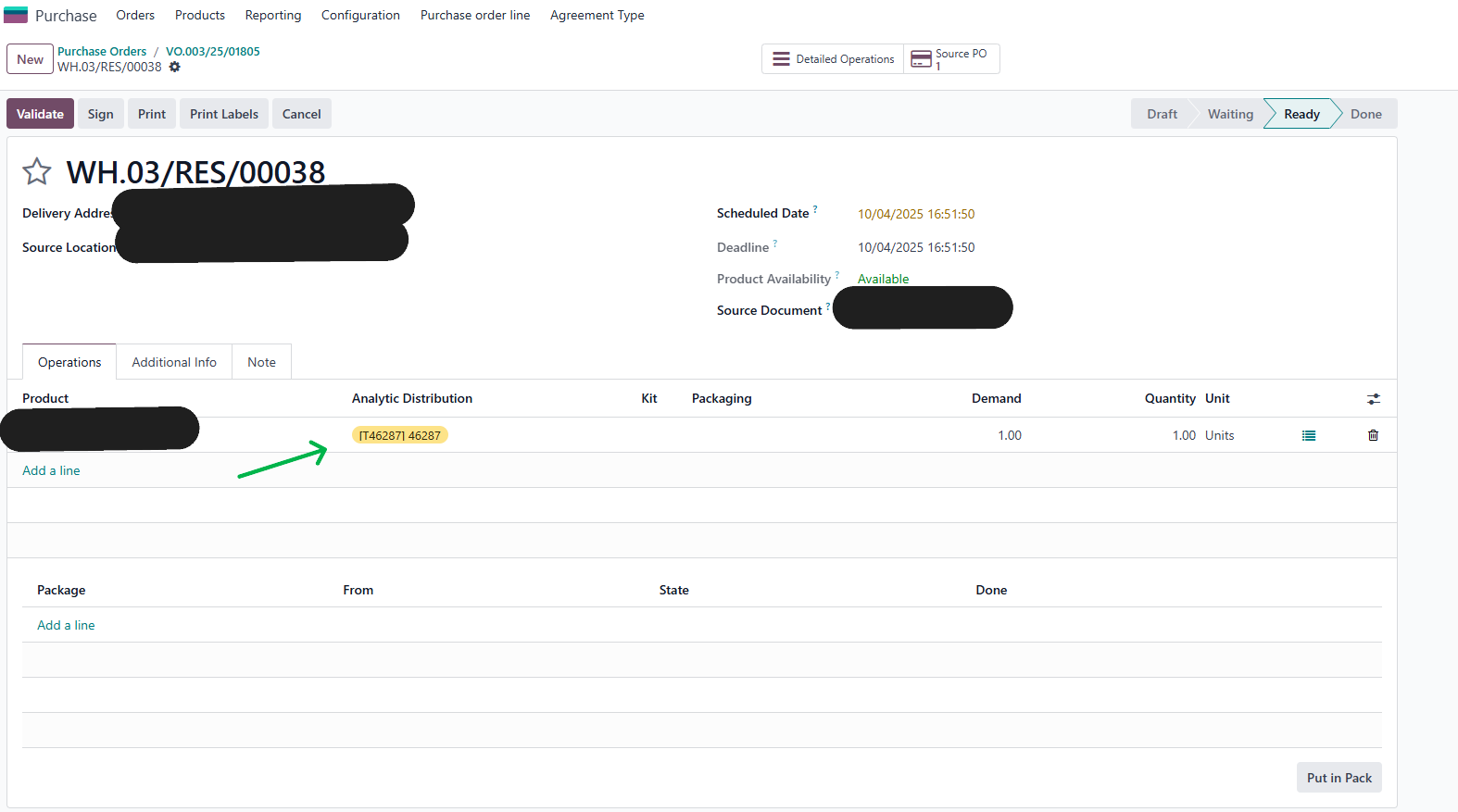 |
3.Go to tag subcontract line > Analytic Distribution of PO will also be inherited in MO too. |
|