


ODOO'S FUNCTION
In Odoo, customizing the display name of an analytic account was not supported. Users were unable to modify or personalize the display names of analytic accounts, leading to limited flexibility in tracking and managing analytic data.
Additionally, Odoo introduced the Analytic Account Group feature to help organize Analytic Accounts into different categories. However, this grouping was primarily for hierarchical analysis and reporting purposes, meaning that the Analytic Account Group could not be used for actual data recording or operational purposes..
CLUEDOO'S FUNCTION
CLuedoo introduces:
1️⃣ an extended feature that allows users to customize the display name of analytic accounts
This customization extends to order lines' analytic distribution, where the tailored display names are visible, making it easier to manage complex accounting scenarios.
2️⃣ the concept of the Analytic Account Parent
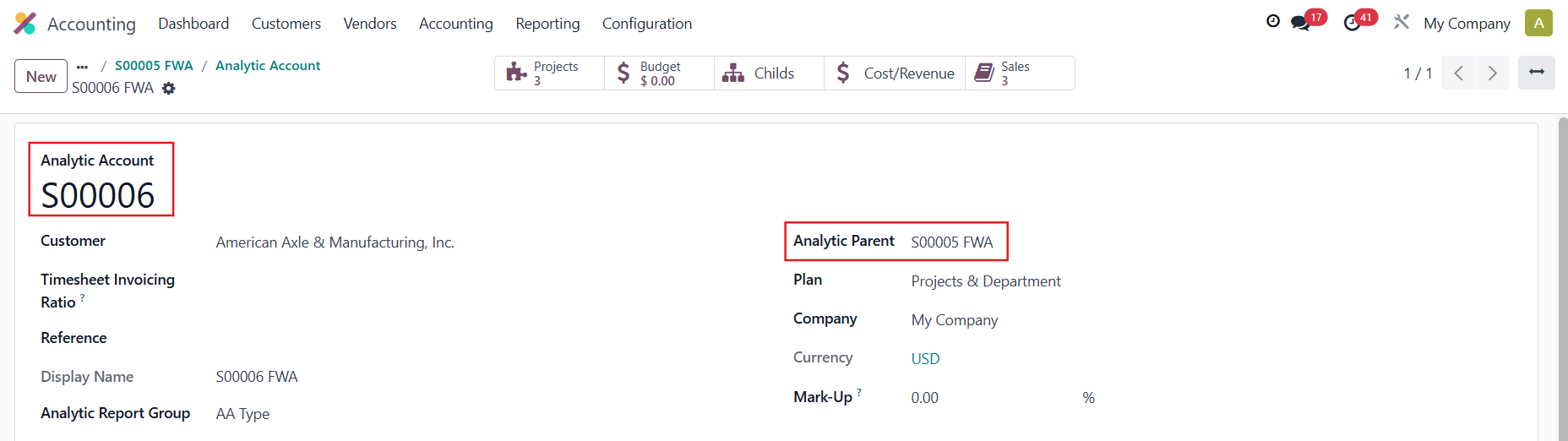
Unlike the previous Odoo feature, the parent can now be used not only for organizing a hierarchical structure but also for recording data. For analysis purposes, we can check the revenue/expense of all children's analytic accounts from the analytic parent account. This enables a more dynamic and operationally integrated use of analytic accounts, where parent-child relationships are actionable and can contribute directly to financial and project-related transactions.
A. ANALYTIC ACCOUNTS' DISPLAY NAME CUSTOMIZATION1. Go to Settings > Analytics > Tick box Analytic Distribution Python Code to customize the display name. |  |
2. Accounting > Configuration > Analytic Accounting > Analytic Accounts and choose the display name that you want > Save |  |
3. Go to Sales > Quotations > New and fill in the necessary information > Save > Confirm You will see the tailored display name that you created earlier in the Analytic Distribution. |  |
B. ANALYTIC PARENT1. Accounting > Configuration > Analytic Accounting > Analytic Accounts and fill in the Analytic Account's name and choose an Analytic Parent > Save The Analytic Account's display name will automatically be 'Analytic Account'/'Analytic Parent' |  |
2. In ODS, if an analytic account has a reference, the display name in Analytic Distribution will appear as 'Reference'/'Analytic Account'. In this module, the reference will not show in Analytic Distribution's display name, to avoid being wordy and confusing. |   |
Note: Raise a warning when choosing the analytic parent = the analytic account itself | 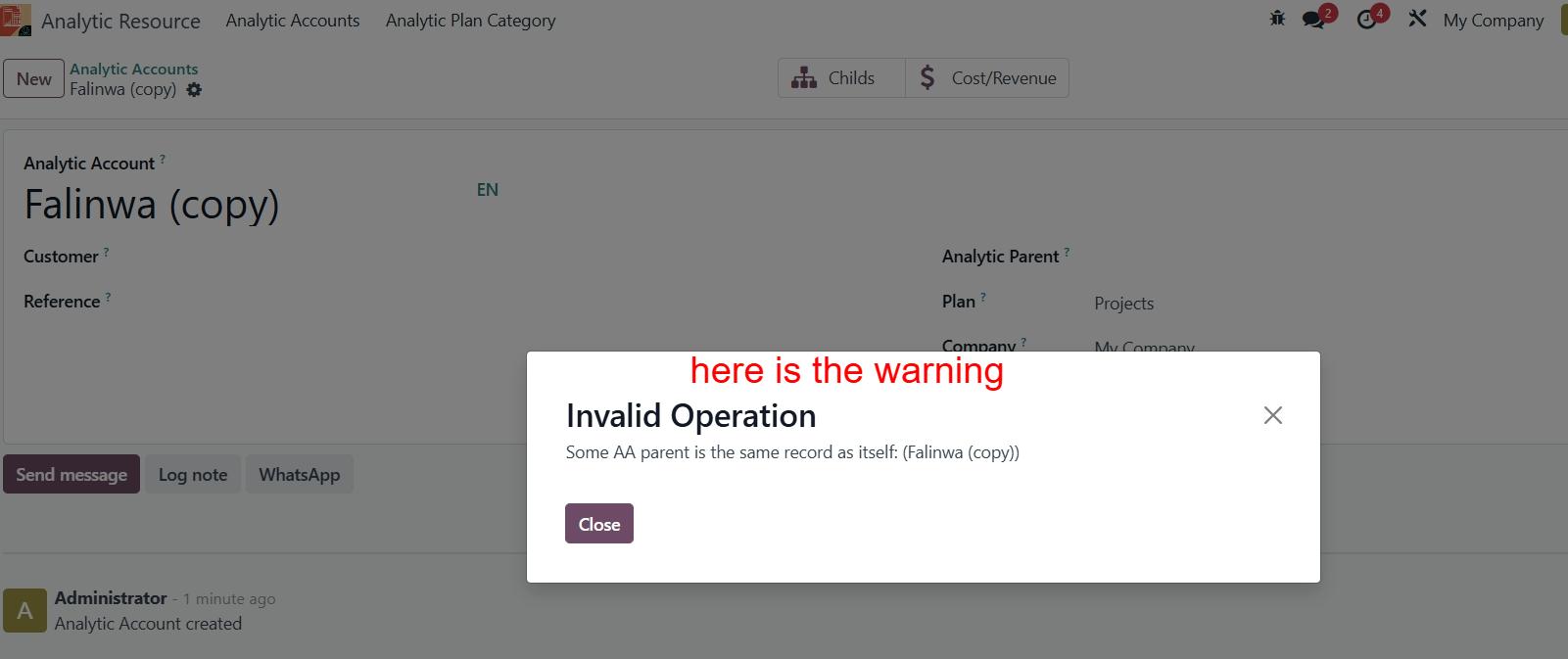 |
C. SEARCH BY CUSTOMIZED DISPLAY NAME1. Write a Python code e.g., result = analytic.name + " FWA" | 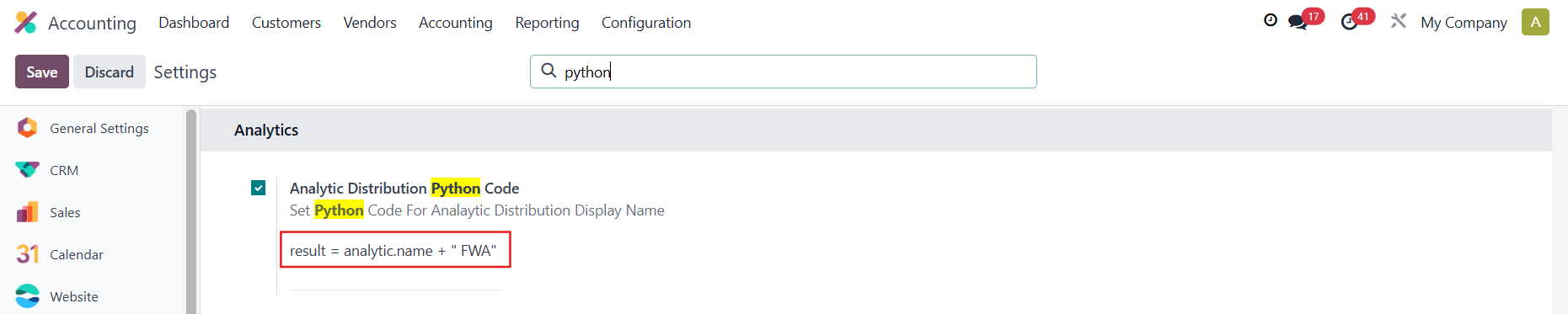 |
2. Go to Analytic Resource > Analytic Accounts > Create a new analytic account | 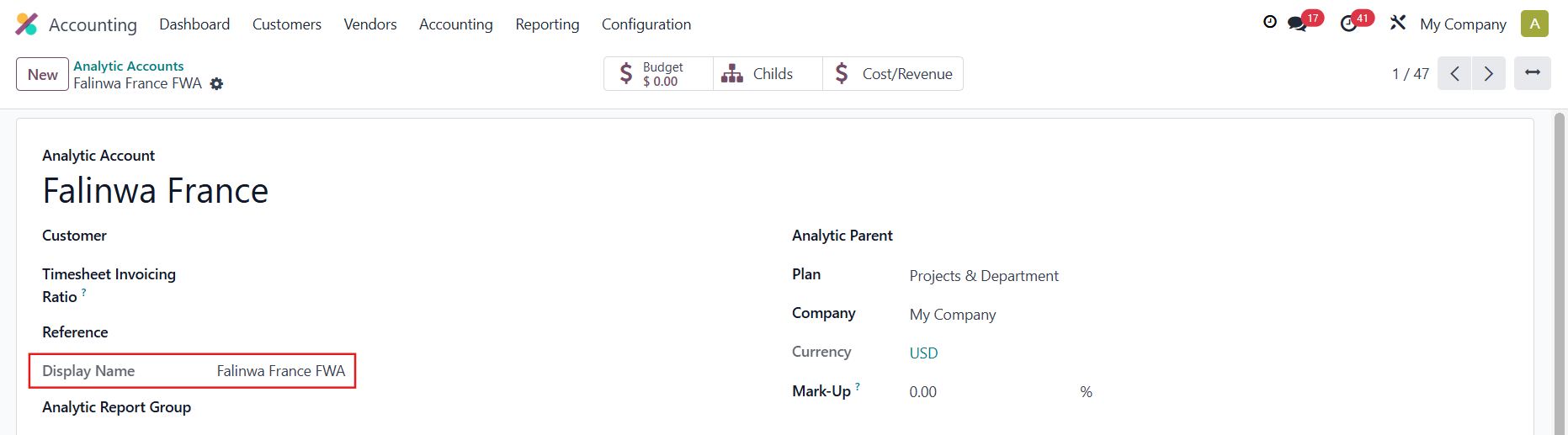 |
You will be able to search by your customized Display Name in the Analytic Accounts' list view |  |
3. You can also search by your customized Display Name in the Analytic Distribution |  |
COST/REVENUEYou can check the cost/revenue of the child AA in the parent AA. |
|