



STORY BEHIND THE FEATURES
ODOO'S FUNCTIONS
The default Odoo does not include a matching date field, and reconciliations are tracked without recording the actual date when they were performed.
CLUEDOO'S FUNCTIONS
CLuedoo helps add the “matching date” information to journal items and reconciliation models, allowing for more accurate tracking of reconciliations and outstanding balances based on the actual reconciliation date.
OUR FEATURES AS SOLUTIONS
Add the Matching Date in Journal Items
HOW TO USE THIS MODULE
1Go to Accounting → Review → Journal Items. Select the journal items you want to reconcile, then click the Reconcile button at the top. Fill in the necessary information and confirm the reconciliation. | 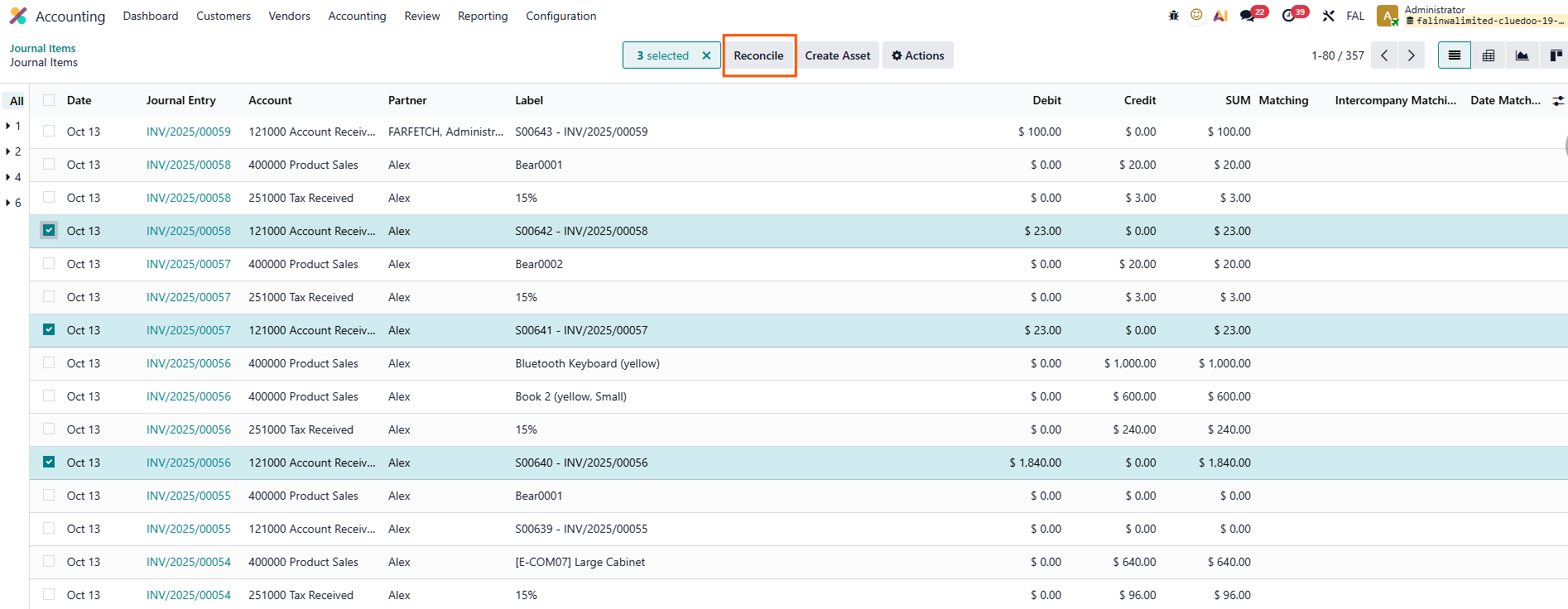 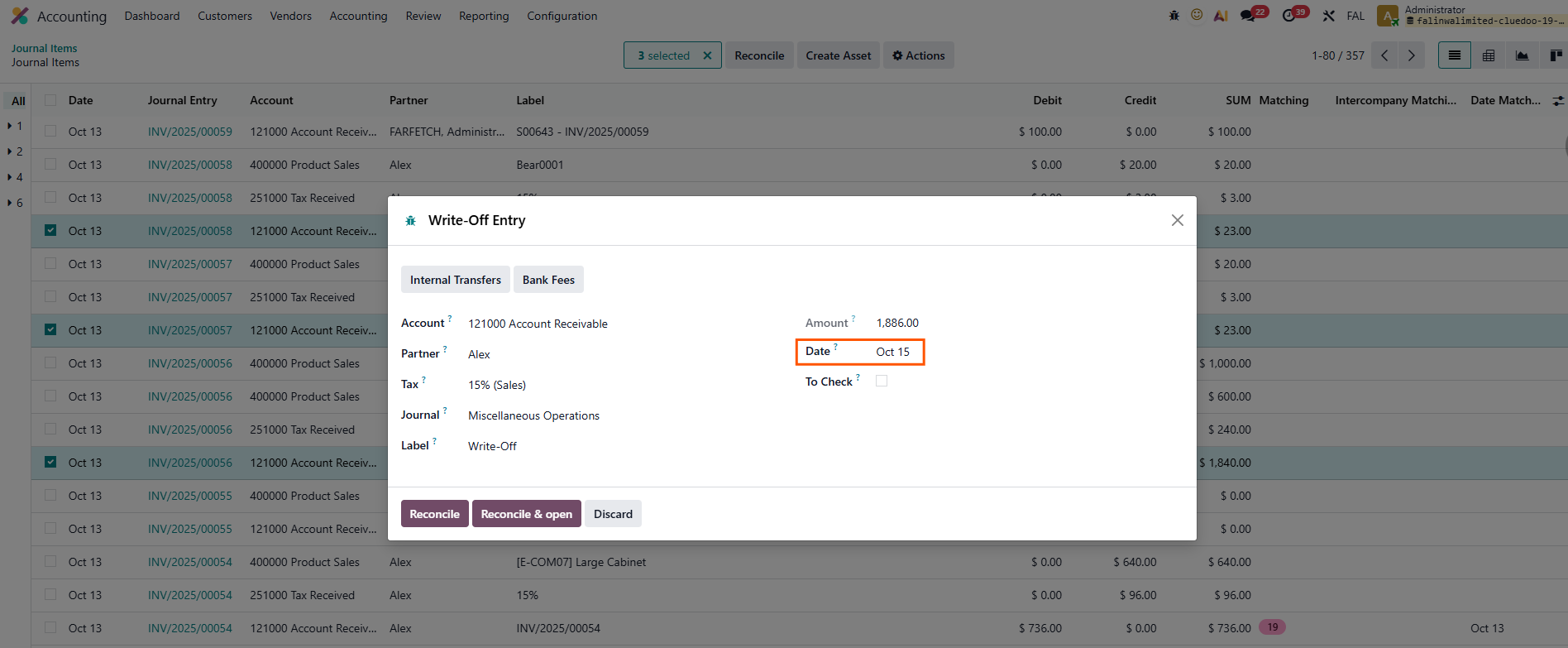 |
Note: Make sure that the account is allowed to be reconciled. | 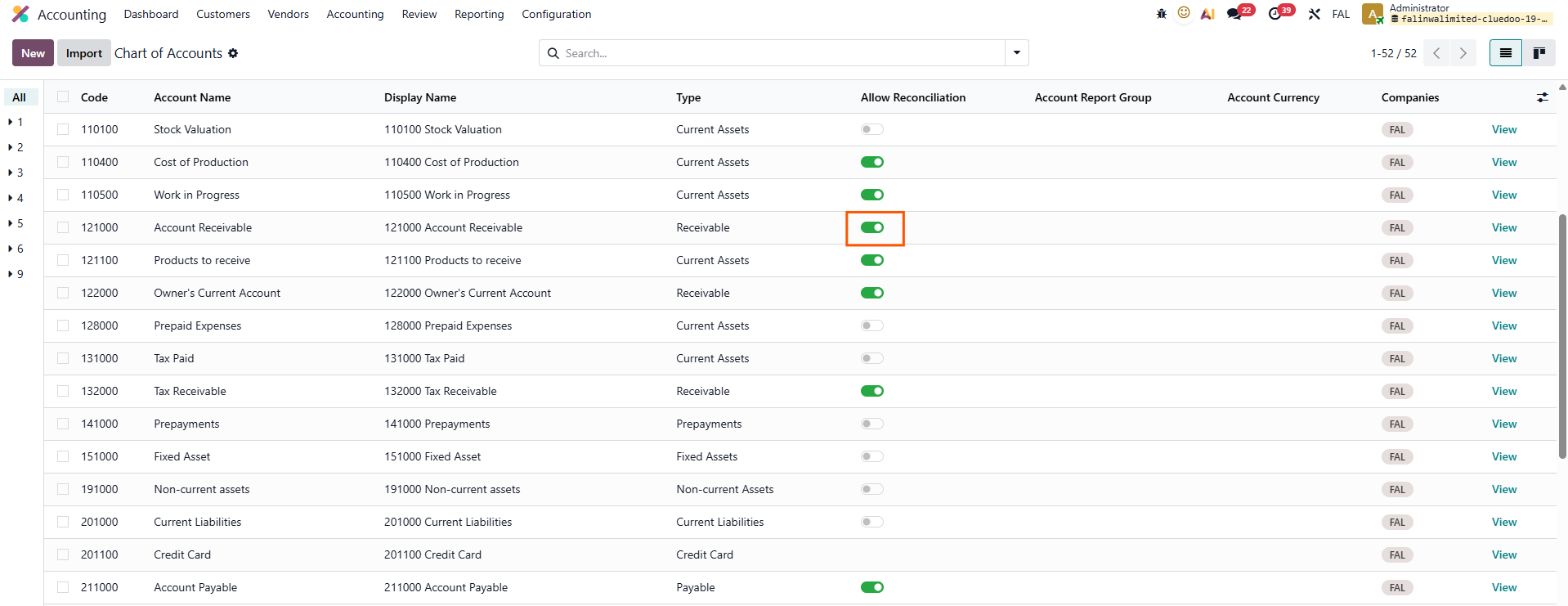 |
2Once reconciled, you can see the Matching Date, which indicates the date when the reconciliation was performed. | 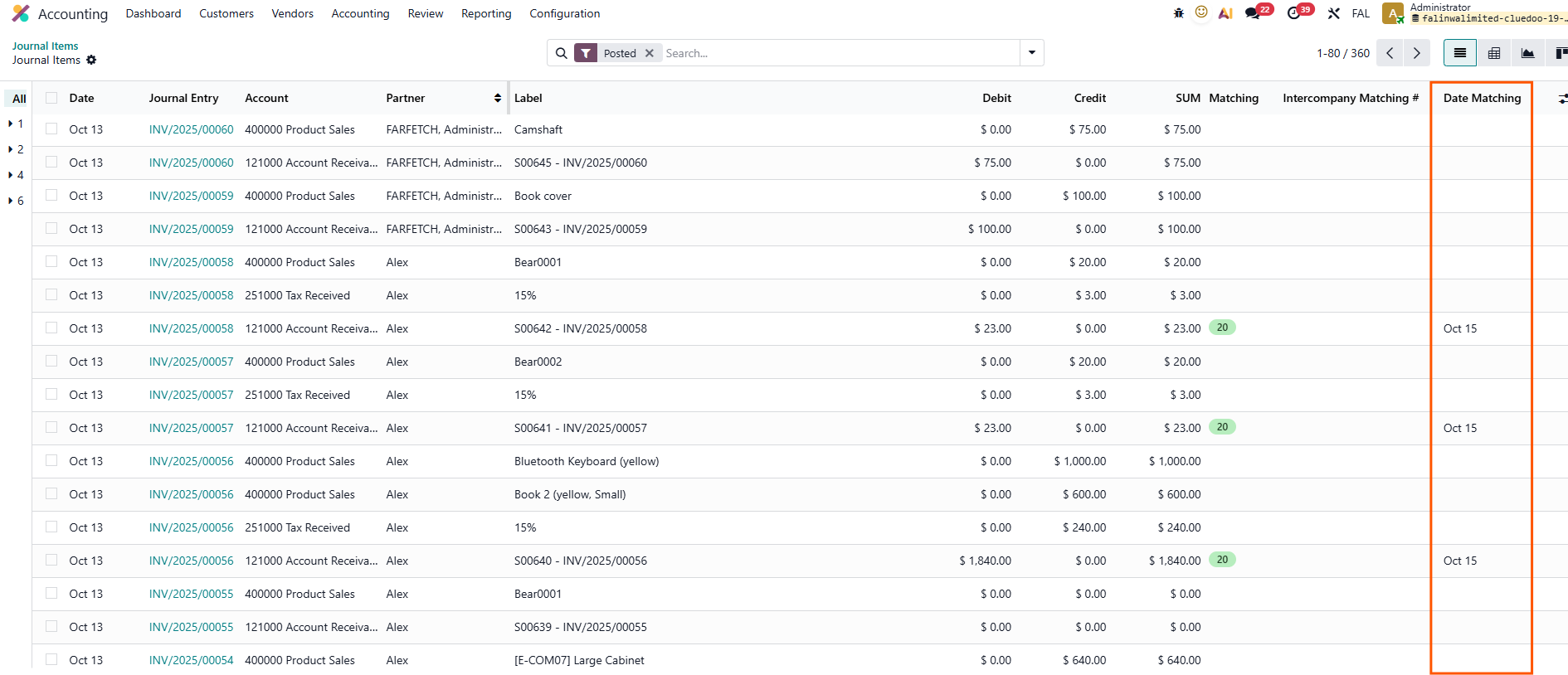 |