



Odoo(オドゥー)の機能
【翻訳】Odoo operates under the default assumption that a finished product is not scrapped. In a Make to Order (MTO) scenario, if you sell 100 units, the system expects the production of 100 finished products and the preparation of components for the entire quantity of 100 finished products. Scrapping is not automatically factored into the default production calculations.
Cluedoo(クルードゥー)の機能
【翻訳】The practical reality in many factories often diverges significantly: Scrap percentages for items in the Bill of Materials (BOM) are known, and the goal is to establish a precise BOM that incorporates a designated scrap percentage. In this way, when a production request for 100 units is received, the production order is initiated for 100 units plus the anticipated scrap percentage.
【翻訳】CLuedoo recognizes and addresses this business scenario by introducing the concept of scrap on the finished product BOM. This feature ensures that the specified scrap percentage is considered in the production order, aligning with the real-world need for accurate production planning that includes anticipated scrap.
【翻訳】1. Set the Scrap Percentage on the Bill of Materials for a finished product and its component(s) (optional) 【翻訳】For example, I set 20% for the finished product and 10% for its component. | 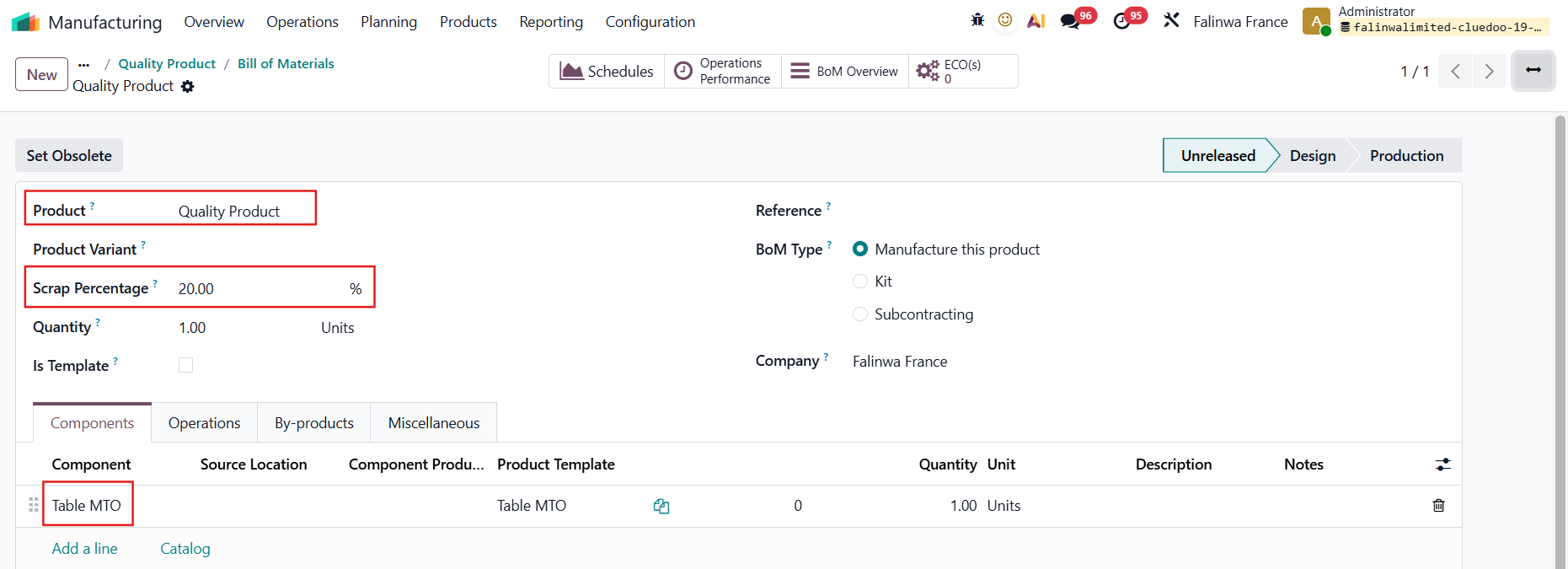 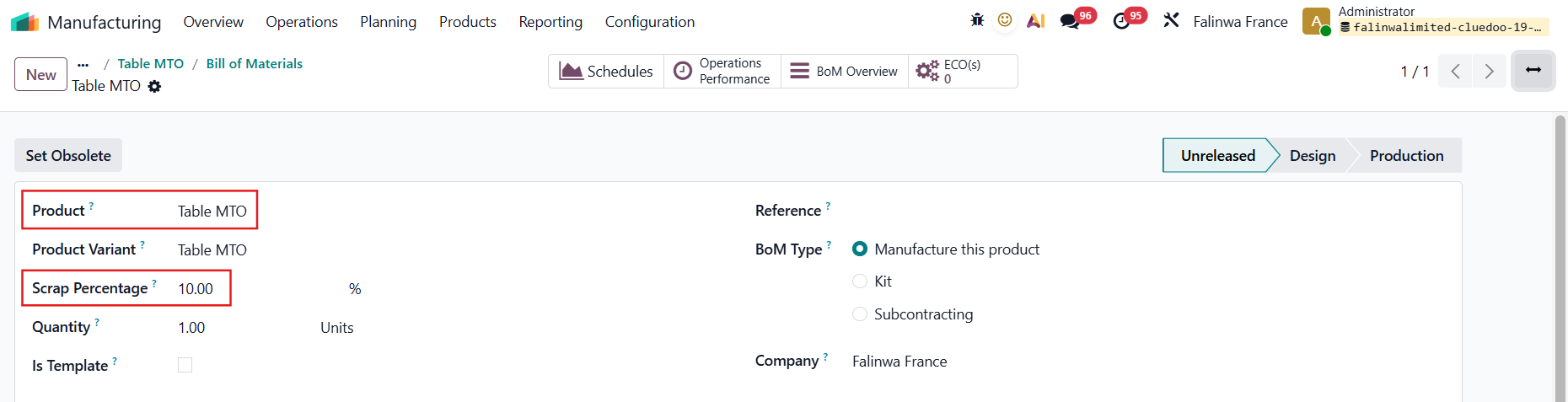 |
【翻訳】2. Go to Manufacturing > Operations > Production Order > when creating a new Production Order, the scrap percentage is set automatically based on the selected BoM. 【翻訳】Fill in the Qty to Transfer, and the Qty to Produce will be automatically caculated. 【翻訳】Scrap Percentage Formula:
→
10 / (1 - 20%) = 12.50 | 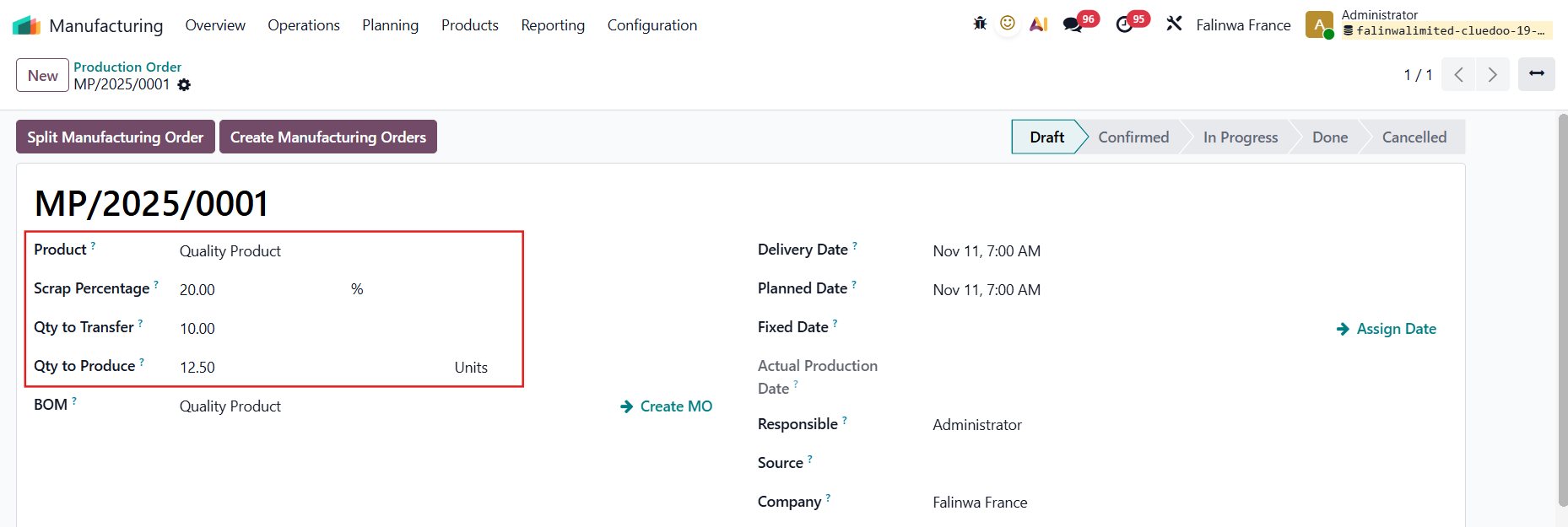 |
【翻訳】3. Click Create Manufacturing Orders > The MO created will be linked under the Manufacturing Orders tab | 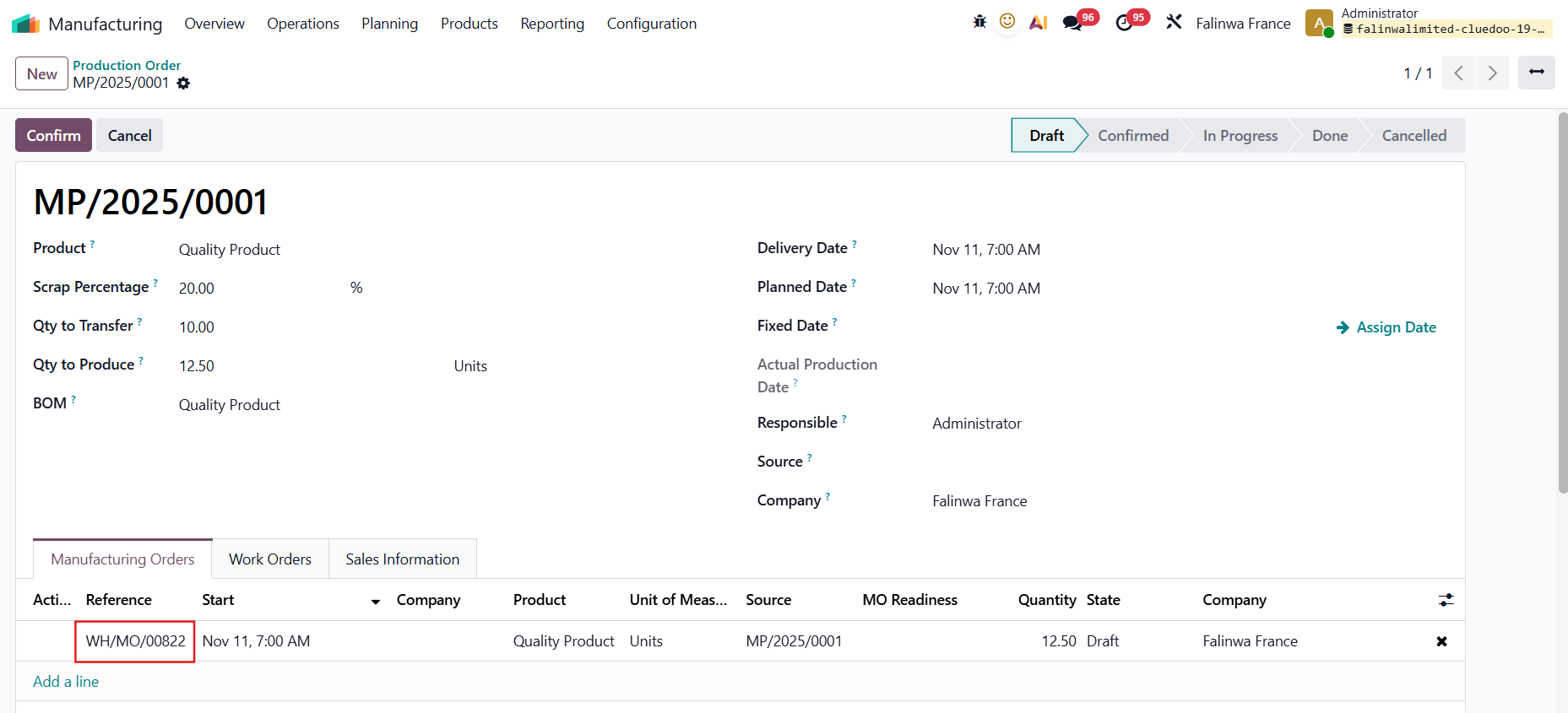 |
【翻訳】The Quantity to Produce and the Scrap Percentage will be inherited to the MO 【翻訳】Under the Components tab, the component(s) with their "to consumed" quantity will be shown 【翻訳】For example, to produce 12.5 units of Quality product, I will need 12.5 / (1 - 10%) = 13.89 units of Table | 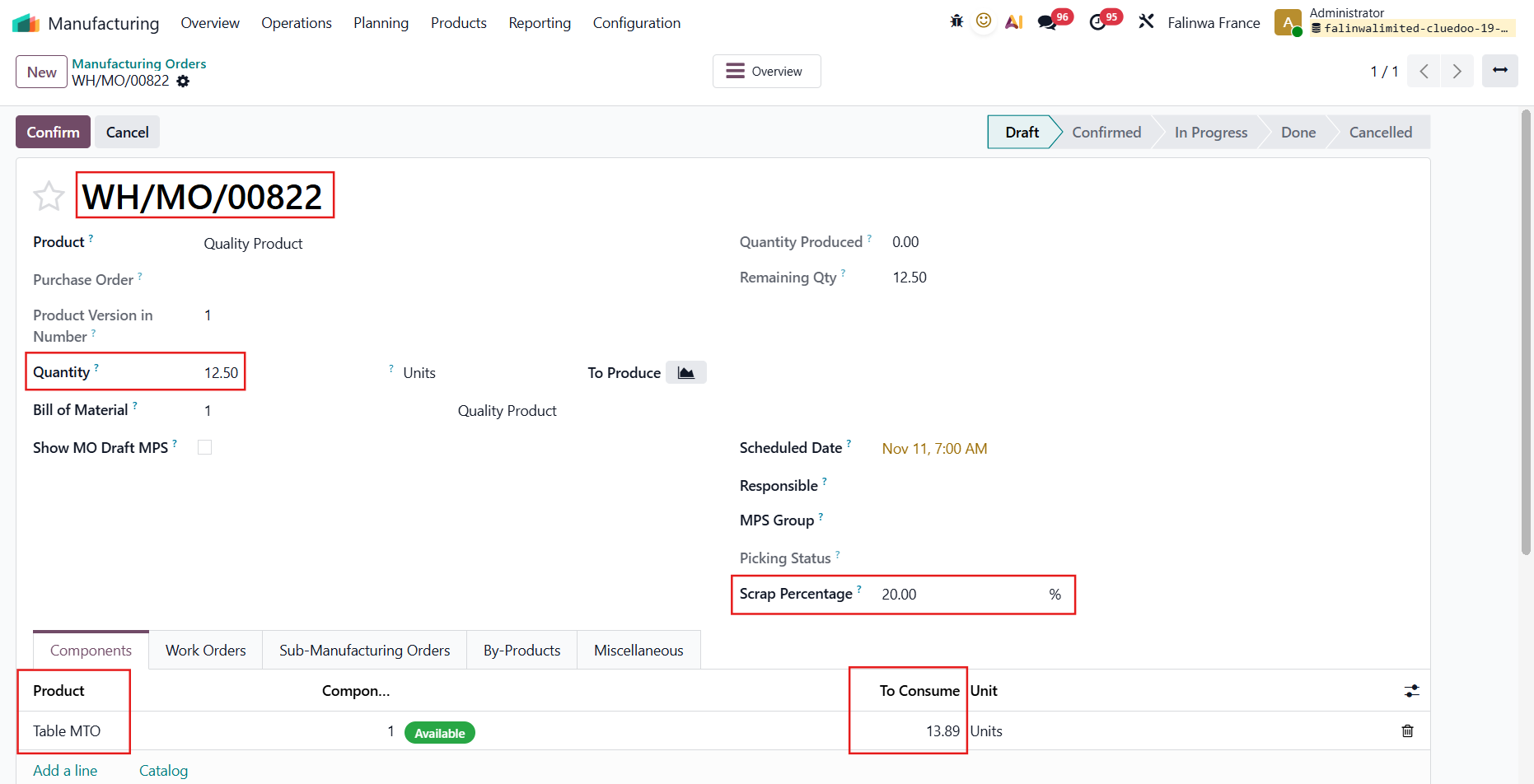 |