



ODOO'S FUNCTION
Odoo allows you to designate a title to an Individual but not to a company. Because of this, a common practice is to put Company Title as an Individual's name.
CLUEDOO'S FUNCTION
CLuedoo extends the notion of titles to Company by adding Company Title type. It also includes a default library to this module.
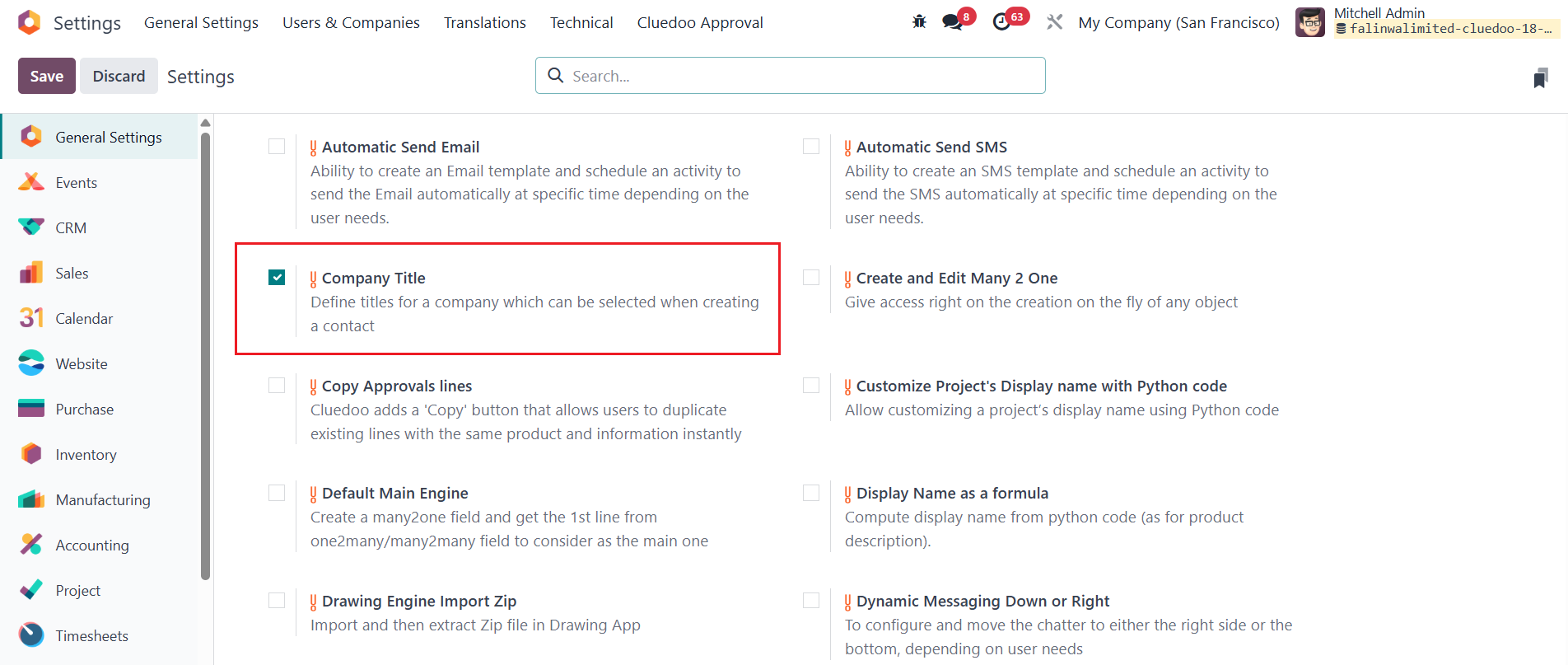
CONFIGURATION Go to Settings > Tick on the checkbox Company Title |
|
USAGE On Contacts > Configuration > Contact Titles, we have check box "Is Company" to define that it's the title for the company. | 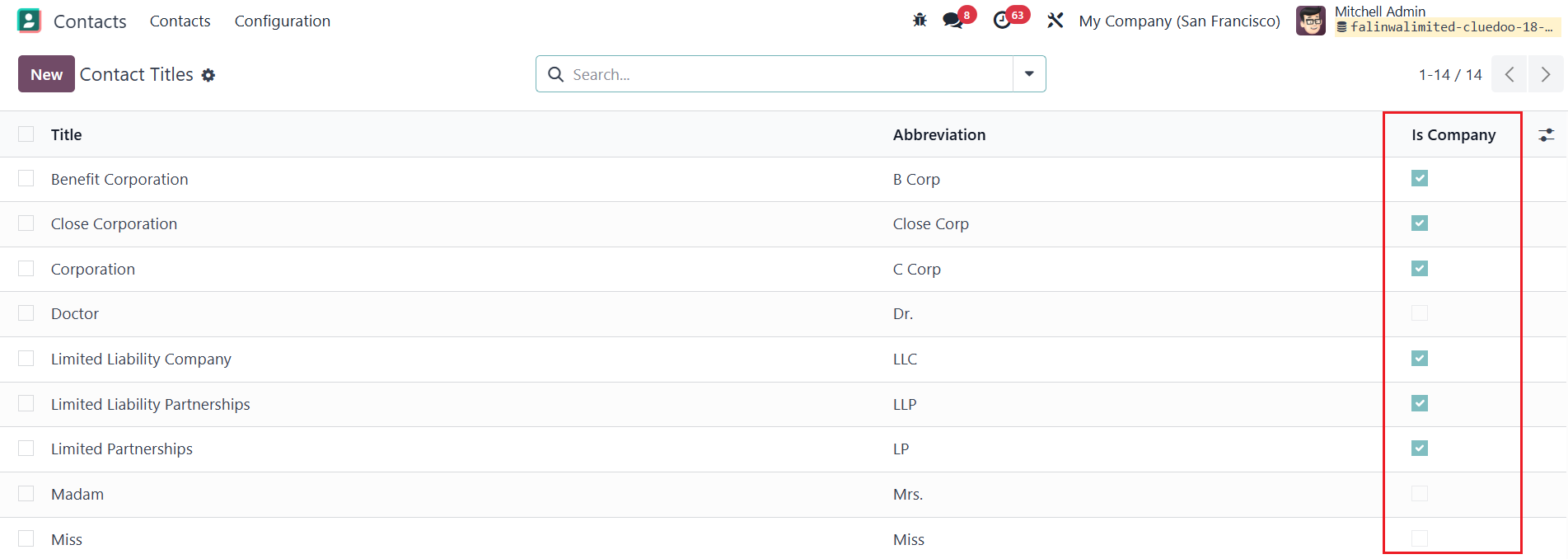 |
On Company contact form view, we can select the title. | 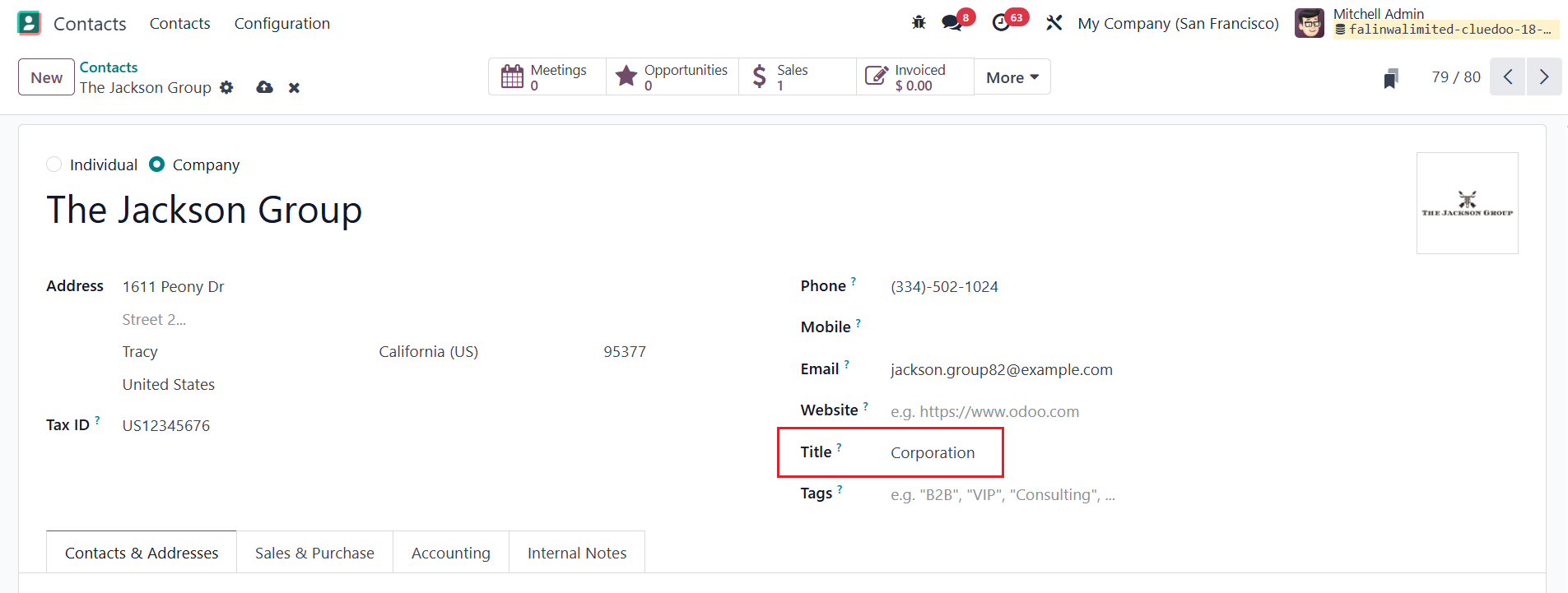 |
機能詳細
ODOOの機能
Odoo は勘定かも表の階層を設定するためのグローバルな勘定科目を提供します。
CLUEDOOの機能
Cluedoo は、会社フィールドと階層ビューを提供し、勘定科目を会社別および 親会社 別に簡単に検索して見つけることができます。
MODULE +
より良い管理のため、勘定科目グループを勘定科目表(CoA) のように会社依存に設定する機能を提供します。
CLUEDOOの推奨事項
複数の勘定科目表を使用する国際企業で、グループを混在させたくない場合は、データベースの100%でインストールして会社を設定してください。
ソリューション機能
勘定科目に会社フィールドを追加
モジュールの使い方
1
会計(Accounting) → 設定(Configurations) → 勘定科目(Account Groups) に移動。新しい 勘定科目(Account Groups) を作成して「会社(Company)」を入力します。

2
親会社(Parent Companies) 付きの階層ビューを追加します。
