


STORY BEHIND THE FEATURE
ODOO BEHAVIOR
In Odoo, when creating a Sales Order (SO), users can specify a delivery address, but the system does not support defining multiple Intervention Addresses within a single SO. Deliveries (stock transfers) are created based on the single delivery address specified in the SO, and all products, including service-type products, are included in the delivery unless manually excluded.
CLUEDOO BEHAVIOR
This module will help you:
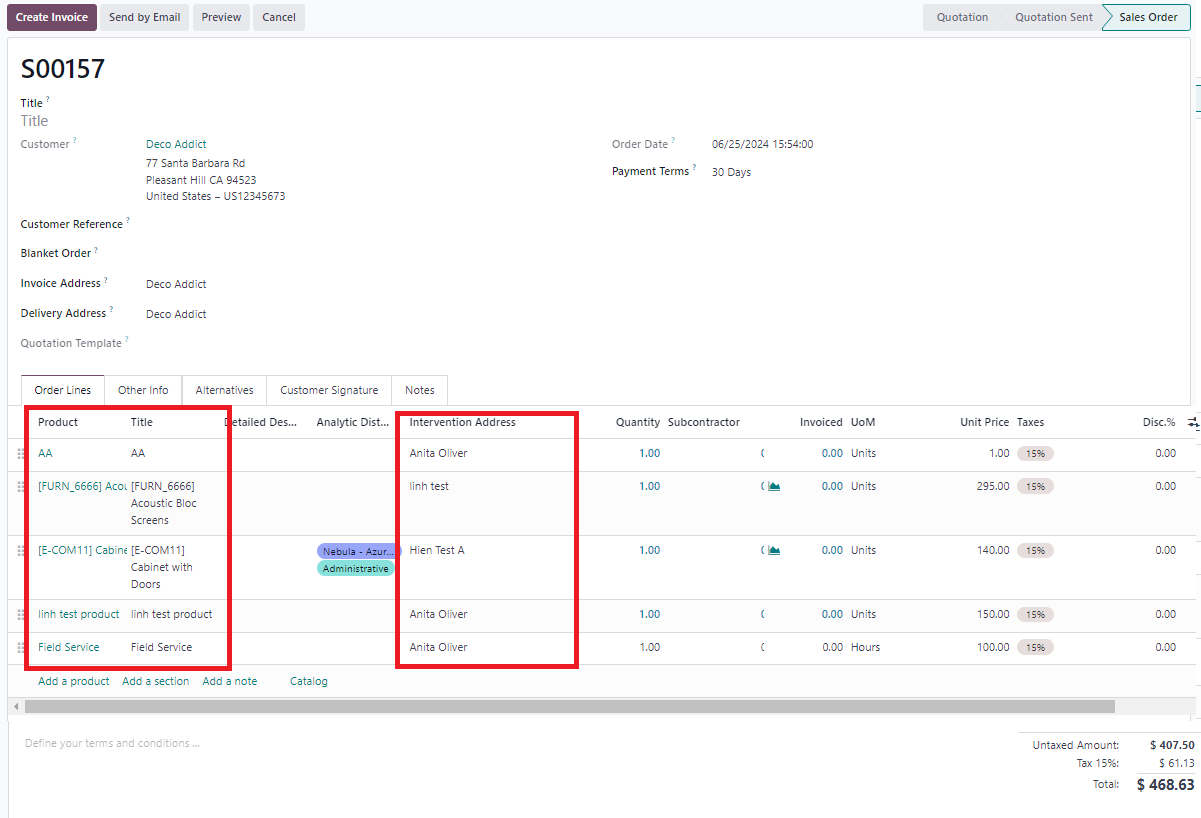
- Allows users to create a Sales Order with multiple Intervention Addresses, enabling the specification of different delivery locations for products within a single SO.
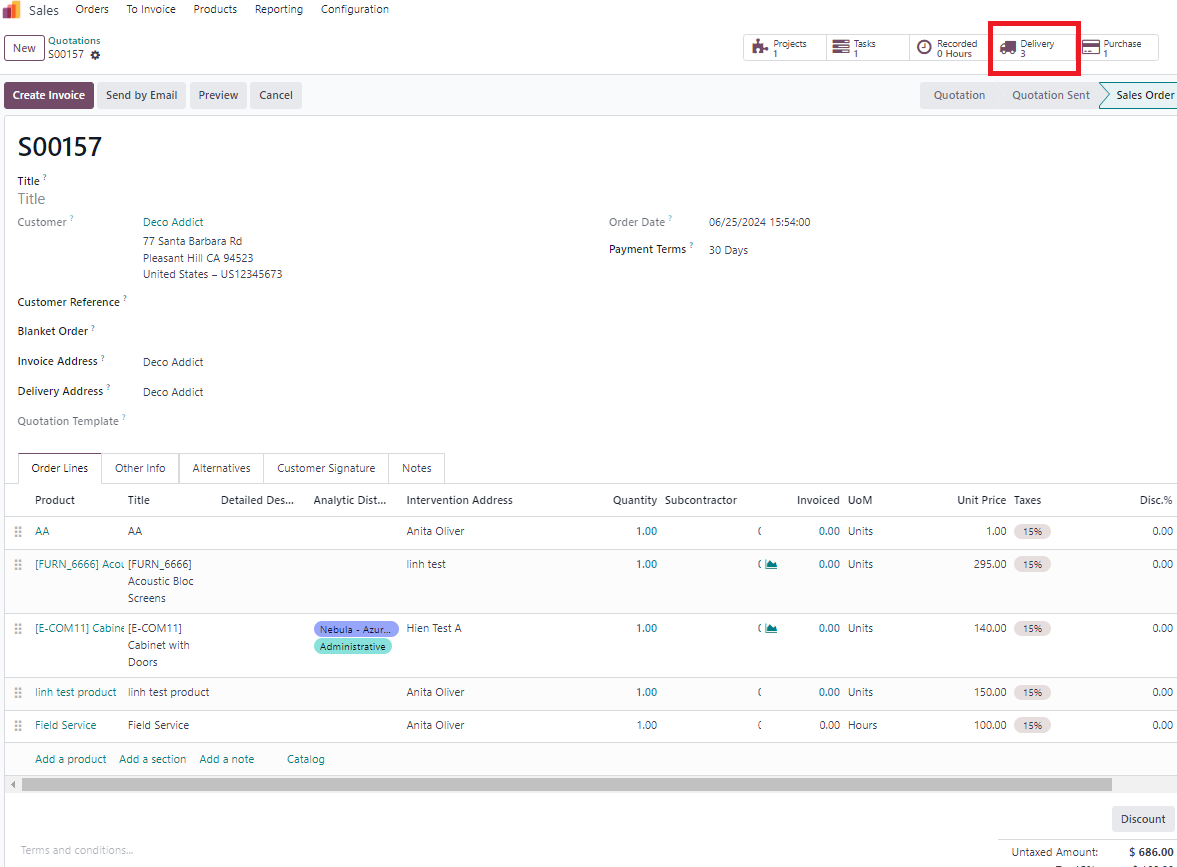
- Automatically generates separate Deliveries in the Delivery module based on each Intervention Address upon SO confirmation, streamlining multi-location delivery planning.
CLUEDOO RECOMMENDATIONS
Install on 100% of the database as this feature.
HOW TO USE THIS MODULE
1. Create SO with several types of Intervention Address > Confirm For ex: I set 3 Intervention address Note: product with service type not create transfer |
|
2. Go to Delivery > Check that 3 Deliveries created based on Intervention Address |
|
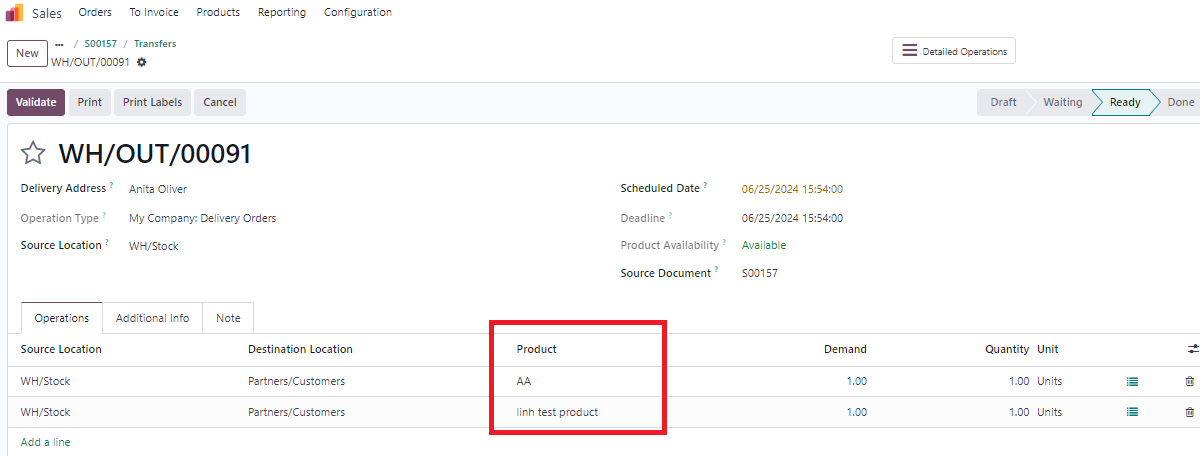
3. Check that with Intervention Address is "Anita Oliver" only 2 products because "Field service" is product with service type so it can't create transfer |
|